
Best IT Service Management (ITSM) Software in
Are you looking for IT Service Management (ITSM) Software for your Business in ? SaaS Adviser brings you the best IT Service Management (ITSM) Software to ease your worries. In order to make your work smooth and swift, SaaS Adviser has compiled a list of the best software available. Compare the Best software features, pricing, free demo, and trial to select the best IT Service Management (ITSM) Software for your organization.
 Researched and Written by Nikita Rao
Top 3 Featured Softwares

List of Top IT Service Management (ITSM) Software
Get Free Consultation


ManageEngine ServiceDesk Plus

Design, automate, deliver, and manage critical IT and business services
 4.2
4.2
ServiceDesk Plus is the industry-leading ITSM platform that helps IT teams automate every aspect of their service delivery with powerful workflows. From incident and problem ma...
View Profile

What is Freshservice? Freshservice is a cloud-based IT service management (ITSM) solution developed by Freshworks that enables organizations to modernize and streamline their IT...
View Profile

What Is Zendesk Remote ?Zendesk Remote is not a standalone Zendesk product like Support or Talk, but rather refers to remote support capabilities w Read More...
View Profile
NinjaOne, formerly known as NinjaRMM, is a cloud-based IT management platform designed to help managed service providers (MSPs) and internal IT teams efficiently monitor, manag...
View Profile

Docsie
Enterprise Knowledge Base Software
Docsie is a versatile digital documentation and knowledge management platform designed to streamline the creation, management, and distribution of various types of content, includi...
View Profile

JIRA Service Management
By Atlassian
Check How JIRA Service Management can help to automate Indian Business. SaaSAdviser provide their list of features, pricing, Free demo and Comparison with the best alternative
View Profile
ServiceNow
PUT AI TO WORK FOR PEOPLE
What is ServiceNow?ServiceNow is a leading cloud-based platform that helps organisations streamline their operations by automating workflows across IT, HR, customer service, and ot...
View Profile
ManageEngine Analytics Plus
By ManageEngine Analytics Plus
Advanced analytics and feature-rich dashboards from ManageEngine Analytics Plus make your data more useful than ever before. You can connect to any data source and upload files, sp...
View Profile
SysAid is a comprehensive IT software solution that includes a Help desk, IT Asset Management, and various tools for analyzing and optimizing IT performance. SysAid's IT Asset Mana...
View Profile
BMC Helix ITSM
By BMC Helix ITSM
BMC Helix ITSM is a powerful, customer-centric system that uses emerging technologies, such as Machine Learning and Artificial Intelligence, to transform ITSM principles from Remed...
View Profile
InvGate Service Management
Automation and no-code workflow builder
InvGate provides the most flexible, no-code Service Management and Asset Management solutions for mid-size/enterprise organizations looking to scale and automate Service Management...
View Profile

TOPdesk is a service management software that helps businesses to easily connect with customers and meet their expectations. This easy to use solution allows businesses to spend le...
View Profile

Zendesk Suite
Unified Customer Support, Smarter Every Interaction.
What is Zendesk Suite? Zendesk Suite is a unified customer support software that combines help desk, live chat, call center, email, and knowledge base into a single platform. I...
View Profile

SolarWinds Service Desk is a cloud-based, multi-tenant solution that streamlines ticket management and issue resolution with time-saving workflows, ticket routing rules, and an AI-...
View Profile

What is Atera?Atera is an all-in-one remote monitoring and management (RMM) platform designed for IT professionals and managed service providers. It integrates essential to...
View Profile

TeamSupport is a B2B customer support software built to enhance collaboration, streamline ticket resolution, and improve client relationships. Designed specifically for business-to...
View Profile

Toast is a customizable POS system designed for restaurants that want to improve their service, operations, and revenue. The solution brings together online ordering, digital and p...
View Profile
Check How Salesforce Service Cloud can help to automate Indian Business. SaaS Adviser provide their list of features, pricing, Free demo and Comparison with the best alternative
View Profile
What is Zoho Assist?Zoho Assist is a far off computer software program that permits you to get entry to and support devices from anywhere in the global. With features like unattend...
View Profile

SuperOps.ai
Your Friendly Neighborhood
What is Software? Software is a set of programs and operating information that allows computers and devices to function and perform specific tasks. It acts as the bridge...
View Profile

Table of Content
What is ITSM Tools?
IT Service Management (ITSM) software empowers organizations to streamline the entire best itsm software delivery process, aligning IT resources with business goals. By incorporating best practices from frameworks like ITIL and automating tasks like incident and change management, ITSM software helps businesses improve efficiency, enhance service quality, and reduce costs. With cloud-based options, these solutions offer greater flexibility and scalability. The rise of artificial intelligence and machine learning has further bolstered ITSM software, allowing it to predict and prevent IT issues proactively.
1. What are the Types of ITSM Tools?
1. On-Premise
In this deployment model, the software is installed and run on a company’s own servers.
-
Ideal For: Large enterprises with strict security and regulatory requirements or companies seeking to have complete control over their IT footprint.
-
Characteristics: Significant initial infrastructure investment, maintenance is performed by an IT team, and often very customizable.
-
Examples: Some old versions of ManageEngine ServiceDesk Plus and BMC Helix ITSM can be deployed in-house.
2. Software-As-A-Service (SaaS)/Cloud
The most common deployment model of cloud-based ITSM software today is a hosted model that is maintained by the software vendor and delivered via the internet, and users access it through a web browser.
-
Ideal For: Small to mid-sized businesses (SMBs) and enterprises that desire low overhead, fast deployments, and automatic updates.
-
Characteristics: Subscription pricing, no infrastructure to maintain, and continuous updates.
-
Examples: ServiceNow, Freshservice, and Jira Service Management.
3. Hybrid
This approach includes both the elements of on-premise and cloud deployment, allowing companies to localize data storage for sensitive information while web services reside in the cloud.
-
Ideal For: Organizations with more detailed and complex regulatory requirements and prefer to offer the benefit of both deployment options.
-
Examples: Ivanti Neurons for ITSM deploys in a hybrid state.
2. Conclusion
To select the best IT Service Management (ITSM) software in the USA, you need to weigh the features, scalability, pricing, and vendor support. A good ITSM solution is valuable if it can help facilitate incident resolution, automate workflows, manage assets, ensure compliance, and improve service delivery overall. IT buyers should consider deployment options, ask for demonstrations/trials, and talk to real users to evaluate whether the tool fits with their long-term IT service expectations. Choosing the best ITSM platform will certainly help your organization improve efficiency, decrease total costs, and enable IT services that are both reliable and future ready.
3. Top ITSM Tools in USA(Top Features, Pros, Cons)
1. ServiceNow
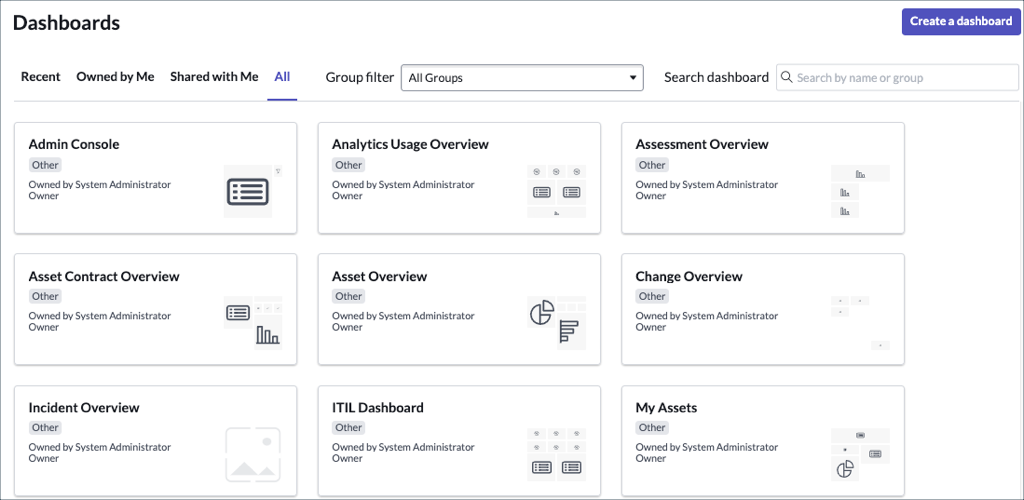
ServiceNow is a comprehensive cloud-based IT service management platform widely adopted across U.S. enterprises, especially in regulated industries. It offers modular apps that automate workflows for IT, HR, customer service, and more, enhancing operational efficiency and compliance.
Top Features:
- Incident, request, and change management
- Configuration management database (CMDB)
- AI-powered performance analytics
- Mobile and self-service portals
- Service level management
Pros:
- Highly scalable for large U.S. enterprises
- Extensive automation and AI capabilities
- Strong compliance and governance features
Cons:
- Can be costly for small businesses
- Steep learning curve for initial setup
- Customization may require expert resources
Pricing: Custom pricing typically based on number of users and modules selected.
2. Ivanti for ITSM
Ivanti for ITSM is a 100% web-based, AI-driven IT service management platform designed for U.S. companies that prioritize adaptability and automation of IT workflows. Their licensing is attractive for configurable enterprise use cases.
Top Features:
- Request, incident, and change management
- Knowledge and event management
- Runbook automation for routine tasks
- Asset discovery and IT asset management
- Omnichannel end-user support
Pros:
- Flexible configuration matching specific U.S. business needs
- Strong automation reduces manual interventions
- Cloud optimized supporting hybrid environments
Cons:
- Some advanced features may need customization
- Limited third-party marketplace integrations yet
Pricing: Pricing varies; typically based on feature modules and user count with options for cloud subscription.
3. Jira Service Management
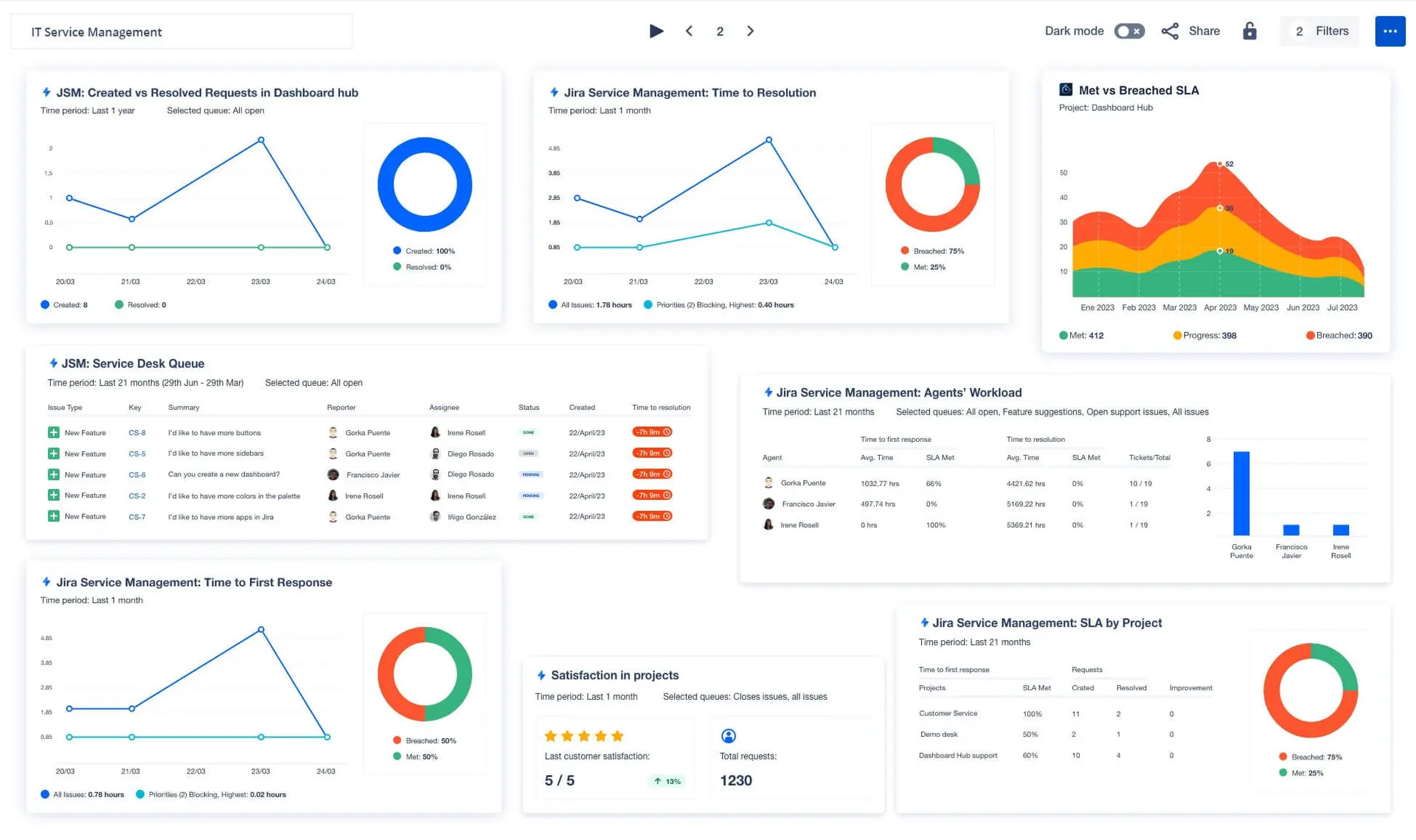
Jira Service Management by Atlassian offers U.S. organizations a collaborative ITSM and service desk platform combining Jira’s project tracking with advanced service management and automation capabilities.
 Top Features:
- AI-assisted incident and request management
- Pre-configured templates for fast setup
- Collaborative workspace for DevOps and IT
- SLA management and reporting
- Extensive integrations via Atlassian Marketplace
Pros:
- Easy adoption for agile U.S. development teams
- Cost-effective plans for SMBs and enterprises
- Robust automation and reporting
Cons:
- Complex workflow customizations need training
- UI can be overwhelming for non-technical users
Pricing: Starts at $20 per agent/month with tiered plans and free trial options.
4. ManageEngine ServiceDesk Plus
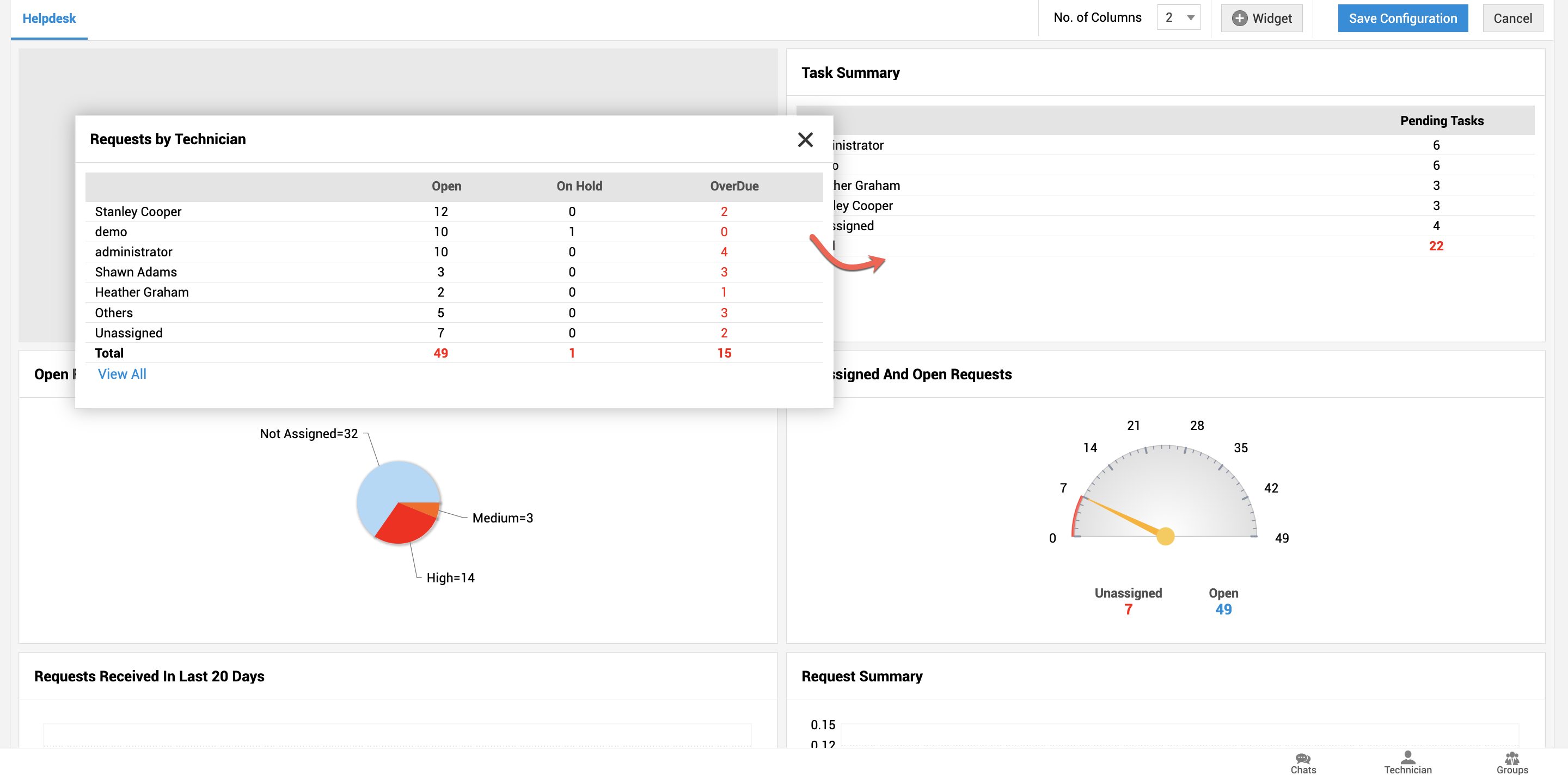
ManageEngine ServiceDesk Plus is a widely used ITSM solution among U.S. IT teams, offering comprehensive help desk management with automated workflows and asset management tailored for growing enterprises.
 Top Features:
- Incident, problem, and change management
- Asset management and contract management
- SLA tracking and knowledge base
- Multilingual and customizable portals
- Mobile app for technician access
Pros:
- Affordable licensing models for U.S. companies
- Easy to deploy and use
- Strong asset management integration
Cons:
- Limited advanced ITIL-support features
- Customization can be complex for beginners
Pricing: Available in Standard, Professional, and Enterprise editions with pricing starting from around $10/user/month.
5. NinjaOne
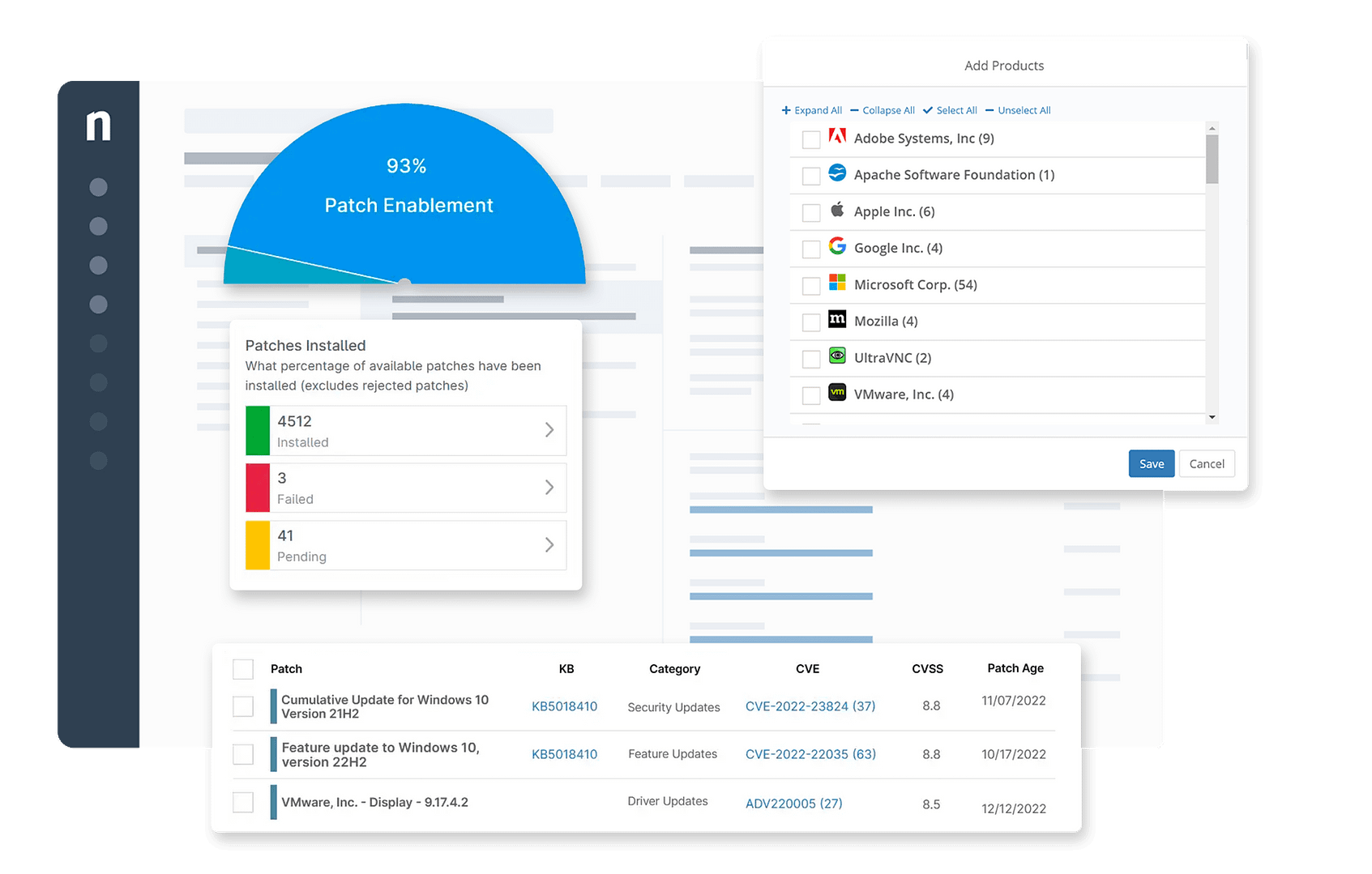
NinjaOne is an all-in-one IT management platform designed for MSPs and IT professionals in the U.S. It provides a centralized, easy-to-use dashboard for device monitoring, patch control, and remote support.
 Top Features:
- Remote Monitoring and Management (RMM)
- Automated patch control
- Fast and secure remote access
- Cloud-based backup and recovery
- Real-time alerts and customizable reports
Pros:
- Simple, intuitive interface
- Strong automation reduces manual workload
- Reliable remote support capabilities
Cons:
- Limited third-party integrations
- Relatively expensive for small businesses
- Mobile app lacks advanced features
Pricing: Pricing starts at $2 to $4 per endpoint per month, with custom plans for larger networks.
4. How to Choose the Right Online ITSM Tools?
1. Vendor Reliability And Support
Notice and consider the vendor's reputation, responsiveness, and customer support. Because this is a long-term partnership, trust and reliability are crucial.
2. Pricing Model
Think in terms of Total Cost of Ownership (TCO), not simply the licensing fee. Consider implementation, customization, and ongoing maintenance. Some vendors may have extra costs for features or end-user access.
3. Deployment Timeline
Think in terms of implementation timelines. Some tools come with ready-to-digital configurations (ready to be used) while others require significant customization and a lengthy deployment period.
4. Flexibility And Scalability
Select a tool that can grow with your organization. The platform and cost should be able to scale to more users and different needs without compromising performance.
5. Ask For Demos And Trials
Ask vendors to schedule demos and also ask about a free trial to usability test the software in your environment.
6. Check Reviews And References
Look up reviews on reputable third-party sites for feedback and ask vendors for references to talk with some of their existing clients.
7. Test It Out On Real Users
Get your IT department and real users involved in a pilot to gather usability and function feedback prior to full implementation.
5. What Are The Challenges of ITSM Tools?
1. Implementation And Technical Challenges
- Data Migration Challenges
Migrating historical data from fragmented, outdated systems to a new ITSM tool can be time-consuming, difficult, and carries a high risk of data loss or corruption.
-
Integrating Data From Legacy Systems
Many organizations have a significant investment in legacy IT infrastructure, which may not be compatible with the latest ITSM tools. Integration of old and new infrastructures is often technically complicated and may expose challenges in data formats.
-
Over-Customization
Customization is often where a customer can find value, but customizing too much of the out-of-the-box solution can create complex workflows that can be difficult to manage. Compiler complexity and number of customizations can lead to an increase in implementation time and costs and make upgrading to future versions difficult.
- Asset Visibility
Asset visibility is essential to effective ITSM, requiring a complete and accurate inventory of all IT assets. Many tools are based on discovery features with limited capabilities which can create visibility "blind spots" that hinder proactive management.
2. Challenges Concerning Organizational And Process-Related Issues
- Absence Of Standardized Processes
When there are no formalized and standardized processes established, ITSM workflows can end up being chaotic and sloppy. This can further impede accurately measuring if work is concentrated on what is important and whether work processes may be improved.
- Reluctance To Change
Organizations can face employee and end-user resistance to their new tools, preferring to use their old and familiar methods. This can lead to slow user adoption and prevent the organization from fully taking advantage of their software procurement.
- Siloed Departments
When IT and other departments work separately and in silos, sharing information and learning can be compromised. As a result, the same work may be repeated, service delivery takes longer, and the benefit of accessing the organization's data becomes limited.
- Poor User Adoption
When the ITSM software has a steep learning curve or a poor user experience, users may avoid official channels to report incidents. Consequently, it results in poor productivity and contributes to the unsanctioned use of apps or processes that IT is unaware of or cannot track—referred to as "shadow IT."
- Lack Of Defined Goals And Buy-In From Management
The implementation of ITSM can lack focus, and delivery may become delayed when clear, measurable goals are not established that align with the organization's objectives. Additionally, if management has not committed to investing in ITSM, available resources may be insufficient to properly support the initiative.
6. What are the Features Of ITSM Tools?
Key Process Features
1. Incident Management
The key feature for logging, tracking, and resolving unplanned service interruptions with the goal to return to normal operations as quickly as possible.
Ticketing System
- The ability for IT staff to receive, manage, and track all user requests/issues in one consolidated dashboard environment.
Prioritization And Escalation
- Impact and urgency will allow the system to automatically prioritize requests and assign them to the right group to address.
2. Problem Management
- Identifying and addressing known causes for repeated incidents to prevent reoccurrence. Typically includes root cause analysis, trending reporting, and known error documentation.
3. Change Management
- The system provides a formalized process for planning, approving, and implementing changes to the IT environment with minimal disruption. Customizable workflows, risk assessment, and approval process are built in.
4. Service Request Management
- This is defined as effectively managing requests for standard services, such as requests for new hardware or software or requests for access permissions in an easy-to-use process.
5. Asset Management (ITAM)
- A way of tracking hardware, other IT assets, and software licenses from acquisition to disposal.
6. Configuration Management Database (CMDB)
- The CMDB is a centralized location to store all the information on IT assets, and it contains details regarding the relationships between them. This allows teams to better assess the impacts of changes or incidents.
7. Service Level Agreement (SLA) Management
- The process of defining, monitoring, and ensuring service level commitments are met consistently.
Capabilities For Users And Support Enablement
1. Self-Service Portal
A web-based portal to enable users to submit and track service requests, look for answers in the knowledge base, and help them resolve or correct common problems on their own.
2. Automated Workflows
Automate tasks such as password resets, user provisioning, or routing of tickets, saving time for the IT team and improving efficiencies.
3. Multi-Channel Support
Provides a method for consolidating support requests and messages from multiple channels like email, chat, phone, and social media into one dashboard.
Reporting, Analytics And AI-Enabled Features
1. Reporting And Dashboards
Provides enterprise reporting and dashboards that can be modified, with real-time analytics to visualize key metrics, track team performance, and provide actionable insights.
2. Predictive Analytics
Leveraging AI to proactively identify trends and potential issues allows IT to stop incidents or issues before they impact the service.
3. AI Assistants And Chatbots
Intelligent agents that leverage generative AI technologies can provide instant support for common questions, automate ticket triage, and help IT agents find relevant documentation.
7. Why Do You Need ITSM Tools?
1. Aligns IT With Business Objectives
itsm software keeps all IT work aligned with core business goals and not with operating in a silo.
2. Increases Return On Investment (ROI)
Streamlined processes and automation help maximize resource distribution and reduce operational costs, resulting in higher ROI on IT investment.
3. Improves Decision-Making
itsm software enable the collection and review of performance data and provide management with actionable insights into IT operations and data-informed strategic decisions.
4. Manages Risk And Ensures Compliance
Reliable processes for changes and incidents mitigate the risk of system failures and ensure compliance with regulatory requirements.
5. Supports Scalability
itsm software practices enable IT processes to scale with the business as it grows without needing a 1:1 client ratio to manage workloads.
8. Why is ITSM Tools Important?
IT Service Management (ITSM) software is essential for organizations as they look to ensure operations run smoothly across the United States. ITSM software helps provide a structure for enterprises to deliver IT-centric services in alignment with business goals while managing customer satisfaction. It can help improve efficiency of operations, reduce operational costs, and improve customer satisfaction by providing a streamlined service. Plus, ITSM solutions can contribute to problem-solving incidents, managing incidents, and continuously for service improvement and business can react to technology and market forces. ITSM capabilities are especially crucial in a competitive and fast-paced market in the United States. Being competitive and the ability to respond to change in IT service management can help with long-term growth and success.
Furthermore, ITSM tools promote improved communication and collaboration between organizations. By connecting teams and other departments, these tools eliminate silos and allow for better coordination and faster resolution of issues. Advancing knowledge base software in the USA can also add more knowledge sharing opportunities, which can lead to greater overall productivity and improved decision-making. Ability to observe and measure key performance indicators (KPIs) directly related to IT service delivery is another significant takeaways of ITSM platforms. This can allow organizations in the USA to determine areas of needed improvement and foster data-driven improvement efforts to ultimately drive service quality. As an additional benefit, ITSM solutions provide organizations with real-time visibility into their assets and services;
9. What are the Benefits of Using ITSM Tools?
1. Strategic Advantages For Businesses
ITSM software can provide broad advantages for business performance and strategy.
-
Aligns IT With Business Objectives: ITSM ensures that IT services and operations align with business goals. It ranks service requests based on business importance rather than reactive handling.
-
Improves ROI (Return On Investment): ITSM software increases efficiencies, reduces downtime, and optimizes resources, delivering better returns on IT investments.
-
Improves Decision Making: ITSM tools gather and analyze performance data. This enables management to make data-driven decisions, improving planning and resource allocation.
-
Risk And Compliance: ITSM ensures IT processes are compliant with security and regulatory requirements, reducing risks to data security and business continuity.
-
Scalability Improvements: ITSM software provide scalable processes that grow with the organization. Increased automation helps businesses expand services without needing proportional staffing increases.
2. Operational And Efficiency Benefits
For IT organizations, ITSM software delivers structure and automation that enhance productivity and performance.
-
Streamlined Processes: ITSM simplifies complex IT workflows, standardizes practices, and ensures consistent service delivery.
-
Automation Of Tasks: By automating repetitive processes, ITSM reduces human error and frees staff to focus on higher-value tasks.
-
Resource Optimization: Better resource tracking and allocation ensure IT teams can operate more efficiently.
-
Improved Service Quality: With defined workflows and performance tracking, IT teams deliver faster and higher-quality services.
-
Performance Monitoring: Real-time analytics enable IT leaders to measure service levels, identify bottlenecks, and optimize operations.
10. How Does ITSM Tools Work?
- Software for IT service management (ITSM) simplifies the provision of it service management software within enterprises, particularly to meet the changing demands of the US market. Businesses may properly organize their IT operations and guarantee that services are delivered more efficiently and in line with customer expectations by putting ITSM solutions into place. A centralized system that oversees IT service requests, incident management, and problem-resolution procedures forms the basis of ITSM software capabilities.
- This solution facilitates improved communication and quicker service response by offering a single point of contact for all IT-related questions and concerns. Furthermore, to offer a thorough understanding of the IT infrastructure and its performance, ITSM software frequently combines with other IT operation tools, such as monitoring systems and Configuration Management Databases (CMDBs). In order to stay competitive in the quick-paced U.S. market, proactive management of IT resources is made possible by this integration, which guarantees peak performance and reduces downtime.
- IT service management software helps businesses save money and operate more efficiently, among many other advantages. Businesses can cut down on errors and manual labor by optimizing IT operations, which will ultimately result in more economical resource usage. Additionally, businesses can simply manage and measure their performance KPIs with a centralized system for managing IT services, which enables them to make data-driven decisions for ongoing improvement. Moreover, ITSM software helps businesses to standardize their workflows and processes, guaranteeing dependable service delivery and improving client satisfaction all around. In order for firms to be competitive in the U.S. market, maintaining a high level of customer happiness is crucial.
