
Best Help Desk Software in
Are you looking for Help Desk Software for your Business in ? SaaS Adviser brings you the best Help Desk Software to ease your worries. In order to make your work smooth and swift, SaaS Adviser has compiled a list of the best software available. Compare the Best software features, pricing, free demo, and trial to select the best Help Desk Software for your organization.
 Researched and Written by Nikita Rao
Top 3 Featured Softwares


List of Top Help Desk Software
 .jpg "Category Image")
Get Free Consultation

Workhub Tasks

By Workhub Tasks
What is WorkHub Tasks?WorkHub Tasks is an AI-driven task management and helpdesk ticketing software designed to centralize and streamline various aspects of business operations...
View Profile

Sugar Serve
By Sugar Serve
Sugar Serve is a dependable customer service solution that has what it takes to ensure excellence in customer service. This straightforward and intuitive platform allows customer...
View Profile
InstantKB
By InstantKB
InstantKB is a powerful help desk designed to help businesses reduce, streamline, and deliver great customer support. It pulls together all your inbound questions from email, web...
View Profile

Help Sumo
By Help Sumo
Help Sumo is an exclusive help desk management software that helps you provide customer support through Email, Ticket systems, Live Chat, Social Media, and Self-Help Knowledge Ba...
View Profile

HelpSpace
By HelpSpace
This is great for quickly asking a colleague a question about a customer or for getting a second opinion on how to handle a situation. HelpSpace is a customer support platform th...
View Profile
devContact
By devContact
The devContact system helps you track issues reported via mobile devices and email, attaching screenshots and logs to help you diagnose and fix issues faster. Customers can attac...
View Profile
SeQure Internal Employee Helpdesk Software
By SeQure Internal Employee Helpdesk Software
The SeQure Internal Employee Helpdesk is designed to offer a seamless experience in managing employee concerns and requests in a more collaborative way. It has the lightest UI ev...
View Profile

Help Desk Premier
By Help Desk Premier
Help Desk Premier is easy-to-use IT support software that can be installed on your network in minutes (we’ll even do it for you) or it can be hosted on our servers. No matter w...
View Profile
CustomerWise
By CustomerWise
CustomerWise is an all-in-one customer support and business process management solution designed specifically for B2B technology companies. It integrates support and service tick...
View Profile

Wavity Help and Service Desk
By Wavity Help and Service Desk
Introducing Wavity Help and Service Desk - the help desk software that helps users streamline their workflow and get the best performance out of each member of the team. With Wav...
View Profile

Chorally
By Chorally
Chorally is a Customer Engagement SaaS platform that helps you effectively manage your social and digital channels. With Chorally, you can moderate comments, publish and schedule...
View Profile
EV Self Help
By EV Self Help
EasyVista Self Help is a modern knowledge management platform that allows you to upload documents and multimedia, such as videos or images, for an engaging experience that enable...
View Profile

eGain Mail
By eGain Mail
eGain Mail helps companies manage large volumes of customer emails and web forms responsively and effectively, providing the exceptional customer service that differentiates your...
View Profile
Sitehelpdesk
By Sitehelpdesk
Help desk software solution rich in features. Suitable for use by any internal support function that receives enquiries from staff. This web browser-based software, accessible fr...
View Profile

Pythia
By Pythia
Pythia software is a platform used to provide your agents with AI-powered suggestions and enhanced tools to boost your customer experience for Zendesk. The software offers advanc...
View Profile
Complaints Pro
By Complaints Pro
Complaints Pro is a cloud-based customer issue / quality assurance software that helps you handle every issue in a timely and efficient manner. It aggregates your customer’s in...
View Profile
Ticksy
By Ticksy
Ticksy is an advanced helpdesk software that provides you everything you need to provide excellent customer service to your clients. It connects your Envato Market account to pro...
View Profile

Aptedge
By Aptedge
Aptedge is a cutting-edge solution that leverages the power of Generative AI to transform the landscape of customer care. With its AI-driven answers and workflows, Aptedge enable...
View Profile

IncognitoDesk
By IncognitoDesk
If clients could contact us sooner, before they reach crisis point, it would make a big difference. IncognitoDesk lets clients be anonymous when they reach out for assistance, so...
View Profile

Desk365
By Desk365
Desk 365 is an innovative help desk for the Microsoft 365 workplace that allows your ticketing system to integrate with Microsoft Teams so that agents don't have to change contex...
View Profile

Table of Content
The software assists businesses across all industries to efficiently respond to customer support requests by automating ticketing processes, tracking inquiries, and improving response times through support operations management.
Help desk software is used by businesses to centralize customer queries to improve the level of collaboration among team members so that these questions may be answered in a timely manner. The software has the ability to aid social media, email, and even live chat, making each form of support simpler and less complicated.
Support process optimization is carried out with the help of advanced features such as AI powered automation, analytics and self service portals. These solutions are enhanced with the sustainment of cloud technology as they provide remote access to information and ability to scale which is vital for a developing company. Customer satisfaction is increased when the organization chooses the correct help desk software, but so is workflow efficiency, customer service operations and long term success.
1. What is Help Desk Software?
A help desk solution is software used to manage customer requests, offer multi-channel support, and automate ticketing. It acts as a single point of control where the support team can manage customer queries, allocate their urgency levels, and resolve them within a specified timeframe. Help desks benefit businesses by automating many menial processes like ticket recognition, assignment, and follow-up.
The application works with CRM systems, emails, and other messaging services to form a single support service. Augmented with AI functions, real-time reporting, and self-service knowledge bases, support gets even more efficient. Ultimately, help desk solutions provide reduced response times, improved customer relationships, and more efficient handling of IT issues.
2. What to Consider When Choosing the Right Help Desk Software?
Finding the right help desk software is challenging as it involves deliberate thinking on several aspects. The business will require scalability as the number of customers grows and there are constant breakthroughs within the organization. Business process automation aids in minimizing manual work and includes the usage of AI chat bots, ticket routing and self-service portals. Customer support through emails, calls, chat and social media is made easier through the multi-channel support feature.
The integration compatibility with CRM, email and analytic tools help the support functions. Support staff can easily adopt new interfaces in user-friendly systems, thus spending less time on training. Protection of sensitive information to comply with regulations is a necessary approach to security. The use of real-time analytics and reports enables the business to monitor KPIs, detect gaps in the service, and improve customer support in the most efficient way.
3. What are the Key Features of Best Help Desk Software?
1. Ticket Management
To arrange and prioritize user requests, helpdesk software uses ticket management systems with specific rules. The ticket life-cycle, from assignment, tracking, and escalation to within-target resolution, is automated for higher resolution efficiency. Agents can categorize, track, and resolve tickets which improves response times and customer satisfaction, Supports improved customer satisfaction scores.
2. Automated Workflows
Automation eliminates the need for customer support personnel to manually manage tickets to deliver efficient support. Features such as automatic assignment of tickets, status updates, and priority elevation ensure efficiency. Having automation rules defined improves speed of resolution, enhances productivity, and minimizes errors in customer interactions. Similarly, the Best HR Software uses automation to streamline HR processes like payroll, attendance, and employee management.
3. Knowledge Base
With self-service knowledge base, a fractal approach can be taken to help customers where they may not rely on other human agents. It allows making available FAQ sections, troubleshooting guides, and step wise sequence solutions thus allowing customers to enhance their ability to independently resolve issues, which improves the user experience.
4. Custom Filter and Tags
Such filters and tags allow friendly organization of support tickets by a certain category, marker, and department involved. This brings ease for support teams to locate, track, and prioritize cases which enables smooth workflows and efficient resolution of ticket cases.
5. Multi-Channel Support
Support can now be offered through email, live-chat, phone, and even social media, giving a business the ability to handle customer inquiries from multiple platforms. This guarantees that communication remains high, leads to better response times, and enhances the convenience customers enjoy while receiving the support.
6. Reporting and Analytics
Sophisticated reporting and analytics enable businesses to monitor how long it takes to resolve a ticket, analyze how the agent performed, and where there is a gap in service delivery. These insights enable organizations to improve support processes and customer satisfaction, while making Authoritative Decisions in Service Delivery. If you’re targeting mobile centric users more often, we suggest you implement a mobile analytics software.
7. Service Level Agreement Management
SLA management helps in maintaining the response and resolution timelines by guaranteeing that the business fulfills certain service level agreements. It keeps the business responsible, enhances productivity, and establishes a mutual understanding of the expectations with customers and support teams.
8. Role-Based Access
Security is improved by role based access controls, which assign permissions commensurate with job functions. An administrator is able to set the level of access to an agent, manager, or client which allows for proper safeguarding of information and proper workflow organization.
9. Self-Service Portal
With a self-service portal, customers are able to check the status of their tickets, solutions available, and manage other inquiries as they wish. It lessens the burden placed on the agents while also enhancing the ease of use by making available efficient solutions without requiring direct intervention from support personnel.
4. What is the Future of Help Desk Management Software?
1. AI and Automation
The global help desk software market size is valued at USD 1.43 billion in 2024, which is a considerable number! The use of AI is going to transform automation as well as aid desktop software with fast issue resolution, intelligent support desk ticket assignments, and self-service solutions. In the foreseeable future, machine learning will analyze historical data, anticipate relevant inquiries, and automate actions without human intervention.
2. Proactively Solving Issues
Future programs will capture analytics data and focus attention to foresee problems and stop them before they occur. Truly, AI and ML automation have helped businesses solve emerging technical problems far ahead of time improving system stability and overall service delivery to the end customer with minimum interruptions.
3. Personalized Service
The help desk systems' support will be further transformed with the advanced analytics technology integration into automation systems leading to the increased grade level defined and better customer experiences as high-level support is delivered together with AI bots resolving and ensuring operational functions are executed using customer history record, personal preferences, and behavior trend analysis for prompt resolution of issues, engagement and retention to customers complaints.
4. Focus on Security and Compliance
There will be added focus on use in dealing with evolving issues of backup innovations as suffices systems shall also reinforce remote partitioning and tracking compliance with standards on access supervision control as well as electronically confirm case granulation thereby ensuring customer data alongside protected by support end user’s industrials and meeting the warranted conditions requests.
5. How to Choose the Right Help Desk Management Software?
1. Set Objective
Identify the support goals you wish to achieve, such as better response rate, lesser burden of work, or greater customer satisfaction for the business. Recognizing these objectives assists in picking a help desk system that meets the particular customer service challenge of an organization.
2. Gather Requirement
Evaluate your business needs including the desired features, support through multiple channels, automation, and integrations with other business systems. Knowing these ensures an optimal selection of a single support system for the company.
3. Budget and ROI
Examine full deployment costs including subscriptions and upkeep. Analyze other pricing models for their potential ROI in terms of operational and expenses savings along with customer service improvements.
4. Evaluation
Use free trial periods or demo versions of selected help desk systems to carry out practical tests. Ensure that user experience, growth potential, and integration capabilities are assessed prior to purchase. Verify that the system addresses the organization's requirements as well as the level of needed training for support personnel. If you want to know more, we recommend you reading our detailed guide about how to choose a help desk management system.
6. Best Help Desk Software in the USA with Features, Pricing, Pros, and Cons
1. ManageEngine – Best for IT Support and Enterprise Help Desk
ManageEngine is a complete IT help desk solution for enterprises looking for IT service management. It comes with AI ticketing, remote IT assistance, and IT asset management. With multi-channel support and advanced analytics, IT teams can attend to customer's internal help desk requests easily while ensuring safety and compliance.
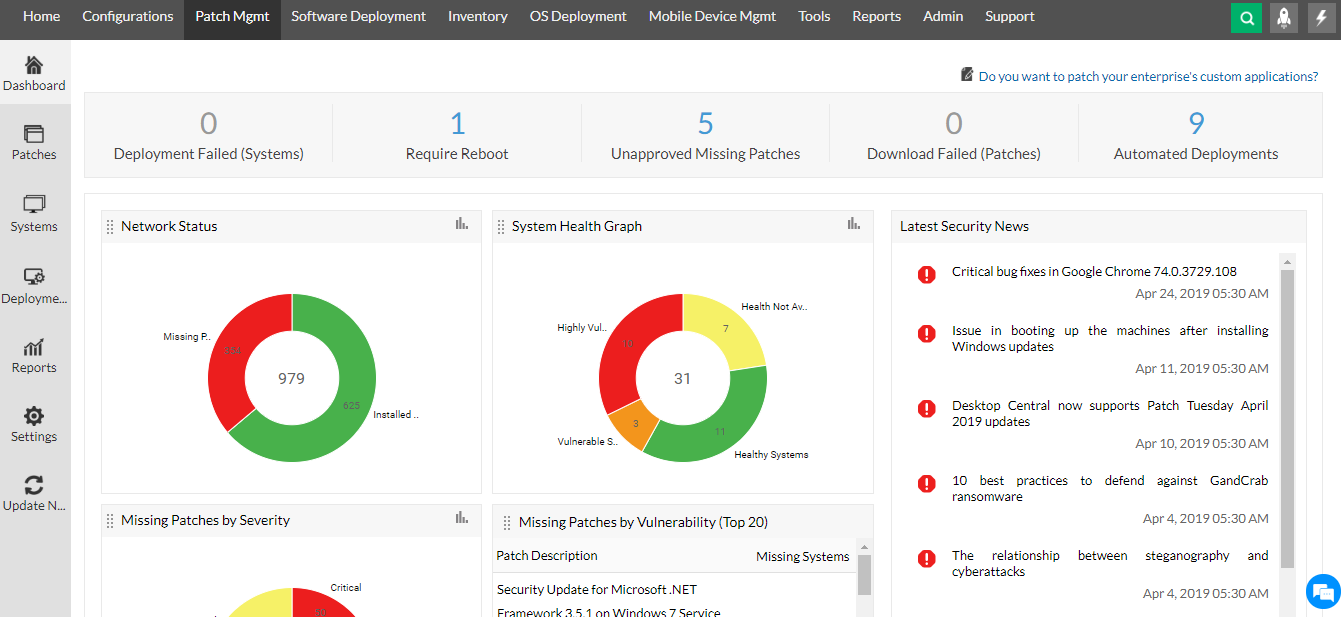
Features:
- AI-driven automation for ticket management and workflows.
- IT asset management with remote troubleshooting.
- Multi-channel support including email, live chat, and phone.
Pros:
- Scalable for large enterprises and IT service providers.
- Strong security and compliance features.
- Advanced analytics and reporting for better decision-making.
Cons:
- Steep learning curve for beginners.
- Advanced features may require additional licensing costs.
Pricing:
-
Starts at $10 per user/month
2. Zendesk – Best for Multi-Channel Customer Support
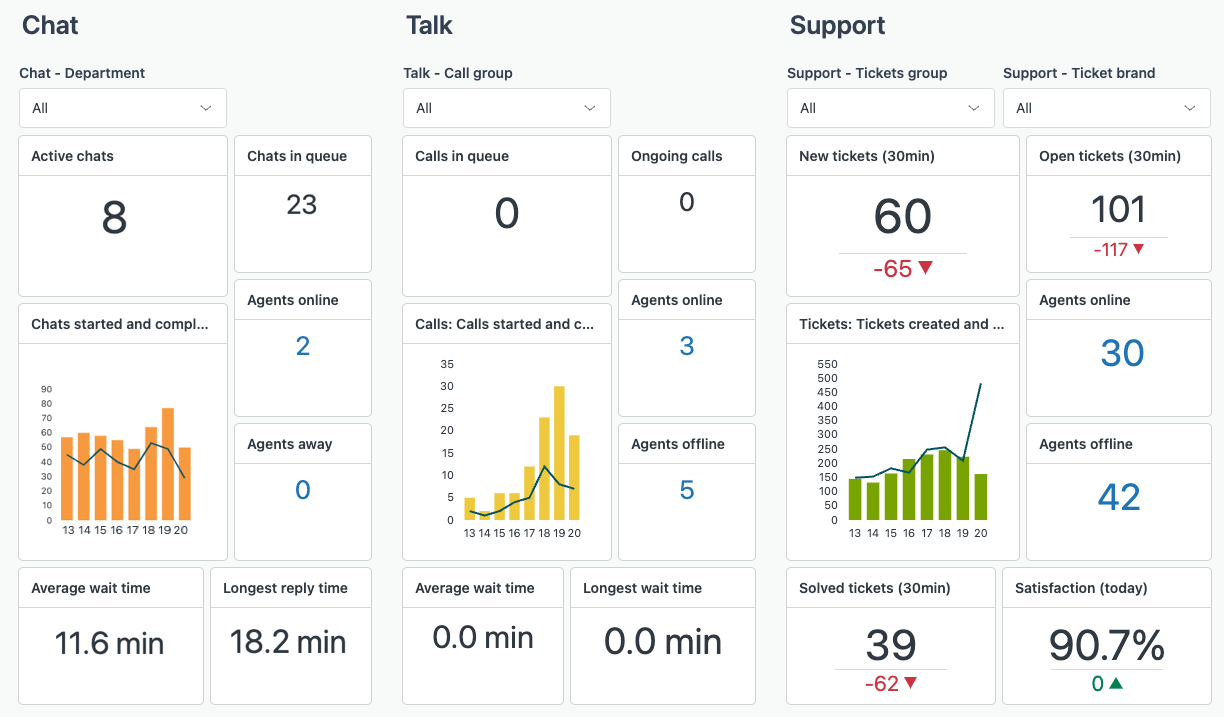
Zendesk has the best customer support software that comes along with automation, AI chat bots and multi-channel ticketing service. It makes it possible for organizations to receive requests via calls, chats, emails and even through social media posts. They also integrate with CRMs which helps in streamlining the workflow process. The user interface is easy to use and scalable thus can accommodate small and big enterprises.
Features:
- AI-powered chatbots and automated workflows.
- Self-service knowledge base for customer support.
- Integration with CRM, email, and live chat platforms.
Pros:
- User-friendly interface and easy to set up.
- Scalable for businesses of all sizes.
- Strong integration with third-party applications.
Cons:
- Higher pricing for advanced features.
- Limited reporting in lower-tier plans.
Pricing:
-
Starts at $19 per agent/month
3. HubSpot Service Hub – Best for CRM-Integrated Customer Support
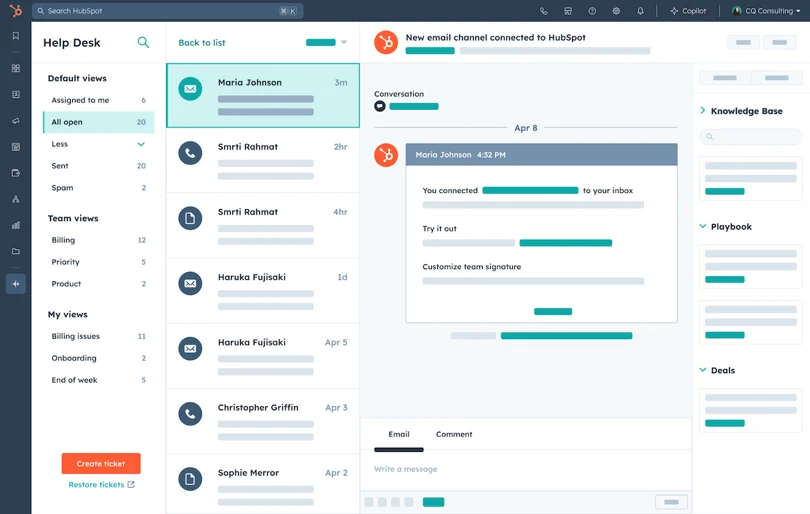
HubSpot Service Hub is a sophisticated help desk software that comes with automation features with its Hubspot CRM. It has ticket management automation, AI chat support, and a self-service knowledge base. This solution is built for companies who want to shift towards a customer-centric way of doing business where teams can easily streamline workflows and support ticket management.
Features:
- Ticketing system with automation and analytics.
- Integration with HubSpot CRM for personalized support.
- Self-service portals and knowledge base tools.
Pros:
- Excellent for businesses already using HubSpot CRM.
- Easy-to-use interface with drag-and-drop automation.
- AI-powered support tools for efficiency.
Cons:
- Limited features in the free version.
- Higher-tier plans can be expensive.
Pricing:
-
Starts at $45 per user/month
4. Help Scout – Best for Small and Mid-Sized Businesses
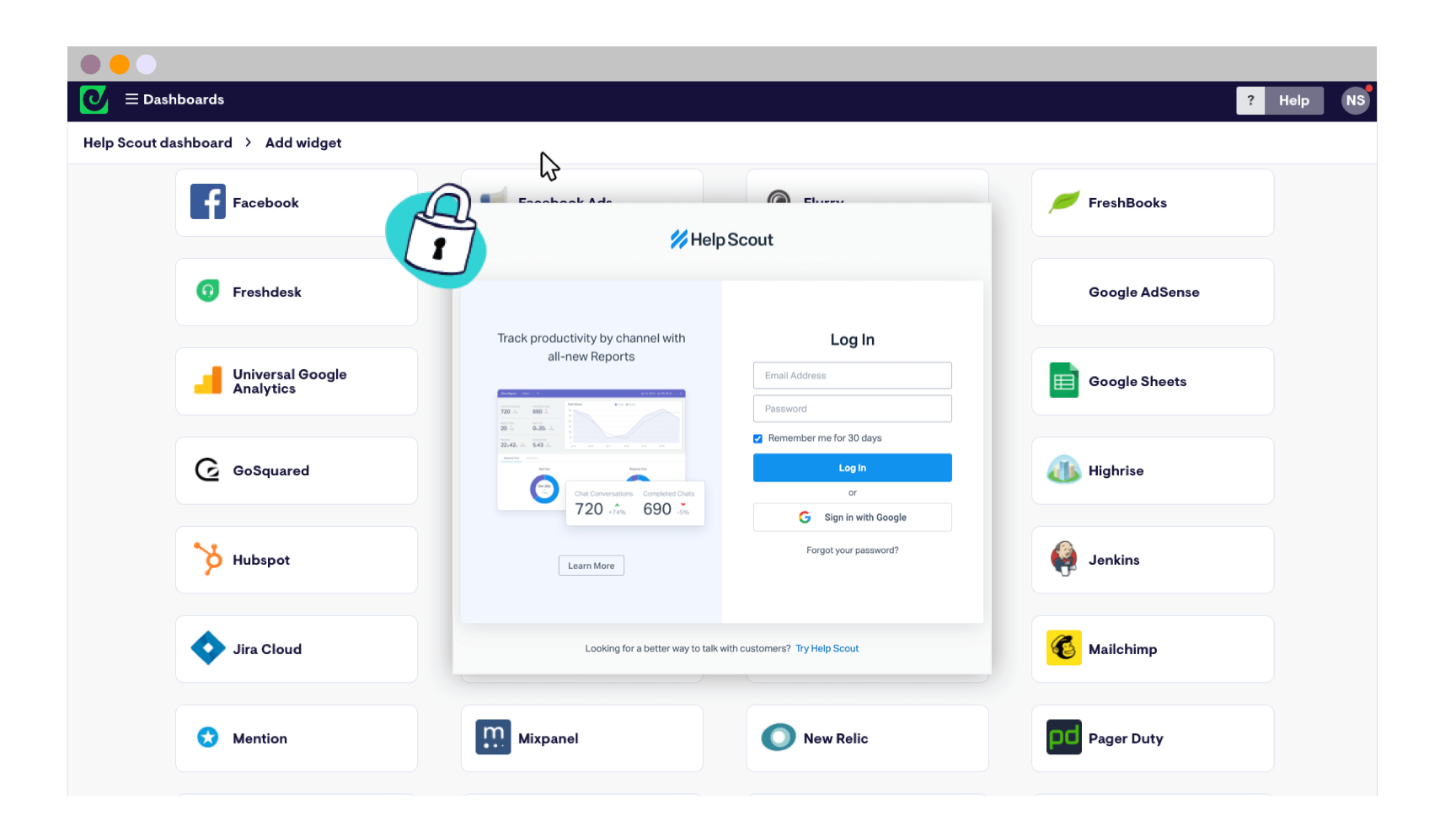
Help Scout is among the few help desk software's which are simple to use. It comes equipped with numerous innovative features which makes it ideal for small to mid-sized businesses. It comes equipped with features such as a shared team inbox, Automated AI ticket sorting, and a knowledge base. This software was created to help with the organization of support processes while still having low cost and simple design.
Features:
- Shared team inbox for easy collaboration.
- Live chat and knowledge base integration.
- AI-driven automation for ticket sorting and responses.
Pros:
- Simple and easy-to-use interface.
- Affordable pricing for small businesses.
- Strong automation for email-based support.
Cons:
- Limited customization options.
- No built-in social media support.
Pricing:
-
Starts at $25 per user/month
5. Zoho Desk – Best Affordable Help Desk Software for Startups
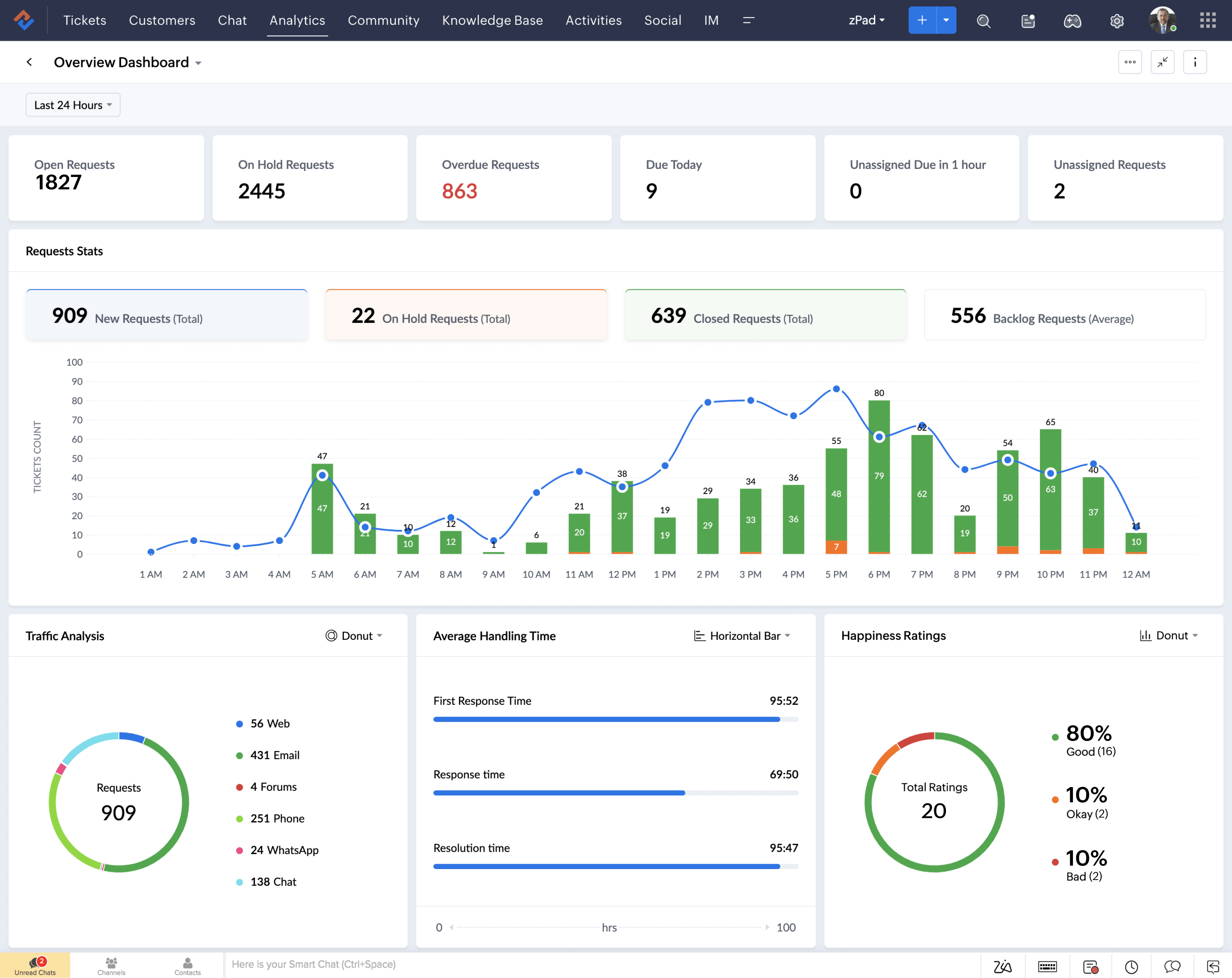
Zoho Desk is an appealingly priced desk solution that offers AI help automation, with advanced integration with Zoho CRM. It allows multi-channel service support, customizable workflows, and deep reporting. The software was built for startups and small businesses, to boost support efficiency, while still providing ease in interface and strong customer relations.
 Features:
- AI-powered assistant for ticket management.
- Multi-channel support, including email, chat, and phone.
- Customizable workflows and automation.
Pros:
- Affordable pricing for startups and small businesses.
- Seamless integration with Zoho ecosystem.
- AI-driven insights and analytics for support teams.
Cons:
- Limited third-party integrations compared to competitors.
- Advanced automation only available in higher-tier plans.
Pricing:
Starts at $14 per user/month
7. Conclusion
Customer support is improved alongside ticket resolution, and response time is greatly reduced via automation and Artificial Intelligence (AI) powered tools. Businesses can improve workflows and customer satisfaction through other SaaS features. With the aid of experts’ guidance, SaaS Adviser assists businesses in selecting the appropriate software that surpasses many expectations in offering desk services, collaboration, and support data analytics-driven solutions.
8. Resource of Helpdesk Software
- Choosing Help Desk Software Made Easy in 5 Steps
- What Is Help Desk Software? Everything you should know
- 5-Step Guide to Choose the Right Help Desk Software
- Discover the Power of Help Desk Software for Small Businesses
- 4 Key Steps To Choose The Right Help Desk Software for Your Business
- What is A Help Desk Software & Why Do You Need One For Your Business?
