
Best AI Ticketing Software for Business
AI Ticketing Software helps businesses and organizations streamline their operations using advanced AI-powered technology. It automates complex tasks, improves accuracy, and provides data-driven insights to enhance productivity and decision-making. With features like automation, real-time analytics, workflow management, and seamless integrations, AI Ticketing Software enables teams to reduce manual work, save time, and improve overall efficiency. On SoftwareAdviser.ai, you can explore, compare, and choose the best AI Ticketing Software solutions that fit your business needs and help you scale faster with the power of AI.
 Researched and Written by Akash Patel
Top 3 Featured Softwares


List of Top Ticketing Software in USA

Get Free Consultation


What is Zendesk Sell? Zendesk Sell is a powerful CRM software designed to help sales teams manage leads, track opportunities, and close deals faster. It provides an intuitive pipe...
View Profile
Salesforce is a cloud-based customer relationship management (CRM) platform that helps businesses manage sales, customer interactions, marketing campaigns, and customer service pro...
View Profile

What is Freshservice? Freshservice is a cloud-based IT service management (ITSM) solution developed by Freshworks that enables organizations to modernize and streamline their IT...
View Profile
NinjaOne, formerly known as NinjaRMM, is a cloud-based IT management platform designed to help managed service providers (MSPs) and internal IT teams efficiently monitor, manag...
View Profile

SuperOps.ai

Your Friendly Neighborhood
What is Software? Software is a set of programs and operating information that allows computers and devices to function and perform specific tasks. It acts as the bridge...
View Profile

What is Freshdesk? Freshdesk is a cloud-based helpdesk and customer support solution created by Freshworks that enables businesses to manage customer inquiries, complaints, and ...
View Profile

Zoho Desk is a cloud-based help desk software developed by Zoho Corporation, designed to assist businesses in managing customer service operations efficiently. It consolidates cust...
View Profile

Hiver is a delightfully easy-to-use customer service platform that brings together all your communication channels, apps and data so you can provide stellar support to every custom...
View Profile

Monday.com Service
Transform your service operations from reactive to proactive
Empower service teams to deliver exceptional support experiences faster with smart automations that leverage the power of AI.
View Profile
Ticket Tailor is a cloud-based event ticketing software designed to simplify the process of selling tickets online. Offering a cost-effective and user-friendly solution, it cat...
View Profile

Supportbench is a present-day B2B helpdesk and customer relationship management (CRM) software designed to streamline customer service operations. It offers equipment for case mana...
View Profile

HappyFox is a popular help desk software that offers an excellent customer support solution. This robust help desk ticketing system comes with all the essential help desk features,...
View Profile

HelpDesk is a ticketing tool that helps customer management for organizations by converting emails into tickets and organizing them. With HelpDesk, users can collaborate with team ...
View Profile

What is LiveAgent LiveAgent is a powerful help desk and live chat software designed to improve customer support. It unifies communication from email, chat, calls, and social m...
View Profile

Vision Helpdesk is a versatile, all-in-one help desk software that helps customer support agents receive, process, and respond to service or incident requests. This software allows...
View Profile

Check How Help Scout can help to automate Indian Business. SaaS Adviser provide their list of features, pricing, Free demo and Comparison with the best alternative
View Profile

Front is a dynamic customer communication platform designed to streamline team collaboration and enhance efficiency in managing customer interactions. By blending the familiari...
View Profile

Spiceworks
Best Help Desk Software For Small BusinessSpiceworks assists you run a ship-shaped help desk, at the office and on the road.
View Profile

ProProfs Help Desk is an efficient helpdesk and support ticketing software that enables companies to provide the best solution to queries raised by individual clients. Teams can ma...
View Profile

SupportBee is a help desk ticket software that encourages maximum possible collaboration among all involved in customer support. Users can manage tickets systematically, allocate t...
View Profile

Table of Content
What is Ticketing Software?
Ticketing Software is an application that assists an organization in organizing and managing the incoming service requests, customer calls, or any technical issues using an organized ticketing system. The system automates the generation, tracking, and closure of tickets to ensure that customer calls or internal requests are handled in an efficient manner.All interactions concerning support are centralized on a single ticketing system, which enables the support teams to categorize and allocate tickets for issue resolution. Automation, reporting, and AI-driven analytics help businesses enhance their support optimization. It is useful to IT help desks, customer service teams, or those in charge of event ticketing, as it increases responsiveness and communication with users.
1. Conclusion
In order to optimize ticketing support, the business processes and workflows need to be automatically streamlined. Automated ticketing systems with integrations and automated services improve service management. For expert reviews and guidance on choosing the best ticketing system, visit SaaS Adviser to explore top rated solutions for your business needs.
2. Latest Market Trends in Ticketing Software
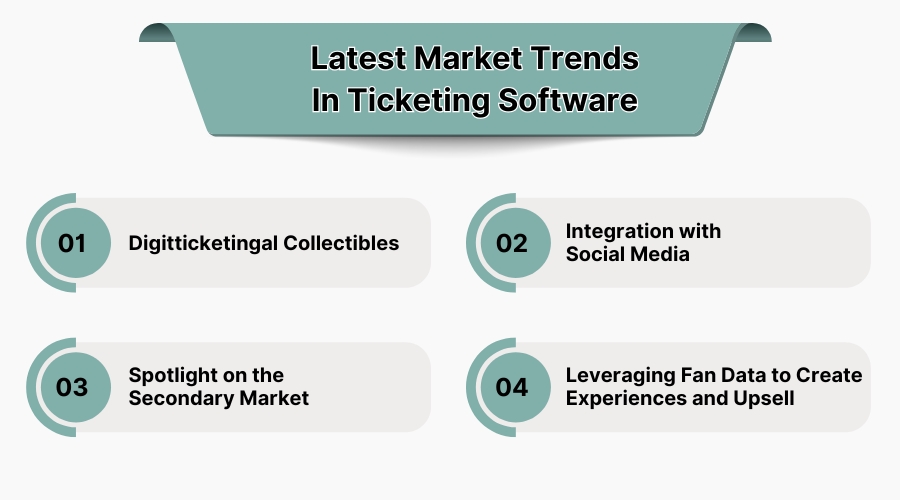
1. Digital Collectibles
The ticketing industry is rapidly changing with the incorporation of NFTs. NFT tickets function as access passes and collectibles, enabling fans to engage more while creating additional profit opportunities for organizers. In addition to generating revenue, innovations like NFTs help solve issues such as counterfeiting, which adds value to the consumer experience.
2. Integration with Social Media
Facebook and Instagram, are famous social media apps. Fast growing ticketing services integrate them so customers can purchase tickets directly online, enabling ticket sellers to access a wider customer base. This helps advertisers use social media, resulting in more seamless sales. Also, you can use dedicated social media advertising tools if you want to focus on marketing more.
3. Spotlight on the Secondary Market
With technology improving, the value of resale tickets has skyrocketed, which forces primary serviced ticket selling to adapt. To accommodate the consumers’ needs, primary sellers are now practicing dynamic pricing logic and collaborating with resale venues to control pricing and improve the selling experience.
4. Leveraging Fan Data to Create Experiences and Upsell
Through the use of big data, more information is able to be gathered, providing sellers insight into their fans' attendance and engagement behaviour. This helps generate strategic marketing, enabling selling of exclusive items such as merchandise and VIP experiences.By better understanding their audience, companies can improve interactions with clients and boost profits.
3. Five Best Ticketing Software in USA
1. Freshdesk
Freshdesk is a cloud placeholder that uses ticket management systems to assist organizations in streamlining customer support. It employs AI automation and collaboration systems to enhance ticket resolution. Companies can better manage their customer service operations with SLA management and reporting tools, among other features.
Pros
-
AI-powered ticketing automation for faster issue resolution.
-
Supports multi-channel communication, including email, chat, and social media.
-
Customizable workflows to fit business needs.
Cons
-
Advanced automation and analytics are available only in higher-tier plans.
-
Customization options may require technical expertise.
Pricing
-
Free plan available for up to 10 agents.
-
Growth: $15/agent/month (billed annually).
-
Pro: $49/agent/month (billed annually).
-
Enterprise: $79/agent/month (billed annually).
2. HappyFox
HappyFox provides ticketing solutions to businesses of all sizes using a help desk interface, which is an all-in-one solution platform. It also facilitates SLA's, omnichannel services, issue resolution and ticket automation services. Advanced AI chatbot integration also allows self-service knowledge bases.
Pros
-
Supports ticket automation and rule-based workflows.
-
Offers omnichannel support across chat, email, and social media.
-
Includes a knowledge base for self-service support.
Cons
-
No free plan available.
-
Pricing is based on a per-agent model, making it costly for small teams.
Pricing
-
Mighty: $39/agent/month (billed annually).
-
Fantastic: $59/agent/month (billed annually).
-
Enterprise: $79/agent/month (billed annually).
-
Enterprise Plus: Custom pricing.
3. HubSpot Service Hub
HubSpot Service Hub is integrated with HubSpot CRM and features ticketing software, which enhances the customer service systems of businesses. Automated ticket tracking, live chats, and customer feedback systems consolidate support operations.
Pros
-
Native integration with HubSpot’s CRM for a unified customer experience.
-
Automated ticketing system with AI-powered analytics.
-
Live chat and chatbot features to improve response times.
Cons
-
Some advanced features require a HubSpot CRM subscription.
-
Limited automation options in the free version.
Pricing
-
Free plan available.
-
Starter: $18/month (billed annually, includes 2 users).
-
Professional: $450/month (billed annually).
-
Enterprise: $1,200/month (billed annually).
4. Help Scout
Help Scout is a customer service support and ticketing software system for small and medium sized businesses. It provides a shared inbox for live chats and other forms of automation, helping diverse teams effectively manage customer queries. Reports on performance in providing customer support are also incorporated.
Pros
-
Simple and easy-to-use interface for customer support teams.
-
Shared inbox feature for better team collaboration.
-
Workflow automation for improved ticket management.
Cons
-
No free plan available.
-
Limited customization compared to enterprise-level solutions.
Pricing
-
Standard: $20/user/month (billed annually).
-
Plus: $40/user/month (billed annually).
-
Pro: $65/user/month (billed annually).
5. ServiceNow
ServiceNow provides IT service management (ITSM) solutions, as well as an enterprise-grade ticketing platform. Best used by large organizations looking for real-time analytics and AI powered automation, it provides unparalleled service.
Pros
-
AI-driven workflow automation for IT service management.
-
Advanced analytics and reporting tools.
-
Highly scalable solution for large enterprises.
Cons
-
High pricing makes it less accessible for small businesses.
-
Complex setup and configuration require IT expertise.
Pricing
-
Custom pricing based on business requirements.
4. Challenges in Ticketing Software
To ensure that operations work smoothly, order tickets are placed and fixed at the right time, companies have to face a set of challenges that are deep and complex when it comes to implementing and maintaining an effective ticketing system.
1. Modernizing Outdated Technology
Legacy systems almost always guarantee that an organization’s technology needs are always at a low competency level which results in poor performance and high maintenance expenses. To improve user satisfaction and efficiency, modernization to these systems is imperative.
2. Tackling Data Challenges
The sheer volume of data, especially with new ticketing systems being set up over pre-existing ones, can be challenging to manage. Ensuring data integrity and migration for seamless service which is crucial to provide uninterrupted service.
3. Training and Skill Development
With a new ticketing system comes the need for the replacement and retraining of users in order to encourage them both to use and effectively use the system. As many of the changes are forced, without proper training, inefficiency and underuse can become a new standard.
4. System Configuration
Defined rules must be followed for automated ticketing systems to function efficiently. When there is a lack of customization, as well as overly complex configuration of the system, skilled personnel become the sole resource available to set up and accurately maintain the system.
5. Finding the Right Tools
Using the right integrated ticketing system with existing ones within the IT infrastructure is paramount. Such a system has to allow for rapid ticket assignment, creation, and tagging, so that the set tasks are completed efficiently and in an orderly manner.
5. Features of Ticketing System in USA
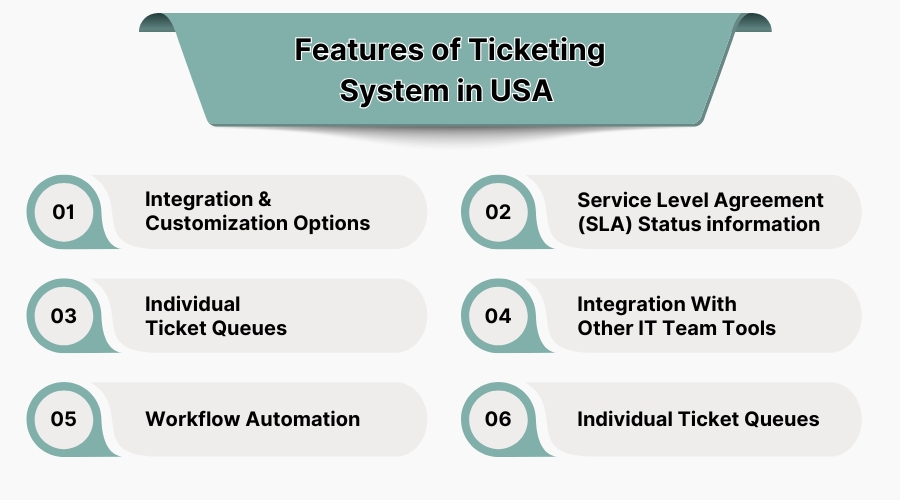
An efficient ticketing system has a few distinctive characteristics, which, when combined, refine processes and ensure users are happy. The value of the global ticketing system software market was estimated to be close to USD 9 billion in 2023 and is expected to grow to nearly USD 16 billion by 2032, at an annual growth rate of 6.8% from 2024 to 2032.
1. Integration & Customization Options
A ticketing system should merge with the currently used IT tools and communication systems in order to have an uninterrupted workflow. Customers’ data can be synchronized, processes can be automated, and manual data entries can be avoided.
Automation improves accuracy and increases speed of response. Customization is just as important, as companies have specific needs that must be fulfilled with custom tailored workflows and reporting formats. With a flexible ticketing platform, organizations are able to change the default configuration for ticket routing and automate escalations in order to align with their operational structure.
2. Service Level Agreement (SLA) Status Information
Service Level Agreements (SLAs) regulate the responsiveness and resolution times a service provider promises to the customer. A ticketing system that features SLA tracking enables support teams to meet their commitments because it automatically prioritizes tickets needing urgent attention as deadlines approach.
In advance of SLA thresholds, automated notifications are capable of informing agents and managers to guarantee that issues are resolved in good time. Such functionality mitigates SLA violations and builds customer trust because these support teams deliver services within a predetermined time frame.
3. Individual Ticket Queues
If support agents process multiple tickets daily, organization becomes fundamental. A ticketing system with separate ticket queues distributes requests to particular agents according to workload, specialization, or urgency. This eliminates ambiguity and guarantees responsibility while giving agents control over their tasks.
Businesses mitigate response times while providing clients with assurance of dependable support by directly allocating tickets to designated agents. Individual ticket queues also facilitate performance monitoring by managers, workload redistribution, and deficiency analysis. Also, you can use an employee management software to keep a check on the support team’s elaboration.
4. Integration with Other IT Team Tools
A ticketing system must function in conjunction with other IT applications, such as monitoring systems and collaboration tools. The integration of communication applications like Slack or Microsoft Teams allows real-time updates to be sent to the agents, therefore reducing response time. Integration with project management software helps in aligning the resolutions of the tickets to the wider objectives of the IT or business unit.
5. Workflow Automation
Processing tickets manually brings operations to a halt and is likely to cause errors. Workflow automation with a ticketing system enables the elimination of a variety of mundane activities like assignment of a ticket, ticket escalation, etc. Workflows that are automated guarantee that tickets will be sent to the right department or agent with established procedures. Unresolved tickets can be prevented from going unnoticed by automating reminder and follow up procedures.
6. Criteria for Selecting the Right Ticketing Software
1. Scalability and Customization
The growing demands of a business must be met by a scaling system. From small support teams to large enterprise operations, the software must accommodate growing volumes of tickets. Custom options need to allow businesses to adjust workflows, in addition to categorizing tickets for specific industries.
2. Multi-Channel Support
Through email, chat, social media, and the phone—customers can reach out using different mediums. A sophisticated ticketing platform brings all these channels into a single interface so users do not miss any requests. Omnichannel assistance enables businesses to offer support across multiple platforms, enhancing the customer experience.
3. Automation and AI-Powered Features
Automation in ticket resolution and categorization minimizes manual effort. Common queries are addressed using AI features like chatbots and predictive analytics, allowing smart ticket routing with minimal supervision. Automated workflows enhance the speed of response and the overall quality of service.
4. Reporting and Analytics
Analytics and reporting tools are an essential component of a ticketing system. It helps in tracking response times, agent productivity, and customer satisfaction. Allowing managers to optimize operations with data-driven insights improves service efficacy.
5. Integration with Existing Tools
The possibility of integration with CRM and collaboration tools improves the performance of the ticketing software. Integration with third party applications, such as Slack, Microsoft Teams, and email clients, facilitates business processes and ensures the continuity of workflow. If you have a subscription based ticketing scheme, we recommend you using a subscription analytics software.
7. Benefits of Ticketing Software
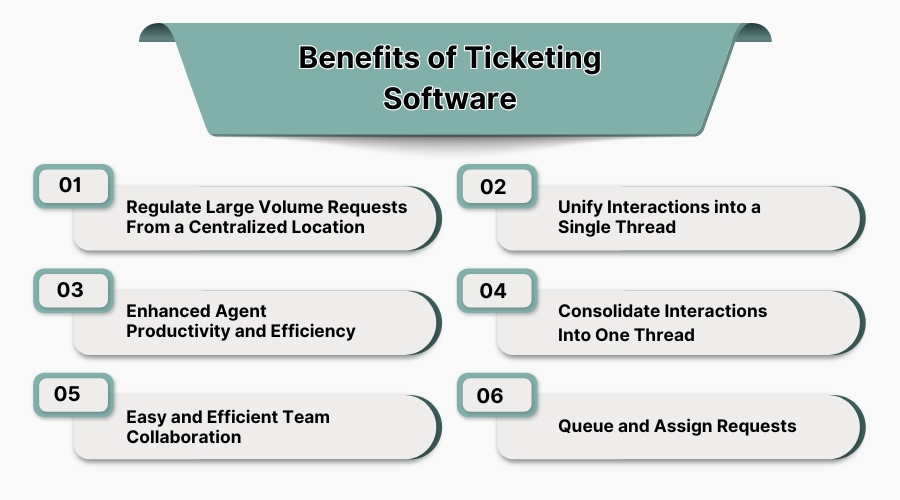
1. Regulate Large Volume Requests from a Centralized Location
Every day, businesses receive dozens, if not hundreds, of requests that need to be addressed. A ticketing system can streamline their management.
The first step in effective request management is the availability of a centralized system that collects all incoming tickets in one place. This reduces clutter and integrates all relevant requests from different sources. This streamlined process improves response times and enhances customer satisfaction.
2. Unify Interactions into a Single Thread
Customers often use more than one channel to reach a single business. The use of a ticketing system will help consolidate all the interactions customers have with the business across all platforms. This provides the agents access to the complete conversation history. This approach not only removes confusion but also allows customers to feel personally engaged.
3. Enhanced Agent Productivity and Efficiency
The slower the manual handling of tickets, the slower the general operations. However, automation of ticket assignments, along with the integration of AI-driven resolution suggestions, has been implemented in the software. With these new developments, the agents have the opportunity to focus on the tasks that matter most, resulting in better efficiency and service levels.
4. Easy and Efficient Team Collaboration
Support teams need to collaborate effectively to resolve complex issues. In a single ticketing system, collaboration is accomplished by allowing team members to share tickets, assign tasks, share notes and comments, etc. Seamless real time team collaboration allows for quick resolution of issues and collaboration.
5. Queue and Assign Requests
If requests are not serviced in the order of priority, delays are very likely to happen. Service requests can easily accumulate if there is no suitable ticket management strategy in place. Prioritization based on the agent’s expertise improves efficiency and prevents service delays, with the second request auto queuing waiting for the first one to be satisfied.
