-min.jpg)
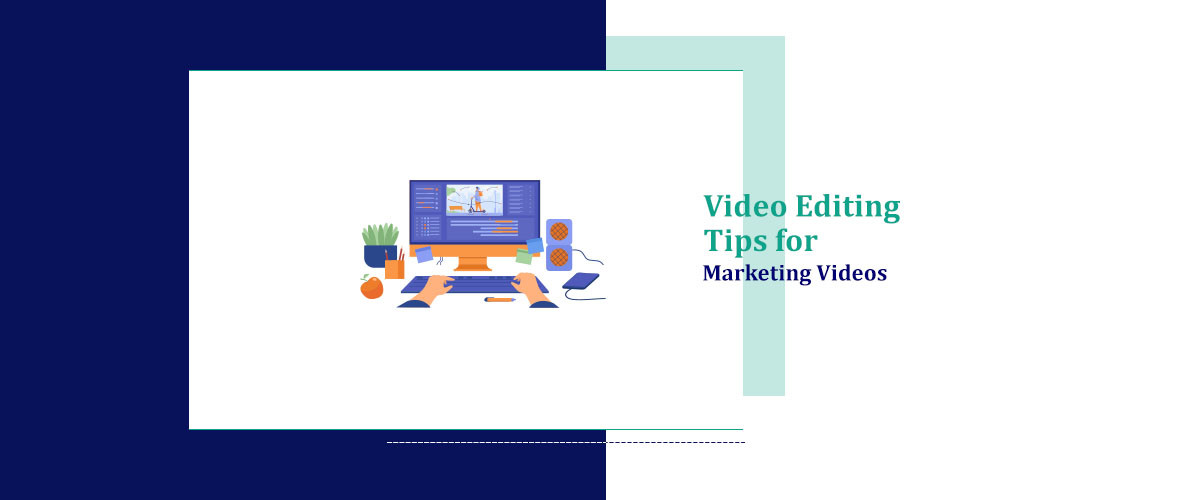
Creating a perfect marketing video is not just about high-quality footage; it’s also about masterfully editing it. But how can you do it? And what things should you keep in mind while creating a marketing video?
Essentials of Video Production for Marketing
While marketing videos share similarities with other video formats, key distinctions exist. Let’s explore critical components to concentrate on during production.
-
Identify Your Goals and Target Audience
Video creation doesn’t start with filming and editing; it starts with defining a purpose and learning more about your audience.
What do you want to do? Is it launching a product, promoting a service, or sharing your customers’ experiences? Answer this question, and you’ll understand what tools you might need to make a video.
Understanding your audience also means thinking about how different segments respond to content types, which is why approaches like data-driven videos are becoming increasingly common in personalized marketing .Knowing your audience is also something you shouldn’t skip — you have to understand their preferences and predict the issues they might have. For instance, a zippy video might work well for millennials with great computer skills, while a more narrative-driven approach is great for older viewers.
-
Plan Your Storyboard
Break down the script into scenes, map out transitions, and visualize key moments. This planning stage prevents last-minute chaos, helps you avoid missing important details, and keeps the content aligned with your marketing goals.
-
Focus on Visual Quality
The quality of your video significantly affects your brand's image. Whether you are using Professional equipment or even security cameras for certain types of footage, investing in a decent camera, proper lighting, external microphone, and a movie editor with advanced features can improve production value a lot. Remember that good lighting and stable footage are practically non-negotiable for professional-looking results.
-
Keep It Short
Most effective marketing videos run between 30 seconds to two minutes. They manage to deliver all important information fast and avoid overwhelming the viewers, while remaining entertaining and informative.
Try to cut out all the unnecessary details, don’t make long intros, and get straight to the point as fast as you can.
-
Use a Call to Action
Remember that a good CTA should be clear, compelling, and strategically placed in the video.
Marketing Videos: 9 Video Editing Tips
Editing is one of the most important parts of creating a video. This is the stage that turns raw footage into a visual beauty. With tools like the Remaker AI tool, you can craft a story, set the tone, and add a touch of creativity while editing.
Here are some useful video editing tips to make your marketing videos shine:
1. Start with a Strong Hook
As we’ve mentioned, long intros are a poor idea for marketing videos. Viewers watch dozens of videos every day. But most importantly, they also skip dozens of videos every day. That’s why you have to try hard to make them keep watching yours.
Use stunning visuals or ask an intriguing question to hook viewers immediately. For example, in a video production for marketing a new cookbook, you might start with some aesthetic B-roll footage compilation.
2. Pay Attention to Brand Consistency
Your marketing videos should reflect your brand’s identity. Use your brand colors, logo, fonts, and typography styles throughout the video. Subtle elements like branded lower thirds or consistent end screens help reinforce brand recognition.
3. Optimize for Different Platforms
Don’t limit yourself to only one platform; share your video content everywhere possible. Tools like an Renderforest ai video generator et your quickly produce platform-ready videos in different formats and sizes. Just don’t forget to optimize your videos for each platform.
For instance, short vertical videos do best on Instagram Reels, TikTok, and YouTube Shorts, while longer horizontal content would be great as a regular YouTube video. To support early reach on YouTube, some brands also choose to buy real YouTube views to improve initial visibility while organic engagement builds.
4. Use Transitions and Effects Thoughtfully
The first time you launch a video editor and see all the stunning effects and transitions that it offers, you might want to use every single one of them. But you should ignore this desire.
While transitions and effects add a lot of visual appeal, overusing them can feel amateurish. Stick to simple cuts, fades, and minor animations that match your video’s tone.
Of course, more elaborate effects and transitions exist for a reason, and you might need to use them sometimes, too. But do that thoughtfully and reserve them for moments that will genuinely benefit from visual emphasis.
5. Master Audio Editing
Visuals are not everything; you should never underestimate the power of audio, either. Go for background music that supports or complements your message, and don’t forget to balance it with the voiceovers so that viewers can make everything out. You can also add sound effects or other extra sounds to improve the viewers’ experience even more Using an AI sound effect generator can help you create custom, copyright-free effects tailored to your video’s tone..
Don’t forget about copyright, though. Avoid copyright strikes by sourcing tracks from these royalty-free music apps, they’re budget-friendly, searchable by mood, and supply ready-to-license audio beds for promos.
6. Add Captions and Subtitles
Using captions is practically a must nowadays, since many viewers mute videos while watching. Users scroll past videos that include captions and subtitles much less often. On social platforms like Instagram, adding witty or funny captions for Instagram can boost engagement and make your videos more shareable. Moreover, subtitles give viewers with hearing impairments an opportunity to watch your content, too.
7. Experiment with Color Grading
Color grading isn’t just about aesthetics. It sets the mood and tone of your video. You may use warm hues for comfort and nostalgia, or cool tones for severity and professionalism. Experiment with different styles to find the one that matches your brand and message.
8. Focus on the Final Frame
The outro is not as crucial as the intro, since if someone’s watching it, it means they’ve already got to the end of your video. However, it’s still rather important.
The last frame of your video is your final chance to make an impression. No matter what it is (a logo, a tagline, or a good CTA), it should be memorable.
9. Test Before Publishing
Even the most carefully edited videos can have issues. Before publishing, test your video on different devices and platforms. It must look, sound, and load the way you intended it to.
Moreover, you might notice small editing mistakes while testing, so you must always rewatch your content before making it public.
Advanced Techniques for Professional Editing
For those looking to take their video editing to the next level, here are some advanced strategies.
-
Incorporate Motion Graphics
Adding motion graphics such as animated logos or kinetic typography can significantly improve your videos and make them more dynamic. These elements are especially useful for explainer videos or product demonstrations.
-
Use AI Tools
Many modern editing software provide a number of AI features that can simplify the process tremendously, including tools that help you Convert images to video seamlessly. However, it’s not only about making video creation easier; it’s also about adding a unique touch to your projects. AI tools can improve your footage by stabilizing it, remove backgrounds or noise, suggest editing adjustments, and even create entire videos in just a few clicks. For example, the kling ai model on Picsart lets marketers generate cinematic, high-quality videos directly from text prompts-no camera crew needed.
-
Use Split-Screen or Picture-in-Picture Effects
These effects are perfect for tutorials or side-by-side comparisons. For instance, a video marketing tips campaign could benefit from showcasing a product demonstration alongside customer testimonials.
-
Experiment with Speed Ramping
Adjusting the playback speed of certain clips can create dramatic effects. Slow motion highlights key moments, while fast motion adds energy to action-packed sequences.
For example, introduce a personal story in your marketing video. A character might have some significant issues in life, but then you can set the playback speed to high and rewind the time to show how much better their life would’ve been with your product.
The Bottom Line
Knowing how to make marketing videos is a skill you shouldn’t underestimate. If you want to create content that captures the audience’s attention, they should be at the heart of your strategy. But to unleash the full potential of your marketing videos, you have to edit them properly. Start strong, be careful with modern effects and transitions, don’t forget about audio editing, add captions, and keep experimenting until your content looks just the way you want it.
Start with a strong hook to grab attention within the first 3 seconds. Use quick cuts, dynamic transitions, and captions to keep the energy high. Don’t forget to include a call-to-action (CTA) that’s clear and compelling!
For social media, shorter is better—aim for 15–60 seconds. For YouTube or product explainers, 1–3 minutes works well. Always tailor the length to your platform and audience’s attention span.
Absolutely! Music sets the tone and mood, making your video more memorable. Just ensure you have the rights to use it—royalty-free music libraries like Epidemic Sound or Artlist are great resources.
Focus on good lighting (natural light works wonders), crisp audio, and steady shots. Free or budget-friendly editing tools like CapCut, DaVinci Resolve, or Canva can help you create polished videos.
Keep it clean and concise. Use text overlays to emphasize key points, color grading to enhance visuals, and transitions to maintain flow. Above all, make sure the video aligns with your brand’s tone and message.