Business owners are constantly looking for ways to optimize their work and be more productive in today's ever changing digital world. Whether you're a SaaS startup founder, a marketing professional, or a project manager, having the right tools can make all the difference. Being productive isn't just about having the right tools; it's also about staying focused on the task at hand and avoiding distractions. Many obstacles, such as pop-up ads, can interfere with your online work, so it's important to stay as focused as possible.
Find the best ad blocker for Android users. Android can be a game changer. It can help you get rid of annoying ads and use the business software tools you need without interruption. But what are these tools, and how can they actually help you run your business better? This article introduces some important business software tools and explains how they can help you work more efficiently. We'll also look at how getting rid of distractions like ads can help you be more productive.
The Importance of Business Software for SaaS Businesses
The success of any SaaS (Software as a Service) company depends on having the appropriate tools. The SaaS market is fiercely competitive, and the software you choose will affect your growth whether you're just getting started or growing. There are numerous tools available to help you stay ahead of the curve, ranging from customer relationship management to marketing campaign automation.
However, staying ahead requires more than just having the right tools; it also requires using them efficiently. Owners of SaaS companies must look for solutions that will increase productivity, decrease downtime, and enhance overall performance. Whether you work in operations, sales, marketing, or customer service, enterprise software is essential to the smooth operation of your company.
Different Kinds of Business Software To Think About
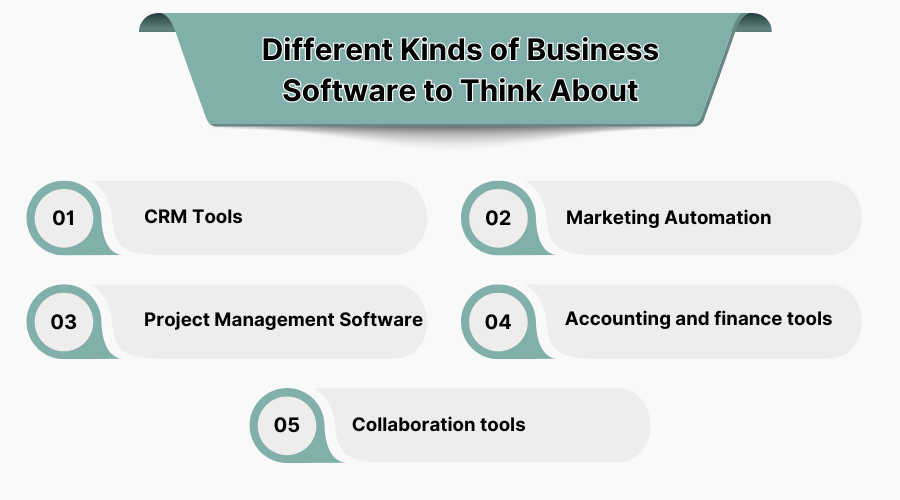
There are many business software deal options that can help SaaS companies run their businesses more efficiently. Here are some of the most important ones:
• CRM Tools: Customer relationship management (CRM) tools are essential for tracking customer interactions, managing leads, and building lasting relationships. They help you understand your customers' wants and needs, which is essential for providing personalized service.
• Marketing Automation: Marketing automation tools help businesses automate recurring tasks, track customer behavior, and optimize their marketing strategies.
• Project Management Software: These tools help teams collaborate on tasks, track progress, and meet deadlines. They are very useful for keeping your team organized and productive, especially on complex projects.
• Accounting and finance tools: Managing money and sending invoices can be complex, but the right software can simplify the task, reduce errors, and help you achieve your financial goals.
• Collaboration tools: Collaboration platforms are essential for remote teams because they allow users to communicate, share files, and manage tasks in real time. They allow teams to stay connected, regardless of their location.
While these tools are powerful in their own right, they can often be hampered by distractions, such as pop-up ads or other online interruptions. That's where an ad blocker for Android comes in. By blocking these distractions, you can focus more on using your software tools effectively.
How Ad Blockers Enhance Your Productivity
With the rise of online ads, particularly on mobile devices, distractions have become a major barrier to productivity. Whether you’re trying to access SaaS platforms for marketing, project management, or customer relationship tasks, ads can significantly slow you down. Not only do they take up precious time, but they can also be frustrating and disruptive, breaking your concentration and negatively impacting your workflow.
For Android users, the best ad blocker Android can make a significant difference. These blockers help filter out intrusive ads, pop-ups, and banners, allowing you to browse the web and access business software tools without interruption. By reducing distractions, an ad blocker lets you focus entirely on your work, ultimately boosting your productivity.
Let’s take a closer look at how an ad blocker Android can improve productivity:
-
Faster Browsing: Ads consume bandwidth and slow down loading times, especially when using web-based business tools. By blocking ads, an ad blocker speeds up the browsing experience, allowing you to access tools and resources without waiting for slow-loading pages.
-
Fewer Interruptions: Constantly being bombarded with ads while working can break your concentration. An ad blocker eliminates these interruptions, allowing you to stay focused on your tasks.
-
Enhanced Security: Some ads can contain malicious scripts or trackers that compromise your privacy and security. By using an ad blocker, you protect yourself from potential threats and keep your online experience safe.
-
Cleaner User Interface: When ads are removed, the user interface becomes less cluttered. This makes it easier to navigate your tools and find what you need quickly.
By using an ad blocker Android, you can fully concentrate on business tasks without the constant frustration of online ads. This leads to a more productive, efficient workday.
How Business Software Tools Can Help You Stay Organized
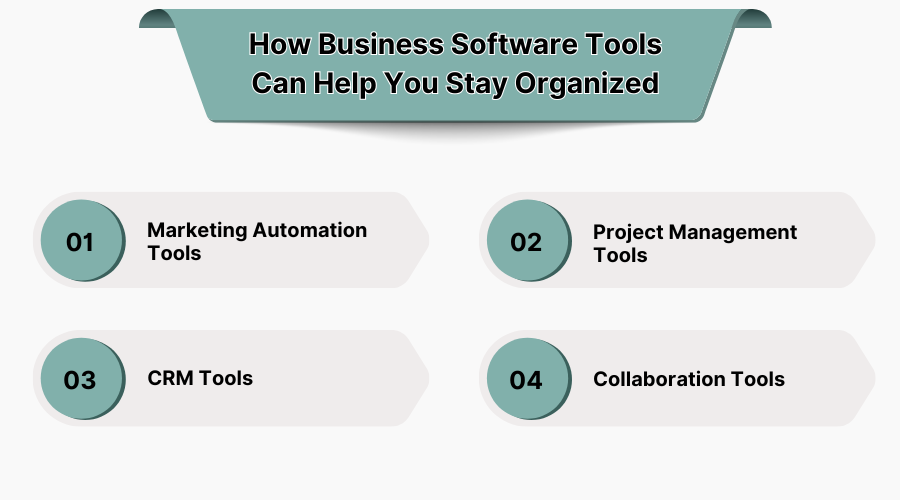
In addition to minimizing distractions, business software can help you stay organized and on top of your tasks. For SaaS businesses, organization is essential to ensure your team runs smoothly and avoid errors, especially when supported by proven business practices such as the EOS Process. Let's explore how specific tools can help you stay on track:
-
Marketing Automation Tools
Marketing automation tools help you create, launch, and track your campaigns with minimal manual effort. They handle everything from emails to social media posts, allowing you to focus on your strategy rather than repetitive tasks. By automating your marketing efforts, you ensure consistent messaging and save valuable time.
-
Project Management Tools
Whether you're managing a single project or coordinating multiple teams, project management software helps you stay organized and meet deadlines. Features like task assignment, deadlines, and progress tracking help keep everyone on the same page. With project management tools, you can delegate tasks, track progress, and ensure every aspect of the project runs smoothly.
-
CRM Tools
Customer relationship management (CRM) tools allow you to organize and manage your customer interactions and sales pipeline. They help you track your leads and maintain a personalized relationship with your customers. With a CRM tool, you can improve customer satisfaction, streamline sales processes, and increase retention.
-
Collaboration Tools
Collaboration tools help teams work together more effectively, whether across the office or across the world. These platforms enable real-time communication, file sharing, and task tracking, ensuring everyone stays connected and productive. With collaboration tools, you can eliminate the inefficiencies of email chains and meetings, save time, and improve workflows.
Cloud Based Platforms for Efficient Workflow
Cloud software has revolutionized the way businesses manage their data and collaborate with their teams. Whether you use Google Workspace, Microsoft 365, or other cloud platforms, these tools enable seamless communication and data sharing. You can access your documents and tools from anywhere, anytime, which is especially important for remote teams.
Cloud platforms also ensure secure storage and regular backup of your data. In addition to improving collaboration, cloud software provides a centralized space where team members can access everything they need to stay productive.
By using cloud-based tools, you reduce the need for physical storage and ensure that your team has the flexibility to work from anywhere. However, as with any online platform, distractions like pop-up ads can still creep in. That’s why having the best ad blocker Android is crucial for maintaining a distraction-free work environment.
Best Practices for Leveraging Business Software Tools
To get the most out of your business software tools, consider implementing the following best practices:
1. Review and update your tools regularly:
Technology evolves rapidly, and so do the tools available to run your business. Regularly evaluate your software tools to ensure they continue to fully meet your needs. Don't hesitate to upgrade or change them as needed.
2. Integrate your tools for greater efficiency:
Many business software tools can be integrated with each other. For example, your CRM tool can integrate with your email marketing platform. These integrations save time and reduce errors, ensuring smooth data flow between tools.
3. Train your team:
Even the best tools are only effective if your team knows how to use them properly. Invest in training so your team can maximize the software's features.
4. Monitor performance:
Use your software tools' analytics and reporting features to track performance and identify areas for improvement. By regularly monitoring key metrics, you can optimize your processes and increase productivity.
Conclusion
By using the right business software tools and removing distractions like pop-up ads (with the best Android ad blocker), you can create a more focused and productive work environment for you and your team. Stay ahead of the curve by integrating automation, security, and scalability into your business processes. And remember: the right tools can make all the difference in optimizing your SaaS operations.



.jpg "Top 19 Free Anime Websites to Watch Anime Online")