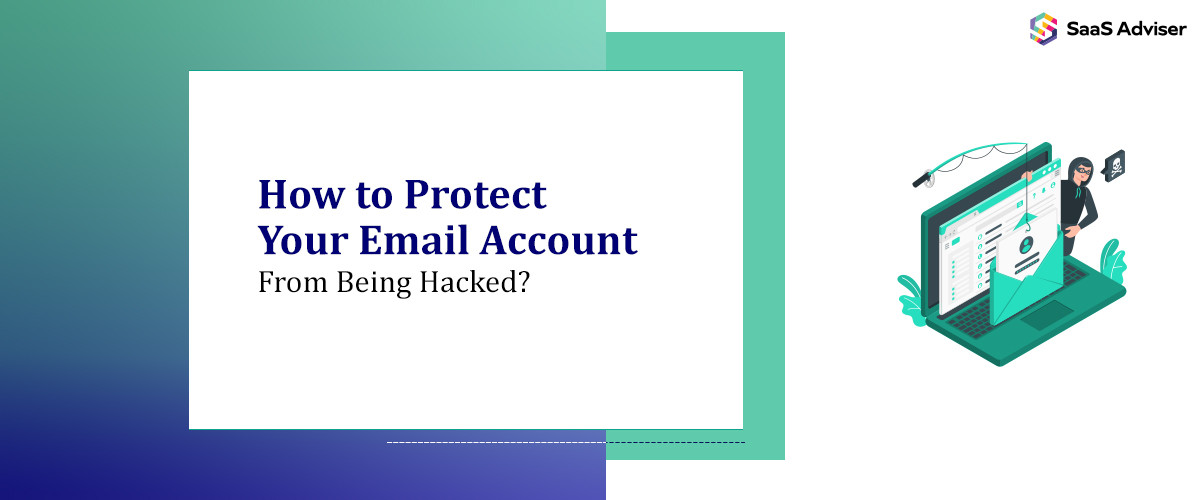
Since email accounts contain sensitive personal and professional information, they are the prime targets for hackers. Hackers can steal identities, perpetrate fraud and access other online accounts through a compromised email account. Fortunately, there are steps that all email users can take to improve email security and prevent account hijacking. In this comprehensive guide, you’ll be able to learn how to protect your email from as many dangers as phishing, malware, and brute force attacks, among others.
Understanding Email Security Threats
To properly protect your email, you need to recognize common threats and, in many cases, seek guidance from a software development agency to implement robust security measures. The top attacks aimed at gaining access to email accounts include:
-
Phishing: Phishing uses social engineering techniques and fraudulent emails to trick users into revealing login credentials or sensitive information. Using secure email marketing solutions can help reduce the risk of phishing by implementing authentication protocols and verified sending domains. 91% of cyber attacks start with a phishing email. An email validity checker further strengthens this approach by identifying invalid, inactive, or potentially risky email addresses before they can be exploited.
-
Password guessing. Hackers use automated tools to guess weak, stolen, or commonly used passwords and gain access to accounts. Humans are poor at creating secure passwords.
-
Malware/spyware. Malware is installed on devices without the user knowing to steal information and account access. Using secure email management software can help reduce the risk of malware distributed via email.
-
Third-party breaches. Other sites or services you use can be breached too, and get your email address and passwords. The fact is that most of us reuse our passwords across accounts.
-
Human error. 88% of breaches are caused by human error – quite common for anybody to find: letting someone access your device, falling for a scam, and accidentally sending data to the wrong person are all normal incidents that could take place in any household.
-
Hacked devices. Unsecured devices, especially public computers, can expose your account when logging in. Keyloggers or screen watchers can capture anything you type.
With an understanding of these threats, the next step is to implement countermeasures to secure your email inbox.
.jpg "Email Security Threats")
Use Strong, Unique Passwords
The first line of defense for your email account is the password. Weak, reused, or compromised passwords are behind many successful email breaches. Follow these password best practices:
-
Create a unique, randomly generated password of at least 12 characters for your email. Using a password manager helps generate and store strong credentials.
-
Never reuse your email password on other accounts. If one account is breached, hackers can access your email via password reuse.
-
Enable two-factor authentication (2FA) making it harder to break into your account beyond just the password you are using. 2FA is described as giving an additional piece of the puzzle, so if someone gains access to your password, they are still not able to log in without an additional piece of the puzzle (code from the authenticator app, for example).
-
Change passwords periodically, at least once per year, to limit the damage from potential password leaks. Use a password strength checker to ensure your new selections are secure.
Taking these steps makes it exponentially harder for hackers to guess or break into your email account.
Recognize and Avoid Phishing Attempts
Phishing is a top attack vector used to steal email account credentials. It involves duping email users into providing login details at fake login pages hosted on fraudulent websites.
Train yourself to recognize the telltale signs of a phishing email:
-
Generic greetings like “Dear user” instead of your name
-
Spoofed sender addresses to mimic legitimate companies
-
Suspicious links that don't match the text or lead to misspelled domains
-
Requests for personal information, like passwords or social security numbers
-
Threats of account suspension if immediate action is not taken
-
Emails are riddled with bad grammar and spelling mistakes
Delete any messages with these red flags without clicking on links or attachments. Report phishing attempts to your email provider.
Enabling email spam filters, running a spam test, keeping software updated, and exercising caution with unsolicited attachments reduces the chances of interacting with phishing content in the first place.
Use a Password Manager
Password reuse enables hackers to access multiple accounts once they crack one password. With a password manager application, the problem of complicating your passwords is resolved by automatically generating and storing complex, unique passwords for all your accounts.
A password manager allows you to remember only one strong master password. There are leading options like 1Password, LastPass, and Dashlane, all of which have the features of strong password generation, password editing strength, and cross-platform sync.
By using a unique, randomly generated credential for every account, a breach of one account has no bearing on the security of your other online profiles.
Deploy Two-Factor Authentication (2FA)
Two-factor authentication adds an extra credential check when signing into accounts like email. Once you input your password, you must provide a secondary code from your phone or an authenticator app.
Without access to your password and possession of your phone/app, hackers cannot access your account even if they learn your password through phishing or a breach.
Gmail, Outlook, Yahoo, and other leading email providers offer 2FA through mobile apps like Google Authenticator or hardware keys like YubiKey. For even stronger protection, integrating cloud email security measures can help detect and block suspicious activity across multiple endpoints. Take advantage of this important security capability available for most popular email platforms.
Be Wary of Public Computers and Networks
Accessing email from public machines like library computers or on public Wi-Fi exposes your credentials to more threats. Keylogging malware on public devices can record passwords stealthily. Network traffic on public Wi-Fi is also easier for hackers to intercept, risking password disclosure.
If you must use a public device or network, take a few precautions:
-
Don't save your email password in the browser while using a public computer. Always manually type credentials.
-
The way to go is to switch to a VPN service so that your web traffic is encrypted on public Wi-Fi. Secure email access features are available in many VPNs, such as ProtonVPN and ExpressVPN.
-
Sign out and clear browser data after using a public computer to access email.
Limiting email access from public machines reduces the risk of password theft through surveillance malware.
Be Wary of Unusual Account Activity
Many email providers provide notifications when there is a new sign-in or when someone is trying to change the password. Take these notifications seriously, as these are signals that the person trying to access your account is not you.
Gmail shows recent account activity, including IP addresses and location. Outlook tracks sign-in activity under Recent Activity. Yahoo shows recent sign-ins under Account Security.
Scrutinize this activity data and take appropriate action if you notice:
-
Sign-ins from unfamiliar locations, device types, or IP addresses
-
Multiple failed sign-in attempts
-
Sign-ins at unusual times/days
Act immediately when you come across any suspicious activity in your email provider. For unauthorized access that appears to have occurred, change your password. Enabling added account activity notifications makes it easier to see possible threats.
Avoid Password Reset Email Interception
If hackers manage to access your email, one of the first things they'll do is trigger a password reset for banking, social media, and other sensitive accounts. By intercepting the password reset email, they can breach additional accounts.
The best way to prevent this domino effect is to use a secondary email for password recovery on critical accounts. This ensures you stay in control of resets if your primary email is compromised.
Also, make sure to be vigilant with regard to confirming the sending address on reset emails, as phishing versions are used to intercept legitimate resets. Look out for slight variations of the legitimate domain (like extra characters).
Keep Software Up-To-Date
Patches for security issues such as RCEs (remote code executions) are released by email clients and operating systems all the time. Updating is also an important process to keep your software up-to-date with the latest protections.
For webmail, you don’t have to worry about updates. But if accessing email through a desktop/mobile client, enable auto-updates and routinely check for the latest software releases.
Hackers leverage unpatched flaws in email software to break into accounts. While software vendors quickly issue fixes, users who delay updates remain vulnerable for longer. Develop the habit of promptly approving security updates when they become available.
Use Email Alternatives for Sensitive Communication
Of course, if you follow all best practices, email is still inherently a privacy and security risk anyway. The message data here is accessible to other government agencies, hackers, and even email providers.
For securely communicating sensitive information like financials, legal matters, or confidential work, consider more private alternatives like:
-
End-to-end encrypted email providers like ProtonMail and Tutanota
-
Encrypted messaging apps like Signal and Wire
-
Secure file transfer services like Tresorit
Although it is still important to protect your primary email account to protect your online identities, moving highly sensitive discussions to other platforms decreases confidential data exposure.
Conclusion
Email account hijacking leads to very severe fraud, identity theft, and extortion. However, following the right protocols lessens the risk of compromise. Follow password best practices, enable two-factor authentication, spot phishing attempts, avoid the public machine/network, and keep software up to date. Among other things, ensure that you also utilize secondary emails for account recovery and cross out email alternatives when suitable. Applying these precautions diligently makes it almost impossible for hackers to break into your account. Your sensitive personal and professional information within your inbox is protected by them. Once you’ve secured your email accounts, you don’t have to fear if they are being spied upon or if your online identity is being stolen, because you can rely on email without worry of your private conversations being spied upon or your identity being stolen.