School districts are complicated. Not just the schools themselves. The entire system. Layers of staff. Dozens of priorities. Attendance. Safety. Test scores. Budget. Communication. Parent concerns. And all of it runs at once. If one piece stumbles, others trip too.
School teams—admins, teachers, tech leads, even custodians—work under pressure. And it's often unclear who’s doing what, when, or why something went sideways. A missed maintenance request turns into a busted AC unit mid-August. A forgotten form means a student doesn't get services in time. Misfiled report data gets flagged by auditors. It happens. It’s real. And it’s messy.
So teams make do. They patch together emails, shared folders, spreadsheets. Some still use printouts. Others bounce between apps. Slack. Outlook. Google Drive. Trello. Whatever sticks. It’s not that they want chaos. They just don’t have time to stop and rebuild things right. They already barely keep up.
That’s where centralized dashboards step in. Quietly. Without fanfare. No buzzwords. Just one space. One screen. One view.

School Teams Are Not Corporations
They don’t move fast. They don’t pivot. They can’t buy every shiny tool. And they sure don’t have extra time to train everyone on complex systems.
But that’s fine. Because dashboards don’t have to be complicated. They just need to be smart. Clean. Purposeful.
That’s why the right backend matters. And why people who study how technology fits business goals—not just IT setups—play a big role here.
There’s a program, an online MBA information systems degree from the University of North Carolina Wilmington, that actually focuses on this intersection. Not just the tech. Not just the management speak. But how organizations actually use tools to meet their goals. It’s made for people who want to lead tech adoption that makes sense. No fluff. No chasing the latest platform. Just finding better ways to use systems that already exist. Even schools.
And that mindset? It’s needed. Really needed. Because a good dashboard isn’t about the dashboard. It’s about what it unlocks. The decisions it enables. The confusion it clears. Leaders with the kind of training that blends information systems and management can guide that. They don’t just install tools. They change how teams work.
What a Centralized Dashboard Really Does
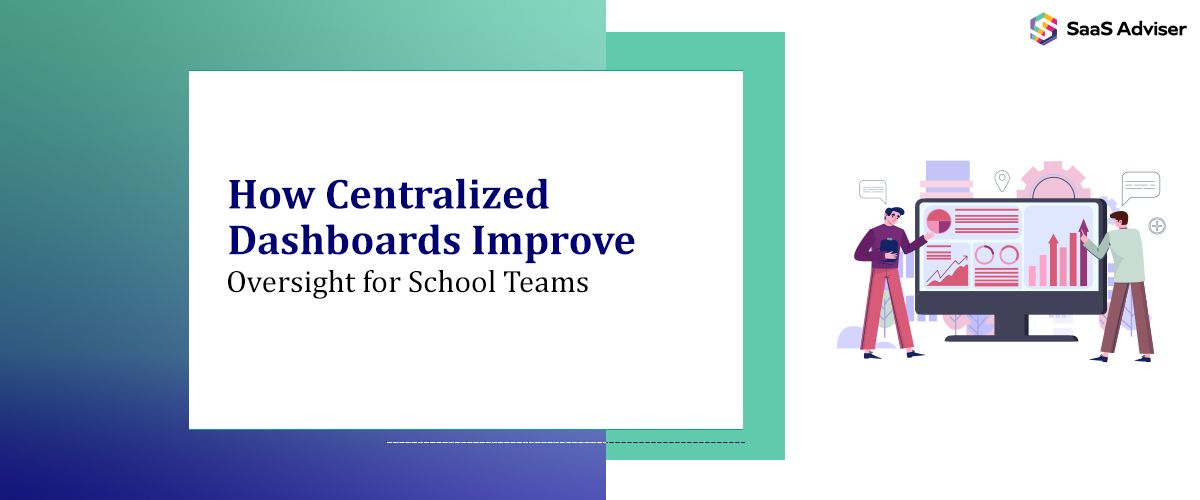
A good dashboard doesn't try to do everything. It shows everything. Or at least, the most critical parts. You get a live look into your operations. Tasks. Alerts. Documents. Status updates. Key metrics. Stuff that needs eyes. And fast.
And more important—it doesn’t show that to everyone the same way. A facilities manager sees building issues and work orders. A principal sees staff schedules and attendance. A counselor sees referrals and open cases. Everyone sees their own version of the truth. But it all comes from the same place.
It cuts confusion. Avoids double work. Less checking three different systems. Less asking someone to forward a file. Less walking into a meeting cold.
Dashboards can pull data from student info systems, HR software, and learning tools. Doesn’t matter. They don’t need to replace anything. They just need to read and reflect.
It’s not about flash. It’s about fixing blind spots.
The Oversight Problem
Leadership in schools often lacks real-time insight. They rely on reports that are already stale by the time they hit their desk. Or worse, they hear about issues from parents or the news before their own staff.
A centralized dashboard flips that. It gives district leads live visibility into dozens of schools. Hundreds of teachers. Thousands of students. Not in a creepy surveillance kind of way. More like a cockpit. The engine light flashes when something’s off.
Imagine seeing, right now:
-
Four classrooms without substitutes.
-
Bus route delays across two zones.
-
An uptick in behavioral incidents in one grade.
-
A pending purchase request stuck in approvals.
Before, those might take hours to bubble up. Or they’d get lost entirely. With a dashboard, they surface fast. They get handled faster.
It doesn’t make problems go away. But it makes them visible. That alone changes everything.
Real Mistakes That Dashboards Prevent
No tech solves every issue. But centralised dashboards prevent the kind of slow, compounding mistakes that really wreck trust.
Example one: A school nurse logs multiple cases of flu symptoms. She emails the health coordinator. But that person is out sick. No one else sees the pattern. Days pass. The outbreak spreads.
With a dashboard, case logs update live. The system flags it. Others can act. Notices go out. Cleaning crews get dispatched. Parents are told early. You avoid panic.
Example two: A teacher flags a student's declining performance. The counselor misses the email. The student spirals. Weeks go by before an intervention starts.
If that flag shows up on a shared dashboard? With notes? With visibility for others? That student doesn't slip through.
It's small errors, really. Little gaps. But they happen constantly. Humans forget. Or don’t notice. Or just run out of time. Dashboards don’t fix people. But they close those gaps.
It's Not Just for Admins
Teachers benefit too. Not always directly. But definitely in the ripple effect.
When leadership sees what’s going on, they make better decisions. Faster ones. And the pressure doesn’t pile onto teachers the same way. They’re not asked to re-submit something twice. Or sit in another meeting to explain a problem they already flagged. Their time gets respected.
Plus, if the dashboard is built right, teachers can use it too. They can check the classroom inventory. Submit tech help tickets. Track IEP deadlines. Without guessing who to contact. Without digging through emails.
It’s one of the few tools that doesn’t add work. It reduces it.
When Things Get Weird
Technology breaks. People forget to log in. Permissions get set wrong. Dashboards, like anything else, aren’t flawless. You get weird bugs. Data shows up twice. Or doesn’t show up at all. Filters glitch. Stuff gets stuck in draft mode.
But even then, a broken dashboard still points to the source of truth. It still gives teams one place to look. Even if it’s not perfect, it’s centralized. That’s still better than five apps and a folder that no one updated since last semester.
And you fix those errors. You learn. You tweak. Schools are already good at working through setbacks. This is just another one. It’s very manageable.
Adoption Always Takes Time
You will get pushback. Someone won’t like the layout. Someone else will say it’s missing something. Staff will forget passwords. Others will never log in until forced.
But that’s expected. It’s not a failure. It’s just part of it.
The trick is to tie the dashboard to real tasks. Use it in meetings. Refer to it during walkthroughs. Let people see their work reflected there. Not in some abstract way. In a practical, “oh, that’s where that went” kind of way.
After a few weeks, teams stop resisting. After a month, they lean on it. By semester’s end, they can’t go back.
It works like muscle memory. You don’t teach it. You build it.

Oversight Without Micromanagement
This part’s tricky. Some staff worry a dashboard means surveillance. That every click gets tracked. That admin is watching like a hawk.
That’s a valid fear. It’s happened in bad rollouts.
But a smart setup avoids that. It focuses on systems, not individuals. It monitors tasks, not people. It flags gaps, not effort.
It shows where support is needed. Not where someone failed.
Leaders who use dashboards well don’t hunt mistakes. They use data to ask better questions. To spot trends. To redirect energy. To back up staff with evidence. Not to call them out.
When that tone is clear from the start, teams trust the tool.
Even Small Districts Benefit
You don’t need a thousand students. Even a school with 150 kids can use a centralized dashboard.
It helps with bus routes. Supplies. Special ed compliance. Fundraiser tracking. Anything.
Smaller teams juggle just as much—just with fewer hands. A dashboard becomes their second brain. The thing that remembers when they forget. The thing that keeps everything in motion when one person calls out sick.
And because smaller districts move slower, they actually avoid overcomplicating the system. They build something that fits them. Not the other way around.
The Cost Argument
Yes, good dashboards cost something. In setup. In time. Maybe software fees. Maybe someone to manage it. You might need support staff, maybe a consultant. Training hours add up. People need time to adjust, to learn the system, to make it part of the day instead of one more task to avoid. And still, it’s worth it.
Because you have to weigh that against the cost of constant missteps. Late reports. Missed services. Angry parents. Burnt-out teachers. Scrambled responses when the state asks for data you can’t pull fast enough. All of that hits harder, longer, and deeper than most realize.
The cost of not having oversight is almost always higher. In money. In stress. In reputation. In turnover. In fractured trust that’s harder to repair than to prevent.
A dashboard is insurance against chaos. Against drift. Against the quiet breakdowns that happen when no one’s really watching.
In the End, It’s About Flow
Schools run on rhythm. Bell schedules. Lunch periods. Grade windows. Holidays. Testing blocks. Every piece depends on flow.
When that flow breaks, everything slows. Sometimes it stalls.
Centralized dashboards keep the rhythm. They don’t fix culture. They don’t eliminate stress. But they reduce noise. They give teams a place to look, a place to act from.
In a world of too many tools and too little time, that’s more than helpful. It’s very necessary.