
Best Visitor Management Software in
Are you looking for Visitor Management Software for your Business in ? SaaS Adviser brings you the best Visitor Management Software to ease your worries. In order to make your work smooth and swift, SaaS Adviser has compiled a list of the best software available. Compare the Best software features, pricing, free demo, and trial to select the best Visitor Management Software for your organization.
.jpg "Shubham") Researched and Written by Shubham
Researched and Written by Shubham
Top 3 Featured Softwares


List of Top Visitor Management Software

Get Free Consultation


iLobby

By iLobby
iLobby is the perfect solution for accounting for every person in your building. It is easy for visitors, convenient for employees, and provides reporting and control for managem...
View Profile

Proxyclick
By Proxyclick
Proxyclick is a visitor management system that offers various features to reduce operational costs related to workplace entry, establish a secure environment for employees and vi...
View Profile

SwipedOn
By SwipedOn
SwipedOn is a cloud-based platform that offers businesses of any size the ability to manage their shared desk spaces from a central application. SwipedOn Desks helps utilize shar...
View Profile

The Receptionist for iPad
By The ReceptionistCheck How The Receptionist for iPad can help to automate Indian Business. SaaSAdviser provide their list of features, pricing, Free demo and Comparison with the best alternative
View Profile

Teamgo
By Teamgo
The arrival and sign-in process for employees, contractors and visitors can be dramatically improved with Teamgo. Teamgo is a digital solution to the age-old sign-in book and is ...
View Profile

Greetly
By Greetly
Greetly is a smart, adaptable guest management software that represents your company and takes care of all of your reception requirements. It makes your workplace safer, more com...
View Profile

VisitUs
By VisitUs
VisitUs is a trusted global provider of visitor management solutions. Our simple and easy-to-use visitor management system helps you create a warm and welcoming experience for yo...
View Profile
WorkInSync
By WorkInSync
WorkinSync is a software that helps manage work for multiple locations and teams. The software offers tools for automating operations like team planning, team notifications, attend...
View Profile
EVA Check-in
By Theta
Check How EVA Check-in can help to automate Indian Business. SaaSAdviser provide their list of features, pricing, Free demo and Comparison with the best alternative
View Profile

Qminder
By Qminder
Qminder is a cloud-based queue management system that enables retail locations to manage their sales floor and enhance the customer experience.
View Profile
Envoy Visitors
By Envoy Visitors
Envoy Visitors is a comprehensive visitor management software that offers workplace security and efficient operations for individual teams. Security admins can generate different...
View Profile

LobbyGuard
By LobbyGuard
LobbyGuard's visitor management solutions offer security, compliance, and savings. The system offers instant screening against the US Government Consolidated List and pre-approve...
View Profile

Robin
By Robin
Choose from our library of SDKs for chat that span across web and mobile. A single line of code sets up a secure connection to our service. Develop UI elements with our SDKs to b...
View Profile

Lobbytrack is powerful visitor management software that can be used to check a visitor's identity in the office space of users. Once installed on a tablet or a mobile, the softwa...
View Profile

Sine
By Sine
Sine software is an innovative solution designed to simplify and streamline visitor management workflows. With Sine, businesses can effortlessly check-in visitors, staff, and del...
View Profile

Veris
By Veris
Veris is a powerful visitor management software that helps business owners keep track of their visitors and get their interests registered long before their arrival. The Veris se...
View Profile

Vizitor
By Vizitor
Vizitor is a next-generation visitor management solution that helps hotels and organizations to smoothen their guest arrival and check-in systems by leveraging digitization. This h...
View Profile

Happy Visitor
By Happy Visitor
Now, there's no need for you to be present at the front desk to attend to your visitors. With Happy Visitor, you can manage all your visitors remotely from a single dashboard. Ke...
View Profile

VizMan
By VizMan
VizMan is a visitor management system that offers a secure and user-friendly database to record, filter and track the visitors of an organisation. It digitises the process right ...
View Profile

Autonix
By Autonix
Autonix software is a platform used to gain insights with an easy-to-use visitor check-in system. The software offers tools to measure the activity for a given location or event. G...
View Profile

Table of Content
Find the Best Visitor Management Software
US firms will adopt systems that automate the management of visitors at the entry points of buildings. Be it corporate offices, hospitals, government offices, schools, or even factories, automated visitor management systems are now part and parcel of modern security and facilities management.
A few top visitor management systems (VMS) allow an organization to monitor, restrict, and log the movement of external people into and out of the business premises.
1. Top 5 Visitor Management Software in the USA (with Features, Pros, Cons & Pricing)
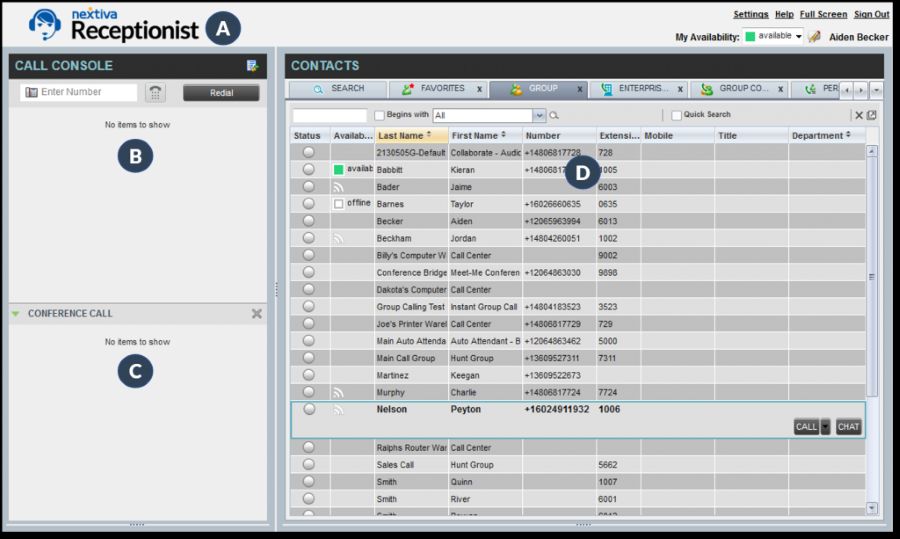
1. The Receptionist – Best for Small and Mid-Sized Offices
For small businesses and co-working spaces, The Receptionist is an inexpensive and easy-to-use check-in system. It lets employees be notified, stores visitor information securely, and allows visitors to sign in using iPads.
Features:
-
Self check-in with touchscreen iPad
-
Host notifications via email, SMS, or Slack
-
Badge printing with visitor details
-
Custom check-in workflows
-
NDA signing and document uploads
Pros:
✔️ Easy to set up and use
✔️ Great for small offices and co-working spaces
✔️ Responsive customer support
Cons:
❌ Limited scalability for large enterprises
❌ Basic integrations compared to competitors
Pricing:
Starts at $49/month (approx. ₹4,000) for up to 100 check-ins/month
2. Envoy Visitors – Best for Hybrid Workplaces
Envoy Visitors is an extension of the Envoy office platform. It accommodates hybrid work models with touchless check-ins, host notifications, visitor regulations, and monitors in real time. It’s popular with technology firms and corporate campuses.
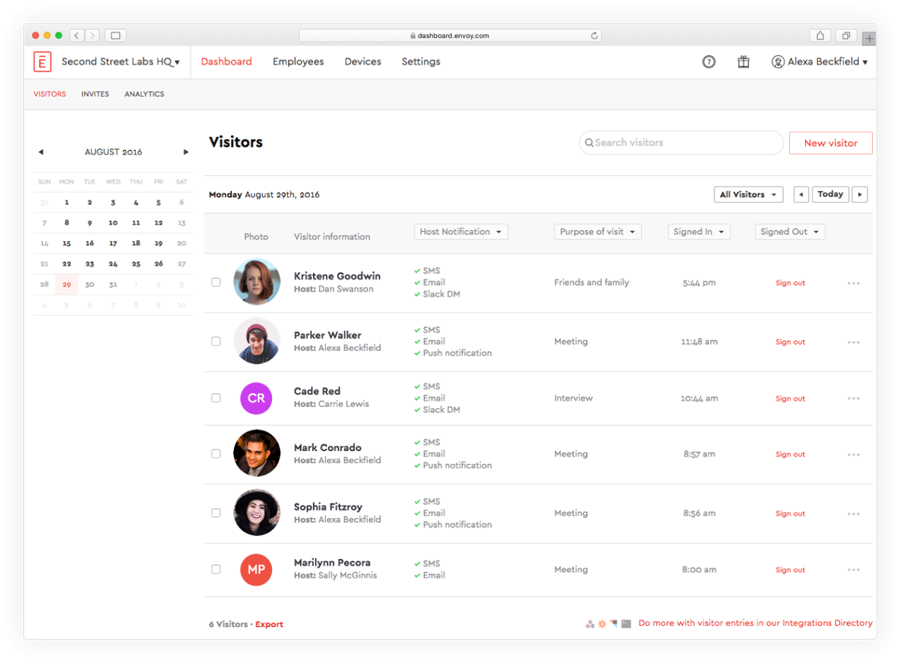
Features:
-
Contactless sign-in with QR code
-
Visitor pre-registration and health screening
-
Photo capture and ID scanning
-
Custom visitor flows
-
Real-time analytics and compliance tracking
Pros:
✔️ Strong security and compliance features
✔️ Excellent UI for both admin and visitors
✔️ Integrates with Slack, Microsoft Teams, G Suite
Cons:
❌ Expensive for startups or small teams
❌ Requires solid internet connectivity for cloud syncing
Pricing:
Free for basic use
Premium starts at $99/month (approx. ₹8,200/month)
3. Proxyclick by Eptura – Best for Enterprise Compliance
Proxyclick is a visitation management platform tailored towards large scale organizations that require precision in compliance. It supports GDPR, ISO standards, and integrates well with access control systems.
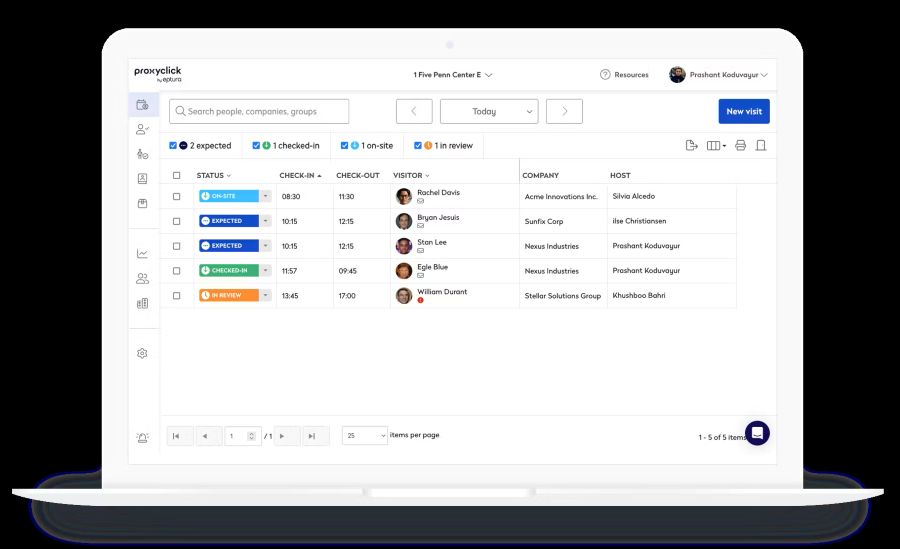
Features:
-
Pre-visit registration and screening
-
Custom workflows by location or visitor type
-
Secure badge printing and visitor photo logs
-
Data privacy controls and audit-ready reports
-
Integrations with access control and security systems
Pros:
✔️ GDPR and ISO-compliant
✔️ Scales well across global office networks
✔️ Trusted by Fortune 500 companies
Cons:
❌ Setup is more technical
❌ Pricing not ideal for small businesses
Pricing:
Starts at $100/month (approx. ₹8,300/month); enterprise pricing available
4. iLobby – Best for High-Security Facilities
iLobby is specific for manufacturing, logistics, and data centers as well as government buildings. It focuses on security and compliance workflows with real time monitoring.
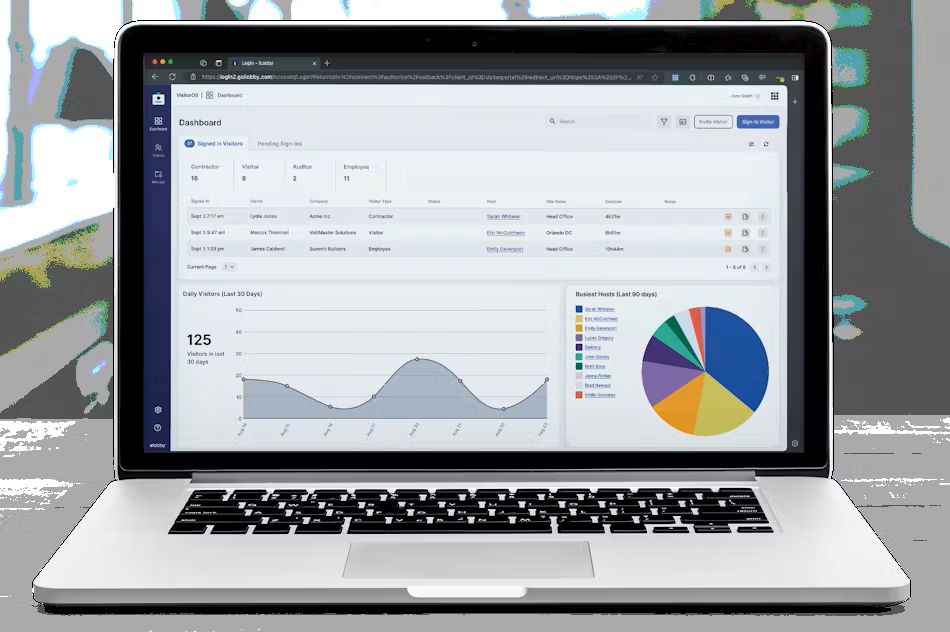
Features:
-
ID scanning and visitor validation
-
Emergency evacuation management
-
Contractor and vendor check-in tools
-
Watchlist alerts and background screening
Access control system integration (Lenel, Honeywell, etc.)
Pros:
✔️ Built for restricted and high-security zones
✔️ Tracks contractors, delivery agents, and guests
✔️ Highly configurable
Cons:
❌ More expensive than most tools
❌ Not ideal for casual or low-traffic facilities
Pricing:
Starts at $149/month (approx. ₹12,400/month); custom pricing for enterprise use
5. Envoy (Full Suite) – Best All-in-One Workplace Platform
Envoy’s complete offering is full-fledged visitor management, desk, room and delivery management. Best for large companies looking for a single solution to manage people, spaces and activity.
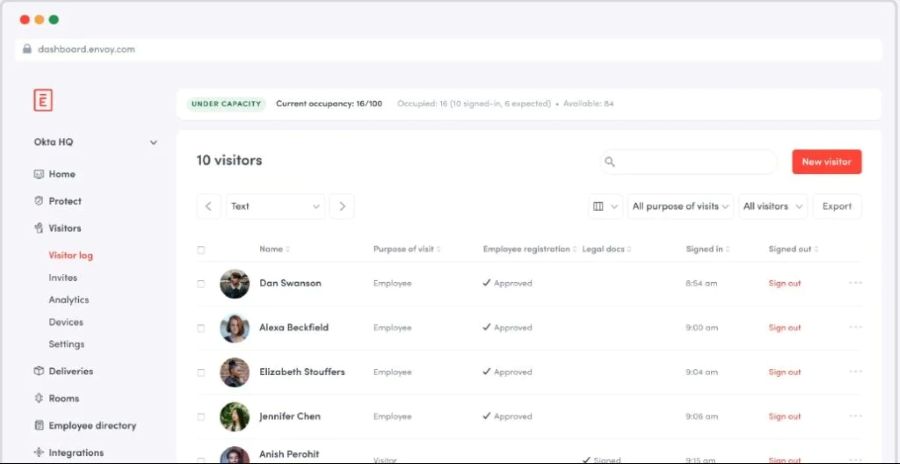
Features:
-
Central dashboard for visitors, employees, and deliveries
-
Calendar integrations for meeting room sync
-
Desk booking and check-in support
-
Health forms, touchless check-in, and contact tracing
-
Powerful analytics across all modules
Pros:
✔️ Covers full workplace operations
✔️ Easy to use with strong app experience
✔️ Scalable across offices and teams
Cons:
❌ Premium plans needed for full functionality
❌ Learning curve for new users with complex needs
Pricing:
Starts at $99/month (approx. ₹8,200/month); custom enterprise quotes available
2. Types of Visitor Management Software
-
On-Premise Visitor Management Software
This software is configured according to a company’s private server and is administered by the company itself. This provides a firm with full control over their data management policies and data security.
-
Cloud-Based Visitor Management Software
Cloud-based VMS can be accessed online via browsers and applications as they are stored on the vendor's server. These tools provide remote accessibility and flexibility. Modern firms prefer these tools because they are cost effective and fast to deploy.
-
Self-Service Kiosk Visitor Management Software
Visitors can autonomously check themselves in via screens using these systems, devoid of any receptionist’s assistance. Some of these systems incorporate QR code scanning and digital signing of documents.
-
Mobile App-Based Visitor Management Software
Allow users to check in using mobile phones through QR codes, NFC, or OTP. Passes are issued digitally in advance and can be scanned on arrival. This strategy cuts down contact and boosts speed of entry while improving safety.
-
Multi-Location Visitor Management Software
This specific software type enables an organization to have central control of visitor data from different locations. Regardless if an organization has two offices or twenty, they are able to control all the visitor flows, logs, and reports from one dashboard.
-
Hybrid Visitor Management Software
This type of system incorporates both on premise and cloud systems. Organizations may retain sensitive information on-premise while utilizing cloud features for remote access, analytics, or multi-location supervision.
-
Small Business Visitor Management Software
Designed for small clinics, gyms, co-working spaces, or start ups, these systems are more focused VMS tools These systems emphasize essential functions of digital check-in, host alerts, and visitor logs, all at lower costs than enterprise systems.
-
AI-Powered Visitor Management Software
Tools with AI perform highly automated tasks. They use facial recognition, predictive analytics, and intelligent alerts to level up convenience and security. These platforms are capable of flagging suspicious activities and autofilling visitor information.
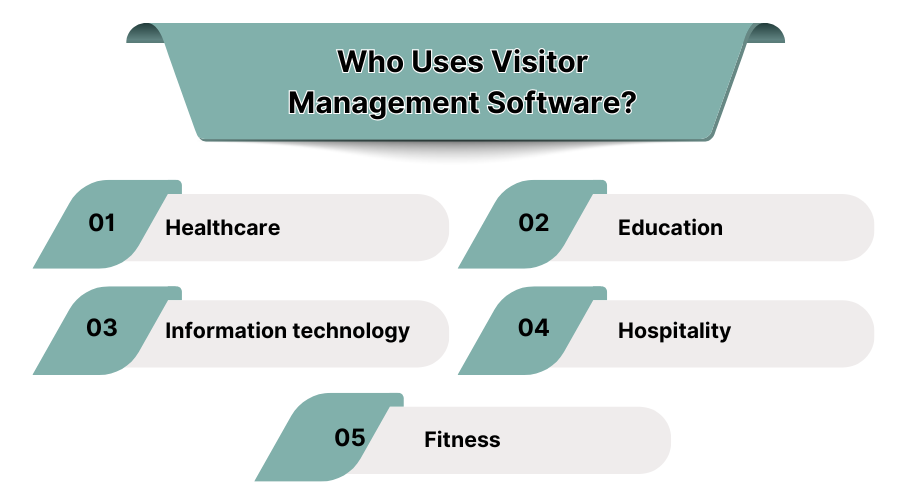
3. Who Uses Visitor Management Software?
-
Healthcare
To manage patient attendees, suppliers, and healthcare vendors, hospitals, clinics, and diagnostic centers utilize VMS. These systems assist in securing entry and exit control and visitor screening to mitigate potential risks, amongst other functions. Some platforms also incorporate pre-entry health screening, which is critical for infection control as well as safety compliance.
-
Education
Students and staff in schools, colleges, and universities need to be protected while maintaining a free to explore learning environment. Visitor software handles check-ins for parents, vendors, and faculty members. Through identity verification and digital logs, safety amidst academic activities can be maintained by the institution. You can also use education software for the same.
-
Information Technology
Controlling physical access to IT companies is critical to safeguarding sensitive data and intellectual property. VMS tools allowing pre-authorization, watchlist matching, and data logs that support internal audits strengthen control of access. Many tools also interface with access badge systems and facility security.
-
Hospitality
Visitors to hotels, resorts, and convention centers can be registered and managed through visitor systems thus improving customer service as well as reducing check-in hurdles. Instead of filling out manual forms, visitors can digitally check in at kiosks or through mobile applications. These systems also assist in logging third-party vendors, event planners, or day visitors entering the property.
-
Fitness
Health clubs, yoga centers, and spas utilize VMS tools to control member visits, guest entries, and trial registrations. These systems with QR-based check-ins and automated entry validation minimize clogging as well as unauthorized access. You can use fitness software that will aid you.
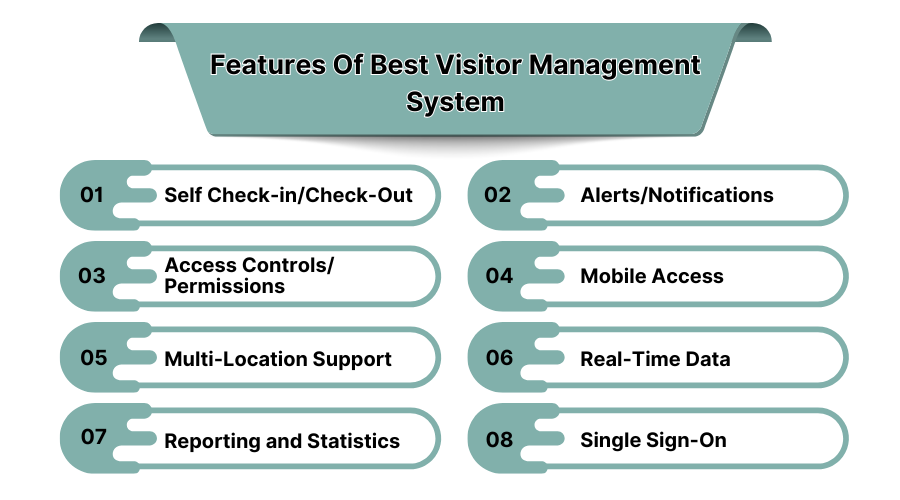
4. Features of the Best Visitor Management Software
-
Self Check-In/Check-Out
Each visitor has the ability to sign in and out on their own without any assistance from the front-desk personnel Self-service kiosks and mobile devices enable fast access through QR codes, OTPs, or ID scans. This minimizes time, enhances the user experience, and reduces errors.
-
Alerts and Notifications
Automatic alerts can notify the host when the guest has arrived. Notifications may be in SMS, Email, Slack or app push messages. This ensures a quicker welcome process and less waiting time. You can also use push notification software for the same.
-
Access Controls and Permissions
The organization should set rules that determine the level of access permitted to visitors. Access controls limit the entrance to specific zones like labs, server rooms, or executive areas to authorized personnel only.
-
Mobile Access
Visitors can preregister, receive QR codes, and sign in through smartphones. Mobile compatibility enables staff to remotely monitor visitor flows, approve entries, and check logs.
-
Multi-Location Support
The software should enable visibility across branches which helps security teams organization-wide in monitoring visitor activity. Companies with multiple office locations should manage all sites from a single dashboard.
-
Real-Time Data
Current virtual management system (VMS) applications provide detailed information on individuals present on-site in real-time. Dashboards display live data regarding visitors in the system, check-outs and check-ins, current guests in the building and the forthcoming guests.
-
Reporting and Statistics
Automated reports help examine visitor numbers and trends such as peak entry hours and repeat visitations regardless of the duration of previous visits. These statistics are useful for optimizing operations, resource allocation, enhancing compliance, and synergies with other organizational initiatives.
-
Single Sign-On (SSO)
With SSO, employees can log on to the system with their company credentials which allows the IT unit to have a simplified manner of managing logins while increasing compliance with the company’s access control policies.
5. How to Choose the Best Visitor Management Software?
-
Faster Processes
To maximize efficiency in managing visitors, VMS tools must optimize process speed in the workflow. Some software that features pre-registrations and fast badge issuance would be greatly helpful. Mobile check-in and automatic notifications of the host will improve the speed of entry even more.
-
Safer Environment
Software for visitor management should promote safety through ID verification, blacklist checks, and emergency evacuation capabilities. Integration with access control frameworks guarantees that only allowed persons can access certain restricted areas.
-
Easy Regulation Compliance
VMS systems should enable logging, legal agreements (such as NDAs), and data retention policies to aid the company in meeting regulatory frameworks.
-
Insightful Data
Special attention to visitor management software is often overlooked with advanced analytics. Dashboards and reports help organizations track and predict visit patterns.
-
Scalability
The ideal for any visitor management system is that it grows with your organization. Whether expanding to multiple branches or scaling up a single facility, the software must manage increased traffic, user roles, and sophisticated security protocols.
6. What is Visitor Management Software?
Visitor Management Software (VMS) is a software application intended to simplify the registration and tracking of participants within a facility. By eliminating paper logbooks and replacing them with automation, VMS increases security and compliance and enhances the experience of the visitors.
These systems are utilized in corporate offices, healthcare facilities, educational institutions, and even manufacturing plants to control and keep an accurate record of all guests.
The global visitor management system market size was valued at USD 1.63 billion in 2023 and is estimated to grow at a CAGR of 13.4% till 2030.
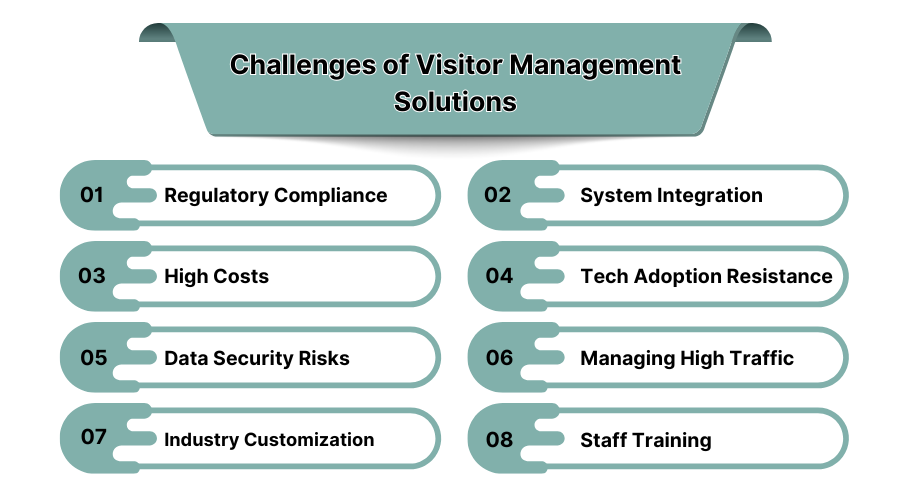
7. Challenges of Visitor Management Software
-
Regulatory Compliance
Organizations that gather visitor information have to abide by local provisions such as the IT Act 2000 and other international legal statutes like GDPR. VMS tools are required to provide proper assured methods for storage, access control, and systematic purging. Non-compliance with any of the above laws can lead to reputational loss or being fined.
-
System Integration
Visitor software modules are seldom able to integrate with access control, surveillance, or HR systems. One of the most pressing issues is the ability of the software to interface with older legacy as well as cloud-based systems without disrupting services. Inadequate integration among all the systems may lead to inaccurate logs or necessitate manual verification.
-
High Costs
Although there are numerous VMS options in the USA market, enterprise level tools are likely to charge a premium. This encompasses licensing and installation of hardware as well as training of the software and maintenance. These pose a challenge especially for small offices or educational institutions.
-
Tech Adoption Resistance
Employees accustomed to using logbooks may struggle to adjust to a touchscreen. Resistance to new systems, fear of self-elimination, or lack of design empathy might postpone the gradual phase. Awareness and training programs for employees need to be conducted effectively before the actual change is introduced.
-
Data Security Risks
VMS tools, which contain sensitive ID information, such as phone numbers and entry times, may fall prey to data breaches. Organizations should ensure that all platforms selected include encryption, access control, and activity audit trails to protect against unauthorized access. To know more, you can read pur blog about cybersecurity threats.
-
Managing High Traffic
Buildings experience surges of foot traffic during peak hours or public gatherings. If the VMS software or hardware is not configured to enable rapid processing of multiple entries, there is bound to be long queues and subsequent visitor irritation. These systems have to be designed for speed, reliability, and uptime.
-
Industry Customization
Different sectors have bespoke visitor management requirements. A hospital could necessitate patient’s relative tracking, while a factory could require compliance checklists tracking by contractors. Off-the-shelf systems often lack tailored industry specific functions and therefore, customization becomes an expensive endeavor.
-
Staff Training
Training is necessary so as to make sure receptionists, security, and IT staff are able to work with the system appropriately. Without adequate onboarding, the system can lead to erroneous visitor logs and failures to report, which ultimately undermine the point of the tool.
8. Conclusion
Choosing the best visitor management system optimizes security protocols, simplifies visitor check-in processes, and improves agility and productivity within the office.
For this purpose, SaaS Adviser has compiled complete lists containing reviews and comparisons of top visitor management solutions. Organizations can make informed decisions regarding the software that best meets their requirements to achieve a streamlined and secure visitor process.
