
Best Operating System Software in
Are you looking for Operating System Software for your Business in ? SaaS Adviser brings you the best Operating System Software to ease your worries. In order to make your work smooth and swift, SaaS Adviser has compiled a list of the best software available. Compare the Best software features, pricing, free demo, and trial to select the best Operating System Software for your organization.
 Researched and Written by Akash Patel
Top 3 Featured Softwares

List of Top Operating System Software
Get Free Consultation

ManageEngine OS Deployer

Imaging and deployment software
ManageEngine OS Deployer is a comprehensive solution designed to meet the needs of modern IT environments by ensuring smooth and efficient OS distribution, whether users are in...
View Profile

What is Monday.com?Monday.com is a cloud-based Work Operating System (Work OS) designed to help teams plan, track, and manage their projects and workflows efficiently. Its high...
View Profile

Wrike is a powerful cloud-based project management and collaboration software designed to streamline workflows, improve team productivity, and enhance visibility across project...
View Profile
Android 11 is the operating system for Samsung, Galaxy, and OnePlus devices that comes with automatic security and application updates.
View Profile
MacOS Big Sur is the latest operating system for mac computers that provides a one-click control center and a customizable start page.
View Profile
.png "Ubuntu")
Ubuntu is an enterprise open source Linux operating system for servers, desktops, clouds, developers, and things. Ubuntu provides extended security maintenance, kernel livepatc...
View Profile
Windows 10 is a windows operating system that provides sleek features and power saving methods to keep PC's running longer.
View Profile
Fedora Workstation is an operating system designed for developers that comes with an open-source toolbox and application containment.
View Profile

Manjaro Linux is an operating system that can be downloaded online and comes with power saving methods and multi-functioning updates.
View Profile
Windows 11 is the latest operating system for Windows, with enhanced security, performance and gaming capabilities. New features included with Windows 11 include screen space o...
View Profile
Linux Mint is an open-source desktop operating system based on Ubuntu and Debian. It provides a user-friendly desktop environment out of the box, with full multimedia support, ...
View Profile
Redhat Enterprise Linux is an open-source operating system that can be run on multiple platforms to handle large quantites of data. The system comes with an image builder that ...
View Profile

Debian is an open-source Linux operating system that provides users with access to over 59,000 software packages. The Debian website offers users multiple installation options ...
View Profile

CentOS Linux is a free operating system that can be run in any linux environment and provides new releases every 6-12 months.
View Profile

Parrot OS is an operating system based on Debian designed for cyber security operations, penetration testing, and digital forensics. The system provides a developer-friendly en...
View Profile

Kubuntu is an operating system that can be used on Mac & PC devices that comes with email integration and a built in file terminal.
View Profile
ManageEngine OpManager
Gain Comprehensive Visibility and Actionable Insights to Optimize Your Network Performance
 4.5
4.5
ManageEngine OpManager is a network monitoring software that provides real-time visibility into device health, availability, and performance.
View Profile

RAMP: Auto Repair Workshop Management Software
Take Control of Your Garage: Effortless Organization & Efficiency.RAMP Workshop Management Software is a comprehensive solution designed to revolutionize the way automotive workshops operate. With its smart, intuitive design and powerful features...
View Profile
eWay-CRM
By eWay-CRM
eWay-CRM software is a platform that allows you to keep track of and exchange information about all of your customers and clients. The software includes features for keeping track ...
View Profile
Unplugged Collection (HMS)
HMS, Channel Manager & Commission-Free BookingsCrafted for the requirements of small-scale to medium-sized hotels. The full-fledged HMS manages your bookings and reservations, guest data, room/villa inventory, housekeeping, inv...
View Profile

Table of Content
Looking for the best Operating System Software in USA? The right Operating Software will make sure performance is smooth and security strong, allowing a good integrated experience across devices. It manages resources as it allows applications to run; therefore, it has a direct role in business productivity. If you require stability and scalability or are on the lookout for some friendly features, choosing the best Operating System for your business keeps you on top and efficient. Try out the ones that fit your business requirements and enhance overall performance!
1. Conclusion
Choosing the right Operating System Software is not just about running your devices—it’s about ensuring smooth workflows, better performance, and long-term growth for your business. From compatibility and security to performance and cost, the right OS gives your team the tools they need to work smarter and stay productive. The right choice of Operating System depends on your unique business needs—whether you are a small startup or a rapidly growing enterprise.
If you are still uncertain about which Operating System is best suited for your organization, SaaS Adviser is here to help. With expert insights and tailored recommendations, SaaS Adviser makes it simple to identify the most effective Operating System Software for your business in the USA.
2. What are the Future Trends in Operating System?
As technology continues to evolve, so do the operating systems that power our devices. Staying ahead of these trends is crucial for businesses and individuals alike. Here's a look at the key developments shaping the future of operating system software.
1. AI Integrations
Artificial Intelligence (AI) is no longer a futuristic concept; it's here, deeply integrated into operating systems. From predictive text and voice assistants to personalized user experiences, AI is enhancing how we interact with our devices. The market for AI in operating systems is booming, projected to grow from $14.89 billion in 2025 to $35.74 billion by 2030, at a CAGR of 19.14% . This surge underscores the increasing reliance on AI to streamline tasks and improve efficiency.
2. Cloud Computing
Cloud computing has revolutionized how data is stored and accessed. Operating systems are evolving to seamlessly integrate with cloud services, enabling users to access their files and applications from anywhere. The global cloud computing market is experiencing significant growth, with projections to reach $2.26 trillion by 2030 . This expansion is driven by the demand for scalable, flexible, and cost-effective solutions.
3. Edge Computing
Edge computing allows data processing near the source rather than relying on centralized servers. This reduces latency and enhances real-time performance. Operating systems are adapting to support this decentralized computing model for faster, more reliable operations.
4. Quantum Computing
Quantum computing is set to solve problems beyond classical computers’ capabilities. Future operating systems are being designed to utilize quantum processors, enabling advanced applications in cryptography, AI, and scientific research.
5. Enhanced Security
Security is a top priority for operating systems. Modern OS integrates top data centre security software features like real-time threat detection, encryption, and secure authentication to protect sensitive information and business-critical applications.
3. What are the Challenges in Operating System?
Selecting the right operating system is essential in managing company operations and even user interface. Operating systems may be a software type, but they do present several obstacles. Having information about them would likely assist you in making the right choice while acquiring Operating Software for your gadgets or entity.
1. Hardware Compatibility
Every new OS cannot work with every hardware device. Some old devices in use would not be able to run the new Operating Software efficiently, creating a problem or costing too much to upgrade. Thus, compatibility is the main caution to be observed by buyers so that they can continue with having the best OS in place without disruption.
2. Application Compatibility
One of the common challenge is getting the software applications you work with to function properly on the selected OS. Some of the legacy applications or specialized tools say finance-related, for example, best expense management software may not be compatible enough to work fluently with the newer versions of the operating systems thus posing workflow interruptions.
3. Security Vulnerabilities
Operating Systems are some of the most targeted elements when it comes to cyber threats as most vulnerabilities expose critical information and can cripple an entire network if not fixed in time. It’s important to choose an Operating Software that maintains a robust process of updating security as well as monitoring processes to keep business operations safe.
4. Network Connectivity
Some operating systems may experience difficulties in maintaining solid connections in complex network environments. The problems of slow connections, connectivity loss, and lack of compatibility with various other networked devices could all work to reduce productivity, especially in cloud-dependent setups.
5. Compliance Issues
Businesses in regulated industries must ensure their operating systems comply with relevant laws and standards. Failure to meet regulatory requirements can result in penalties or operational disruptions. Choosing the best Operating System that supports compliance management can help mitigate these risks.
6. Legacy System Support
Supporting older legacy systems while upgrading to modern operating systems can be tricky. Organizations often need to balance innovation with maintaining functionality for legacy tools. Proper planning ensures a smooth transition without losing access to critical software, such as accounting or reporting tools including best expense management software.
4. How to Choose Right Operating System?
It is more than just selecting a name. It is about picking out that driving force behind your devices-something which gives life to them while invigorating productivity ensuring seamless performance toward the achievement of set goals.
1. Compatibility
Check if the new Operating System will be compatible with your present environment. It should support all your hardware, applications, and other business tools. The closer the fit between an OS and your environment, the less disruption you will experience from unnecessary interruptions in long-term smooth running of work by staff.
2. Software Availability
All businesses depend on some particular tools be it creative applications, CRMs, or best accounts payable software in the US. Make sure your OS supports these programs. The wider the software support is, the more flexibility and productivity you will get during business operations.
3. User Interface
Look for one with an easy design to navigate, clear menus, and smooth interaction–choose the Operating System that provides all these. Time saved is frustration reduced. The user friendly the OS, the more work your team can do on what they should be doing rather than on understanding complicated systems.
4. Security
Security is key in the digital age. Pick an OS that has built-in features such as firewalls, encryption, and regular updates. This will keep safe all the sensitive data of the company, reduce cyber risks plus give you a secure feeling while performing daily operations.
5. Performance
Performance affects everything. From boot times to how fast apps run. An operating system has to be fast, stable, and efficient under load. The better the performance, the fewer interruptions and downtime that will enable you to focus on performing your core business operations.
6. Support and Community
When issues arise, quick solutions matter. Pick an OS that provides responsive customer support and has an active user community. Forums, tutorials, and guides can be extremely helpful for solving common problems and improving how you use the software.
7. Cost
At last, evaluate the cost. Don’t just look at the upfront price—consider updates, licensing, maintenance, and scalability, and then realize that an investment in an OS should be balanced for long-term value and keep your business efficient without overspending.
5. Best Operating System in USA
The following Operating System Software options are among the most popular in the USA. Let’s explore their descriptions, features, pros, cons, and pricing so you can make the right decision.
1. Ubuntu
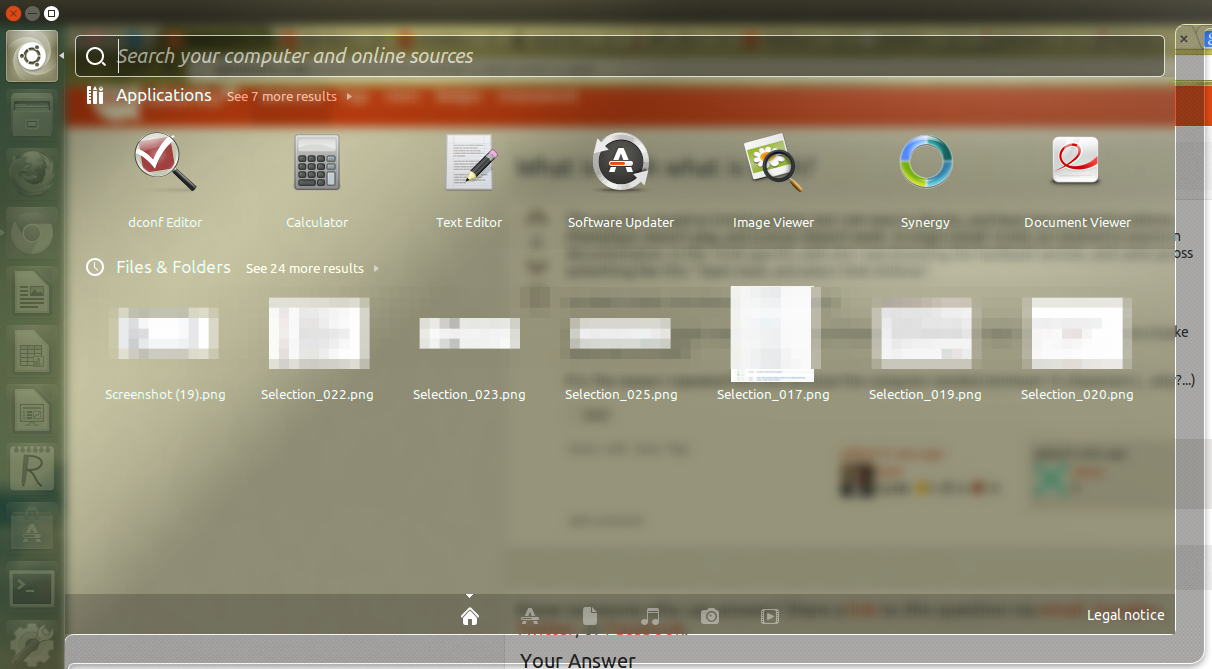
Ubuntu is generally considered one of the most popular open-source Operating System Software. Famous for its stability and security, it carries an easy-to-use interface hence most individuals, and even organizations use it. Businesses make use of it as servers, cloud computing, and even to handle data due to reliable performance and endless updates; it also supports several applications that are needed for work as well as personal use.
Features:
- Free and open-source platform
- Built-in security updates
- Cloud and server-ready
- Large app library and software center
- Strong community support
Pros:
-
Easy to use for beginners
-
Excellent for servers and cloud computing
Cons:
-
Limited support for some enterprise apps
-
Requires technical knowledge for advanced use
Pricing: Free
2. Linux Mint
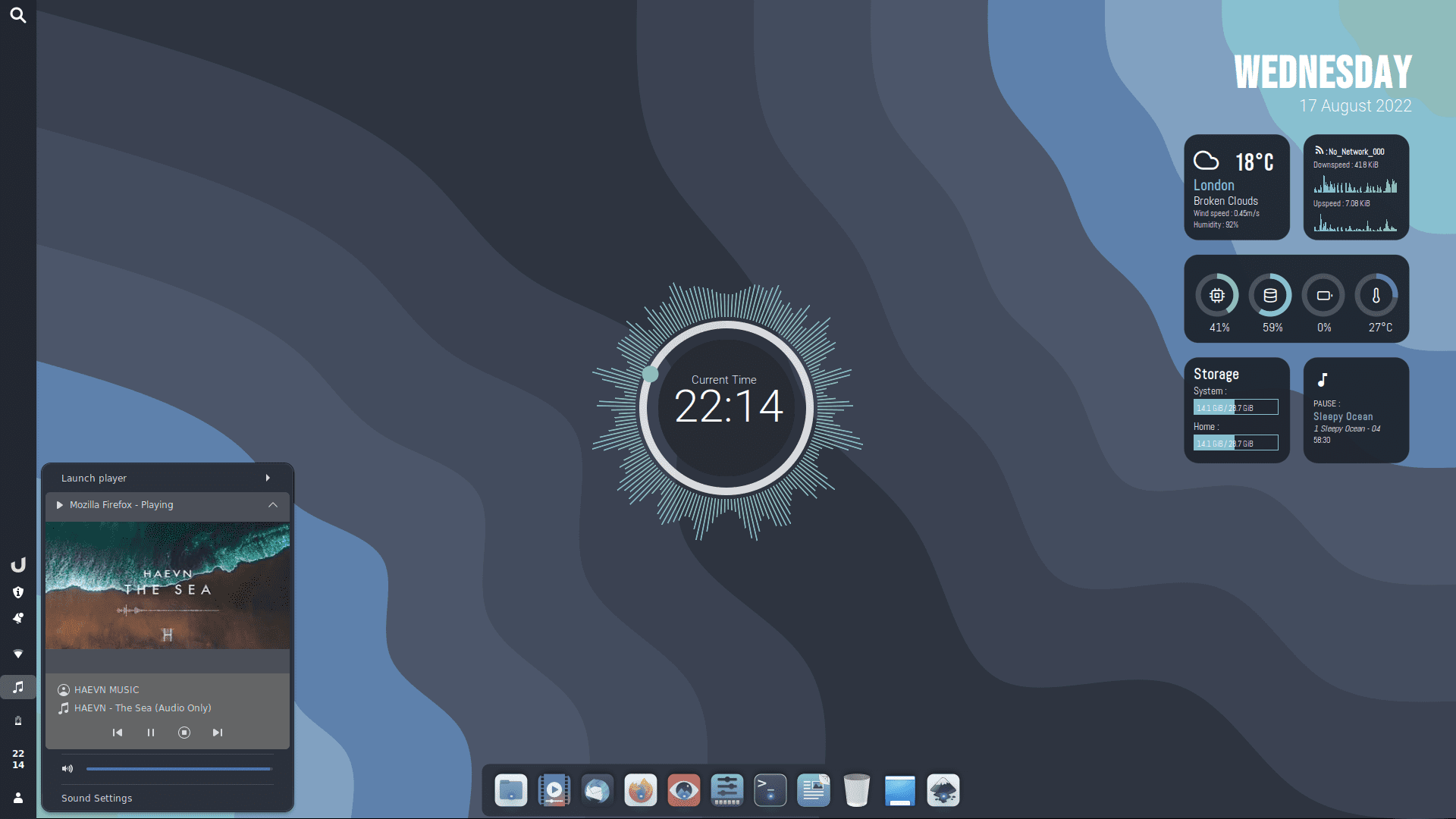
Linux Mint is a very user and easily accessible open-source Operating System. Because of these features, home users and small businesses–working without the elemental features included in other OS networks are especially attracted to the Operating Software. A familiar desktop environment along with inbuilt multimedia codecs, Linux Mint provides you all the needed things for your daily work that involves browsing, editing documents and playing media files. Its lightweight nature further makes it preferable for use on older or low-end hardware.
 Features:
-
Simple and clean user interface
-
Pre-installed multimedia codecs
-
Strong community-driven updates
-
Low system requirements
-
Great for everyday computing
Pros:
-
Beginner-friendly and lightweight
-
Works well on older machines
Cons:
-
Limited enterprise-level support
-
Fewer professional-grade applications compared to Windows/macOS
Pricing: Free
3. CentOS
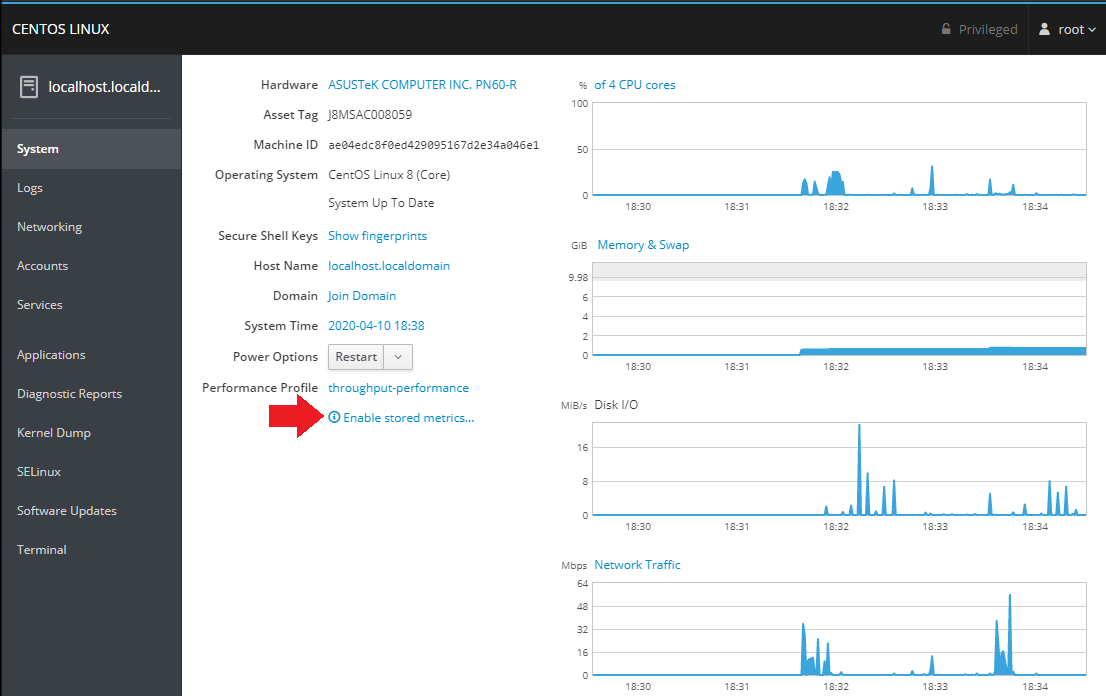
CentOS operating system is classified as community supported software offering enterprise-level, secure, and reliable operation. Suitable for operation within businesses, datacenters, and webservers it has earned its reputation for performance as well as being compatible with the much acclaimed Red Hat Enterprise Linux. There is no sugar coating it, working with CentOS requires one to have some technical acumen. However, it’s preferred for critical workloads that require stability and long-term support. Many companies in the United States still use it to host servers and develop corporate solutions.
Features:
-
Enterprise-grade reliability
-
Strong server performance
-
Compatible with Red Hat software
-
Long-term support updates
-
High scalability
Pros:
-
Very stable and secure
-
Ideal for businesses and data centers
Cons:
-
No official support since CentOS Stream introduction
-
Not beginner-friendly
Pricing: Free
4. Chrome OS
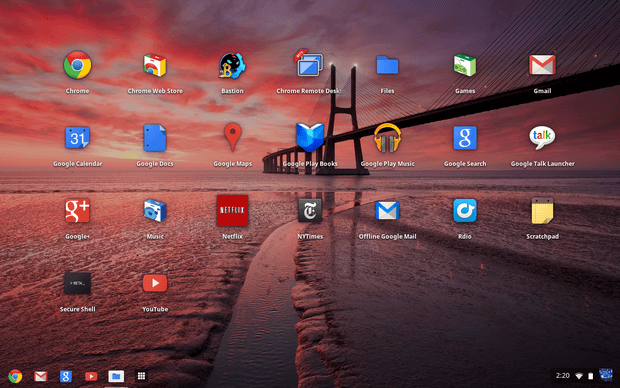
Google’s Chrome OS is a modern Operating Software designed for speed, simplicity, and cloud-first usage. Popular among students, remote workers, and startups in the USA, Chrome OS exists within the Chrome browser thereby working perfectly with Google Workspace which happens to be used by teams who work online. Fast boot times automatic updates as well as built-in malware protection make it secure low maintenance option. While focusing on cloud-based tools it also supports Android apps to add some flexibility.
Features:
-
Fast boot time and updates
-
Cloud-based storage and apps
-
Integrated with Google Workspace
-
Strong malware protection
-
Easy device management
Pros:
-
Very easy to use and manage
-
Affordable and secure
Cons:
-
Limited offline functionality
-
Restricted to web-based and Android apps
Pricing: Pre-installed on Chromebooks (starting from $200)
5. Fedora
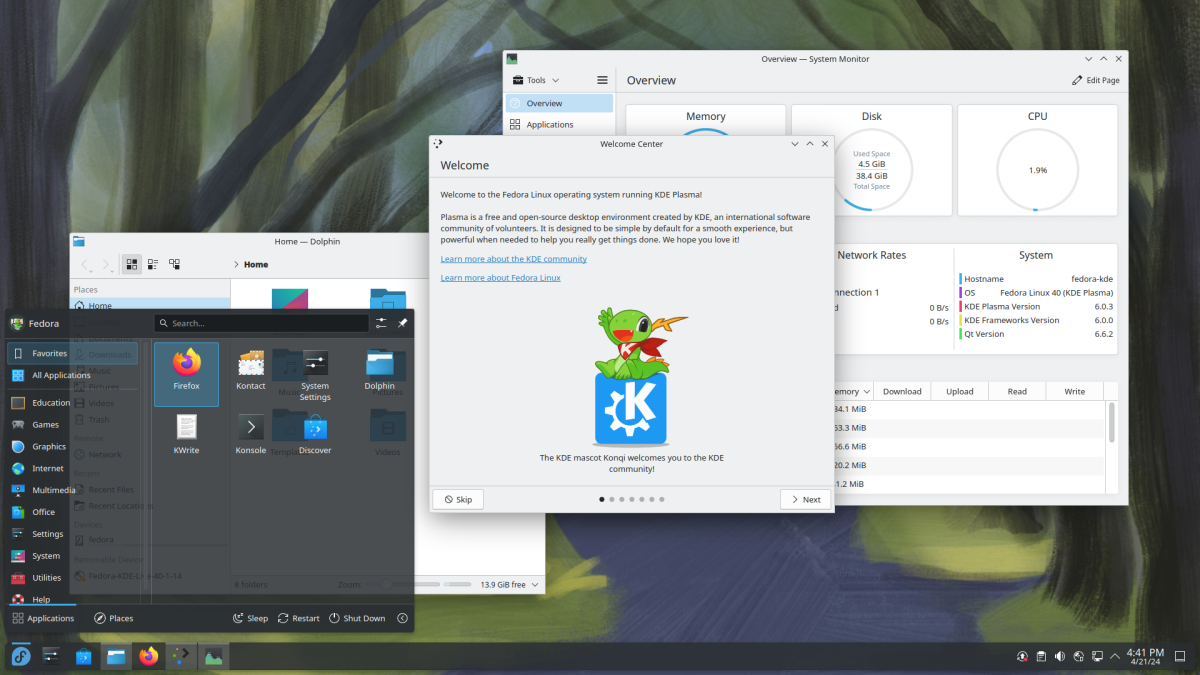
Fedora is an advanced Operating System in USA known for its innovation and frequent updates. Fedora is a product of the Fedora Project with corporate backing from Red Hat and serves developers, testers, or techies requiring up-to-date software and functionalities. It is where new technologies are usually tested before they make their way to enterprise systems, hence suitable for people who want to be ahead of others. Fed has an emphatic eye on containers and cloud applications plus security makes it a good modern developer and IT pro choice.
Features:
-
Fast updates and latest software
-
Strong developer tools
-
Security-focused design
-
Open-source and community-driven
-
Excellent performance with containers and cloud apps
Pros:
-
Great for developers and testers
-
Access to the latest software first
Cons:
-
Shorter support cycle compared to Ubuntu
-
Can be unstable with frequent updates
Pricing: Free
6. what are the Benefits of Operating System?
1. Resource Management
The Best Operating System manages the distribution of device resources like CPU, memory, and storage so no one application uses up all your machine’s power, making it run more quickly and efficiently. For business users, this translates to an extremely smooth operation as multiple applications are run spreadsheet tools, communication applications, and analytics all work simultaneously.
2. Multitasking
Modern OS is all about multitasking. Doing presentations, managing emails, and running online accounts receivable software can all be done for the business at the same time without any lags or crashes. Such fluidity is much needed for professionals upon whom multiple responsibilities are heaped every day so as not to let the productivity slip.
3. User Interface
People’s first notice in Operating Software might be of a clean and user-friendly interface that easily allows the user to find his/her way around, putting even complex tasks in an easy-to-do state. Whether you’re a regular end-user or the business owner, a user-friendly interface will keep the learning time minimum and allow you to concentrate on your work.
4. File Management
Operating systems maintain your files well-organized and safe. You can create folders, move information around, back up important papers, and even keep certain areas restricted. This last item represents quite the lifesaver for firms with sensitive information that must be properly managed, for example, invoices, employee information, or contracts.
5. Device Management
Every computer or business setup includes multiple devices like printers, scanners, external drives, or monitors. The OS ensures they all work together seamlessly. Instead of worrying about drivers or technical errors, you can plug in and start working, knowing that the system handles compatibility in the background.
6. Error Handling
Errors and bugs are part of any digital system, but a good OS manages them quickly. It sends alerts, finds the root issue, and prevents major disruptions. For businesses, this means fewer interruptions during critical work, protecting both time and data from unexpected system crashes.
7. System Updates
Software updates are an essential component for maintaining the OS in your device, not only up to date but also secure and future-proof. They carry bug fixes, security enhancements, and new functionality to better the device’s operations regularly. Business organizations benefit since they can stay current with technology without making expensive replacement investments, thus maintaining an efficient and competitive operation.
7. Who Can Use an Operating System?
The Best Operating System isn’t just for tech experts—it’s for everyone. From everyday users to developers and IT managers, the right Operating Software makes work faster and easier. Many businesses now choose cloud based management software for added flexibility and control.
1. General User
The Best Operating System is the one that makes life easy for people to do all sorts of things. Uninterrupted internet browsing and content streaming, safe online shopping, e-mail management etc. are some of the operations that can be achieved by an OS. They are easy to use for even the common man doesn’t know much about technology and easy to move anywhere due to its portability.
2. Software Developer
Operating Software forms the workhorse for developers. It not only offers an environment in which applications can be built, tested, and run but the right environment for running the applications as well. Hence the OS tools of coding, debugging, and integrating apps assume significance in the melodrama of app creation.
3. System Administrators
Operating System is used by system administrators to manage networks, servers, and business-critical systems. With characteristics like best cloud based management platform, the performance can be monitored, user access can be done and data security throughout the organization can be assured all from one place. This makes their role more efficient and less stressful.
4. Graphic Designers
For graphic designers, an OS powers creativity. It doesn’t matter whether you are working in design applications, editing photographs in high resolution or rendering high resolution video: an efficient OS will be able to give you the best performance without interruptions or slowing down. Designers get speed, stability, and compatibility with creative tools for producing work of the highest quality.
8. What is Operating System?
An Operating System is the basic software that powers up your computer and controls hardware components such as the CPU, memory, and storage plus making sure all your applications are running smoothly. In easy language, the OS Software lets you open apps or save files and do daily activities seamlessly.
This guide, therefore, will take you through a detailed list of features and functionalities that make up Operating System Software so that you are well reminded of what to look out for before making a purchase. Getting the best OS for your business will ensure that everything runs smoothly.
