
Best AntiVirus Software in
Are you looking for AntiVirus Software for your Business in ? SaaS Adviser brings you the best AntiVirus Software to ease your worries. In order to make your work smooth and swift, SaaS Adviser has compiled a list of the best software available. Compare the Best software features, pricing, free demo, and trial to select the best AntiVirus Software for your organization.
 Researched and Written by Nikita Rao
Top 3 Featured Softwares


List of Top AntiVirus Software
Get Free Consultation


NordVPN is a digital private network (VPN) carrier designed to decorate online privacy and protection. It encrypts internet traffic, hides users' IP addresses, and allows entry to ...
View Profile
Bitdefender Total Security

Your Total Digital Protection: Complete Security and Essential Privacy
Bitdefender Total Security is a comprehensive cybersecurity suite designed for multi-device households and individuals. It supports major platforms including Windows, macOS, A...
View Profile

Tenable.io is a cloud-based vulnerability management platform designed to help organizations identify, evaluate, and address security risks across their digital infrastructure....
View Profile
ManageEngine Endpoint Central
Effortless IT management, enhanced endpoint security
ManageEngine Endpoint Central is an all-in-one solution for advanced endpoint management and security, giving full control to your enterprise's IT team. It offers a holistic approa...
View Profile

mSpy
The Best Phone Tracker for Parental ControlIntroductionmSpy is a leading parental control and monitoring software designed to help users track smartphone and online activity discreetly. Known for its user-friendly i...
View Profile
NP AV
Net Protector Total Security
NPAV is a main, award-winning Cyber Security Company. We are pioneers of Cybersecurity with Antivirus, Anti-Ransomware, Secure Data Backup, and Anti-malware which provide total...
View Profile
Surfshark is a top-tier virtual private network (VPN) service that enhances online privacy, security, and freedom. It encrypts internet traffic, hides users’ IP addresses, and al...
View Profile
ESET Smart Security Nod32
Enhance your privacy and stop breaches before they start. Safe banking, browsing, shopping and more.
ESET Smart Security maintains you safe on line, every day, with all-in-one security including Antivirus, Anti-Theft, Personal Firewall – and plenty greater. ESET Smart Securi...
View Profile
Systweak Antivirus
A PC without an Antivirus is like a gate without a guard. Keep your devices protected against Virus, Malware & Ransomware threats with Systweak®Antivirus.
Systweak Antivirus is a powerful cybersecurity solution designed to safeguard Windows PCs from a broad range of digital threats. Developed by Systweak Software, it provides use...
View Profile

Norton
Norton antivirus and cybersecurity—trusted by millions.
Norton protect your business, no matter where you are. Enjoy peace of mind knowing your business’s devices and customer data are more secure.
View Profile

BullGuard
Opt-in to Cyber Safety. The all-in-one protection of Norton 360 is now available to you.
IntroductionBullguard is a comprehensive cybersecurity solution designed to protect your devices from malware, ransomware, phishing, and other online threats. It offers advance...
View Profile

Panda
Advanced antivirus protection for all your devices plus VPN for online privacy.
Panda Security is an advanced cybersecurity solution that offers real-time protection against viruses, malware, ransomware, and other online threats. Designed for individua...
View Profile

Comodo
Comodo + SiteLock = Better Trust & Protection
Comodo's free antivirus software program affords the fine protection from malware instances, virus contamination, and suspicious hidden documents. It is a reliable, cloud-prima...
View Profile

Quick Heal
CLAIM YOUR DIGITAL FREDDOM
What is Quick Heal? Quick Heal is a trusted antivirus and cybersecurity software designed to protect devices from malware, ransomware, spyware, and other online threats. With ...
View Profile

McAfee
Freedom to enjoy your life online
McAfee is nice antivirus software program answer deliver the very best ranges of risk visibility and antimalware safety, together with complete machine and endpoint safety,...
View Profile

Avg Antivirus
Powerful protection and performance for your PC and beyond
Avg antivirus software program helps prevent, get rid of and prevent the spreading of viruses, worms and trojans. It protects you from malware on your PC and allows prevent wha...
View Profile

Trend Micro
By Trend Micro
Check How Trend Micro Password Manager can help to automate Indian Business. SaaSAdviser provide their list of features, pricing, Free demo and Comparison with the best alternative
View Profile

Sophos SafeGuard Encryption
By Sophos SafeGuard Encryption
Sophos SafeGuard Encryption is a highly regarded central device encryption solution. Device encryption is the first step towards high-security defence against all sorts of malware ...
View Profile

Avira Antivirus for Small Business
By Avira OEM
Check How Avira Antivirus for Small Business can help to automate Indian Business. SaaSAdviser provide their list of features, pricing, Free demo and Comparison with the best alter...
View Profile

Malwarebytes for Teams
By Malwarebytes
Check How Malwarebytes for Teams can help to automate Indian Business. SaaSAdviser provide their list of features, pricing, Free demo and Comparison with the best alternative
View Profile

Table of Content
What is Antivirus Software?
Antivirus software protects your devices from viruses, malware, and other cyber threats. It works by detecting, blocking, and removing harmful programs before they can cause damage. To get the best antivirus software in USA, look for programs with strong real-time protection and regular updates. You can also find solid free antivirus software, though premium versions often offer more features like advanced virus protection. The best AV software ensures your data stays safe from online risks, whether browsing, shopping, or working. This buyer's guide covers everything you need to know before purchasing the best virus protection software—ensuring you make the right choice for your needs and keeping your devices safe.
1. Conclusion
To sum up, regardless of what your choice is between Free and paid antivirus software, you need to take into consideration your needs and the level of protection you want. While free can only offer basic security, paid antivirus software can give you a more comprehensive solution with better features, real-time updates, and support from professionals. If you are sincere about its security performance and your devices, protecting personal data, and preventing online threats, you had better spend money on antivirus software with more advanced cybersecurity software. Protect your digital world and make the smart choice today!
2. What's the Free Antivirus Software vs Paid Antivirus Software?
When comparing Free antivirus software for PC to paid antivirus software, the differences are significant in terms of protection, features, and performance. Free antivirus software provides basic protection against common threats like viruses and malware but lacks advanced features such as email security software, network security software, and comprehensive cybersecurity software. It often requires manual updates, leaving your system vulnerable if not done regularly and may slow down your device.
Paid antivirus software, on the other hand, can provide a lot more secure protection, such as automatic updates, special customer service, and extra applications like firewalls, data encryption and identity theft protection. These add-ons are great for keeping your personal information secure, for preventing online threats and for achieving a smoother system performance, which finally means paid antivirus software is the right option that will not let you down and will keep you safe over a long period.
3. What are the Features of Best Antivirus Software?
 (2).jpg)
When choosing antivirus software, it's important to know the key features that make the best protection for your devices.
1. Personal VPN service
A personal VPN service is a valuable feature offered by the best virus protection software. It works by encrypting your internet connection so that it becomes private thus it is safe even if you are using public Wi-Fi. VPNs make your online activities safe and secure when you are seeking data or making a purchase from websites, as they hide your IP address from cyber criminals and hackers.
2. Support for Mobile Devices
With mobile devices becoming prime targets for cyber threats, having support for mobile devices in your Antivirus protection software is essential. Look for antivirus software that extends its protection to smartphones and tablets, ensuring that your Android or iOS devices stay safe from malware, phishing, and other online dangers.
3. Password Manager
A password manager is another great feature to keep an eye out for in best AV programs. It securely stores your passwords, helps you generate strong ones, and auto-fills them for you when needed. This prevents you from using weak, repetitive passwords and protects you from phishing attacks that might steal your login credentials.
4. System Performance Cleanup and Optimizing
There are a few premium antivirus software that come with an additional feature that helps to clear the system of unnecessary files, which are often the reasons for system malfunctions, help to optimize startup processes and additionally increase the device’s capacity, thus its overall performance. This technology will prevent system slowdown for the reason of any virus and malware threat.
5. Online Account Data Leak Monitoring
Data breaches are a huge concern, and many top-tier antivirus programs now include online account data leak monitoring. This feature scans the dark web to check if your personal or account information has been exposed in a breach. With this tool, you’ll be notified immediately if your data is compromised, allowing you to take action before it’s too late.
4. Why Do We Need Antivirus Software?
We need Antivirus protection software to safeguard our devices from the growing number of online threats, such as viruses, malware, and ransomware. The best antivirus software offers real-time protection, scans for vulnerabilities, and prevents harmful programs from causing damage to your files or stealing personal data. Whether you're browsing, shopping, or working, using the best virus protection software ensures your online activities are secure. With top-tier best AV programs, you get comprehensive security that adapts to the latest threats, providing peace of mind and keeping your devices running smoothly.
5. Top 5 Antivirus Software
1. Bitdefender Antivirus - Best Antivirus Software for PC
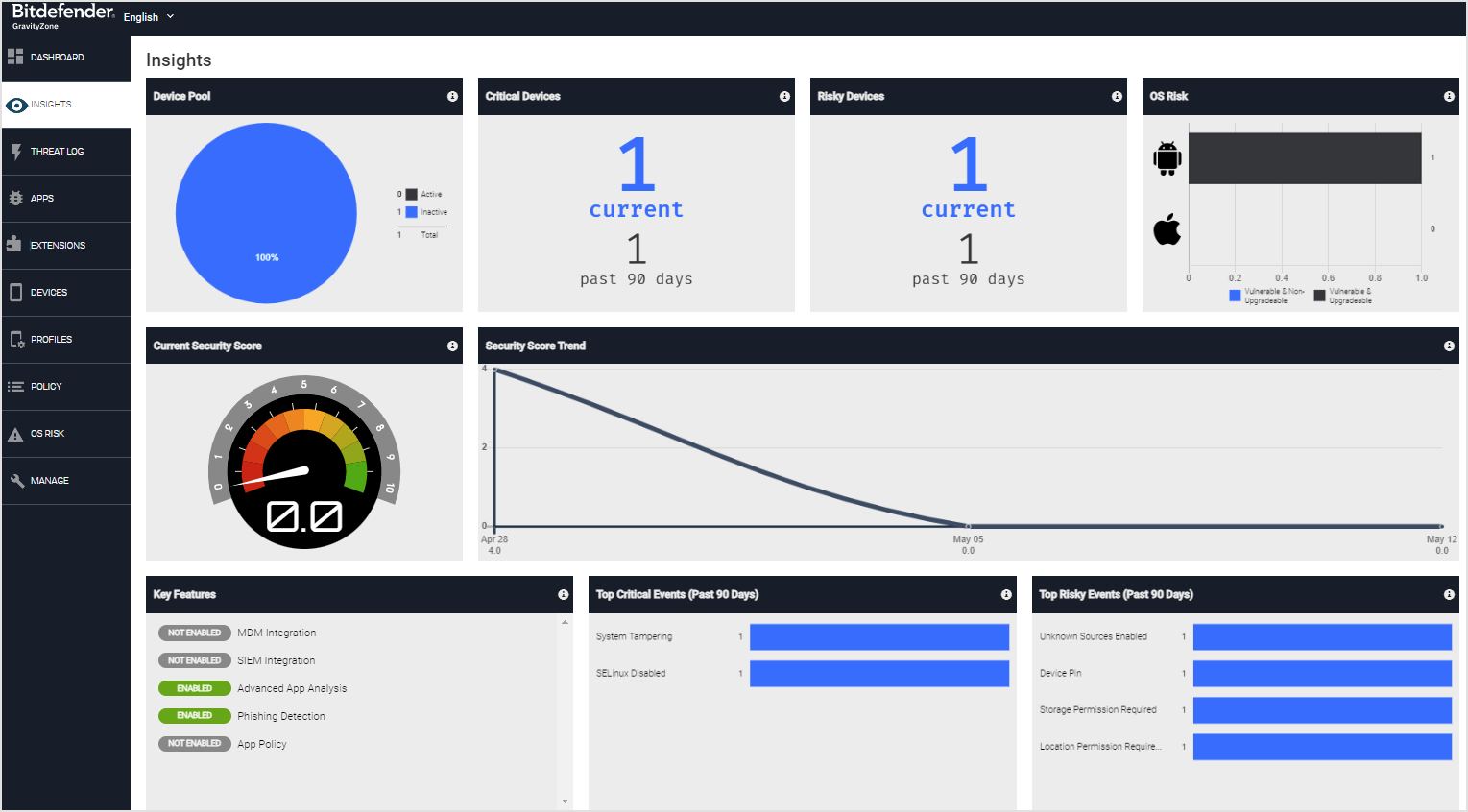
Bitdefender is consistently ranked among the best antivirus software for PC, offering a perfect balance of performance and protection with its best virus protection software features. The set of its best AV programs has infected it with fame. They are ideal for users who desire thorough protection and at the same time, demand a system that is not slow.
 Features:
- Real-time protection against malware, ransomware, and phishing
- Multi-layer ransomware protection
- Built-in VPN for privacy
- Anti-fraud and anti-theft features
- System optimization tools
Pros:
- Exceptional malware detection and protection
- Light on system resources, making it ideal for PC users
Cons:
- The interface can be a bit overwhelming for beginners
- The VPN feature is limited in the free version
Pricing: Starts at $39.99 per year for a single device. Premium plans are available for multiple devices.
2. Norton AntiVirus - Antivirus Software for MAC
Norton is a well-rounded solution, particularly if you're looking for antivirus software for MAC. It provides one of the best antivirus software packages for Mac users, combining great malware protection with additional security tools like VPN and password management.
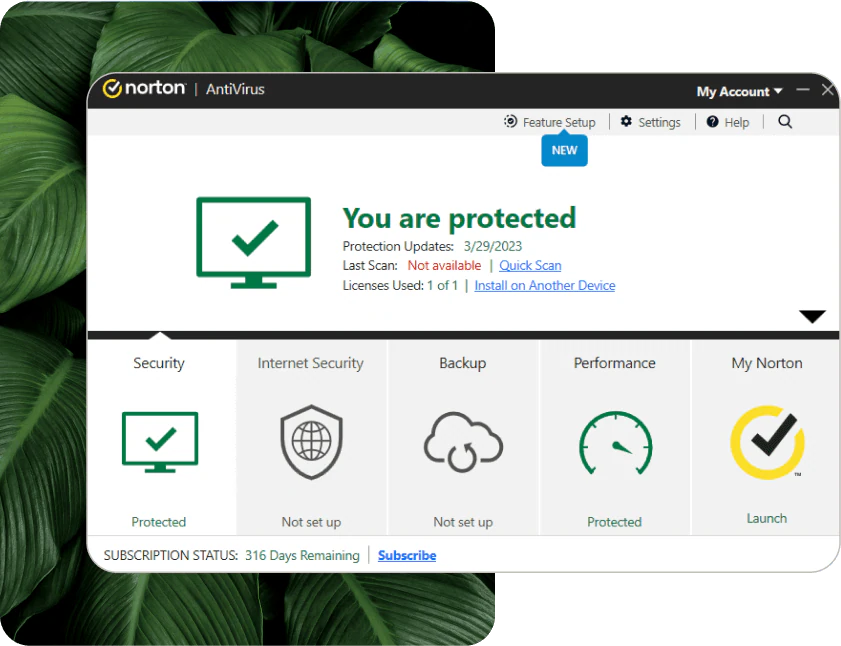
Features:
- Real-time protection against viruses, malware, and spyware
- Secure cloud backup
- Password manager and VPN included
- Safe web browsing
- Parental control options
Pros:
- Excellent for Mac users with smooth, effective protection
- Includes a comprehensive suite of tools like VPN and password manager
Cons:
- A bit pricey compared to other antivirus solutions
- The interface can be complicated for some users
Pricing: Starts at $39.99 per year for one device (plans for multiple devices available)
3. McAfee - Best for Online Security
When it comes to Internet safety, McAfee is the best choice for anyone who really works on their computer protection. If you want to secure your online browsing, better preserve your privacy, and the highest quality of protection against viruses, it is an excellent choice you are looking for.
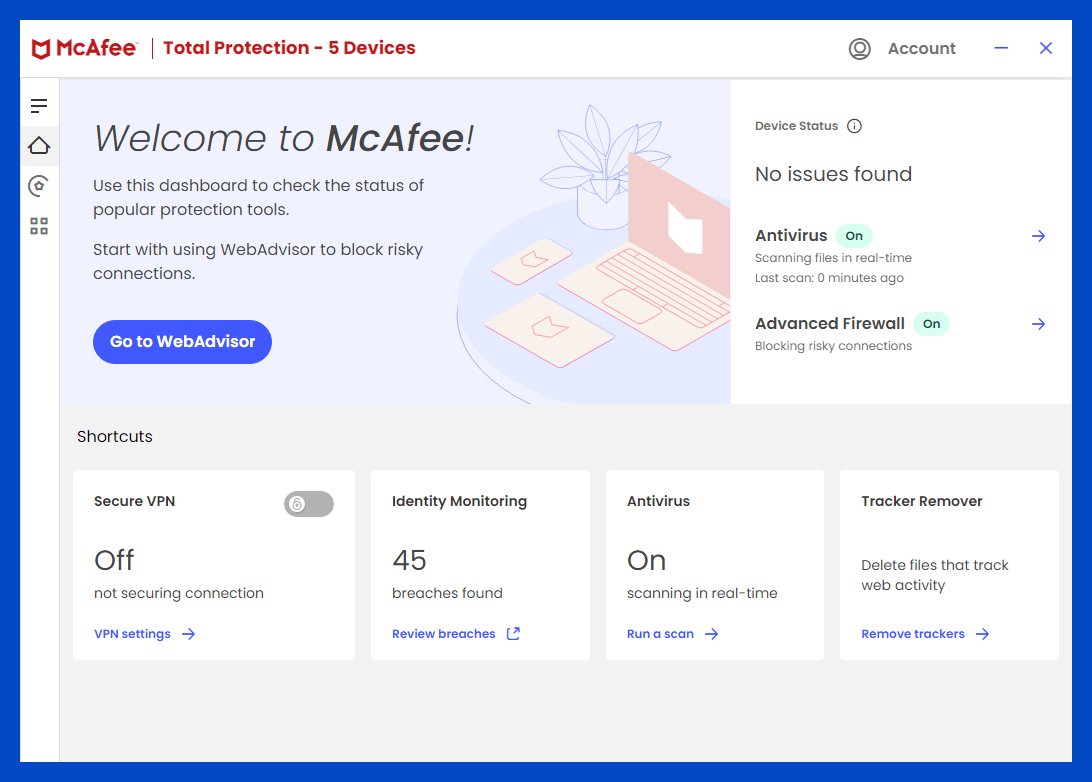
Features:
- Real-time protection with advanced firewall
- Safe browsing and identity theft protection
- VPN and encrypted storage
- Performance optimization tools
- WebAdvisor for safe surfing
Pros:
- Strong focus on online security and identity protection
- Features like VPN and encrypted storage improve overall security
Cons:
- Can be resource-heavy, slowing down older systems
- The interface might be complex for new users
Pricing: Starts at $59.99 per year for a single device (multi-device plans available)
4. Avira
Avira is a perfect option if you are hunting for a trustworthy, best antivirus software with the choice of free antivirus software. Thus, Avira, equipped with advanced malware detection features, is likely to protect your data as well as computer against all the potentially harmful viruses without any hefty expenses.
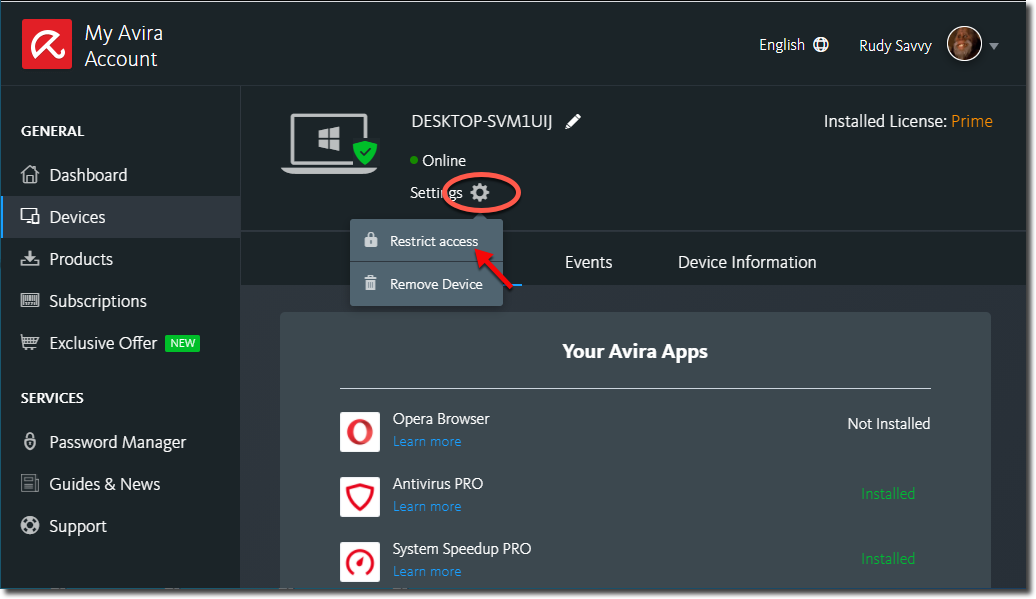
Features:
- Real-time malware and ransomware protection
- Free and premium versions available
- Built-in VPN and password manager
- System cleanup and optimization
- Data breach monitoring
Pros:
- Offers a Free antivirus software option with decent protection
- Good malware detection and system optimization tools
Cons:
- Some advanced features are locked behind the paid version
- The free version lacks real-time protection
Pricing: Free version available; paid plans start at $44.99 per year
5. Avast
Avast is an affordable option that offers a Free antivirus software for PC versions, and for those willing to pay for more features, its paid antivirus software plans offer great protection against various online threats. The free version makes it a great starting point for those who want to try out antivirus protection before committing.
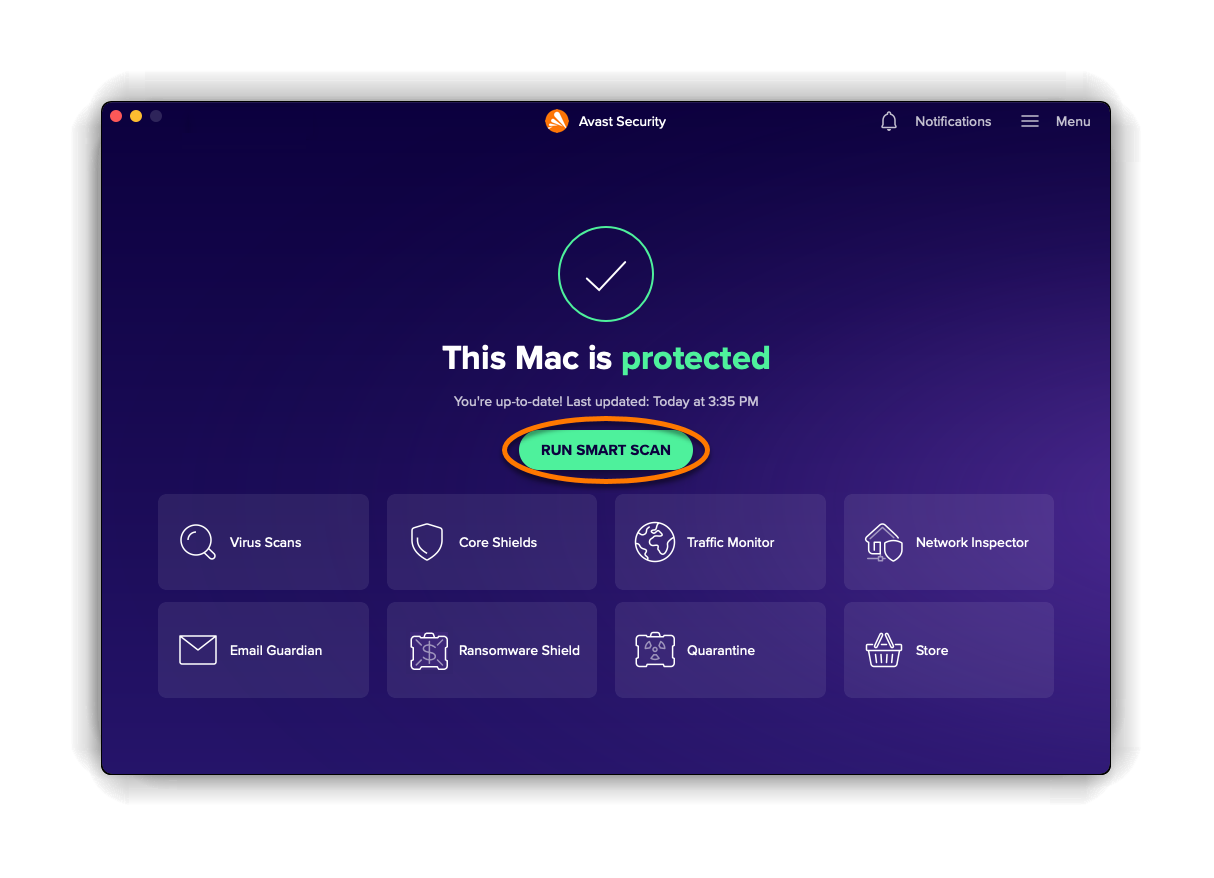
Features:
- Malware and ransomware protection
- Built-in firewall and password manager
- Web and email shield
- Smart Scan for potential vulnerabilities
- Wi-Fi network security
Pros:
- Offers a Free antivirus software for PC option with solid protection
- Comprehensive protection, including VPN and password management
Cons:
- Ads in the free version can be annoying
- Some features only available in the paid version
Pricing: Free version available; paid plans start at $69.99 per year
6. What are the Advantages of Antivirus Software?
 (2).jpg)
To pick the Free antivirus software for PC, one has first to know the benefits to it. Even though the free antivirus software may not have some of the paid antivirus software features still, it is of great importance to keep your devices safe.
1. Malware Detection
Although a Free antivirus solution for PC is still effective, it is very good at detecting malware. By utilizing code that is recognized as harmful, this application will scan your device for malicious programs such as viruses, worms, and trojans, offering solid protection against malware attacks. Even this basic but significant protection is usually offered as part of antivirus protection software, allowing your computer to be safe from viruses and at the same time save your money.
2. Identity Theft Prevention
Some Free antivirus software includes tools that help with identity theft prevention. These features inspect your online activities and let you know about any potential dangers; for example, if you click on a phishing attempt or a fraudulent website, you will be protected from falling victim to scams and your identity will be secure.
3. Malware Prevention
Preventing malware from infecting your device is one of the primary roles of any antivirus software for PC. Free antivirus solutions are designed to block common malware types, such as ransomware and spyware, preventing them from causing damage or stealing sensitive information.
4. Automated Scans
Many Free antivirus software for PC programs offer automated scans, meaning you don’t have to remember to manually run virus checks. Your system will be always up to date with the latest protection, as it will be scanned for threats in the background and the computer will be continuously scanned using automated features.
5. Protection Against Various Threats
Although paid antivirus software often provides more advanced features, Free antivirus software still protects against a wide range of threats. From viruses and malware to online threats like phishing attacks and ransomware, free antivirus options offer essential protection without the cost.
7. What are the Disadvantages of Antivirus Software?
Even though the free antivirus software can provide a solid beginning in the most standard types of protection, there are certain ways you need to consider before relying on it alone. Here are some crucial weaknesses:
1. Potential for Slower System Response
Using many different types of free antivirus software can throttle down the system’s overall performance, mainly through scans or updates. Without the optimisation features of the best antivirus software, it may cause slower load times and lag, affecting your overall computing experience.
2. Need to Update and Maintain Frequently
Unlike premium solutions, which automatically update, free antivirus software often requires more frequent manual updates to stay effective. Without IT management software or automatic cloud-based updates like those found in the best virus protection software, keeping your antivirus software current can be a hassle.
3. Poor Coding and Framework
Some free antivirus software lacks the advanced coding and framework found in best AV programs. This means it may not be as efficient or reliable in detecting newer threats. While the protection is good, it often doesn’t provide the same high-level scanning and system monitoring as more robust computer security software options.
4. Annoying Advertisements
Many free antivirus software programs display ads to encourage users to upgrade to the paid version. These interruptions can be frustrating, especially when you're trying to use your computer without distraction. Unlike best antivirus software, which is ad-free, free versions can make your experience less pleasant.
5. No Customer Support
One of the biggest drawbacks of free antivirus software is the lack of customer support. If you encounter issues or need help with a problem, you're often on your own. Unlike best virus protection software, which comes with dedicated customer service, free software doesn’t provide that level of assistance, leaving you to troubleshoot on your own.
8. What are the Types of Antivirus Software in USA?
 (2).jpg)
Whatever type of Antivirus Software you choose, ensuring you pick the best virus protection software for your needs is essential for keeping your data and devices safe. Irrespective of your choice of paid antivirus software with extensive features or basic free antivirus software for PC, you will make the right decision only if you know these options well.
1. Standalone Antivirus Software
Using a standalone antivirus software program is the easiest means to get your device security in plaintext. This software concentrates on virus and malware detection and elimination. It is generally paid antivirus software options that offer real-time scanning and automatic updates to protect you against the latest threats. Although they are effective, these options in most cases, do not give that extra layer of protection, for example, firewall or identity theft protection, in particular, the fault-tolerance mechanism.
2. Cloud-Based Antivirus
Cloud-based antivirus software is a cloud security software that provides real-time protection. Instead of running on your device, it offloads most of the scanning and analysis to cloud servers, ensuring your system doesn’t take a performance hit. Antivirus protection software is ideal for those looking for light, efficient security with frequent updates from the cloud.
3. Endpoint Antivirus Software
Endpoint antivirus software is designed to protect multiple devices on a network, such as computers, smartphones, and tablets. It's commonly used by businesses and organizations to ensure all endpoints are secure. If you need antivirus software for PC and other network devices, endpoint antivirus software might be the best choice.
4. Free Antivirus Software
Basic protection options are provided by free antivirus software at no added costs. Even though free antivirus software for PC might be a good way to start, it always lacks advanced options such as real-time protection or regular updates. If you are on a budget or need temporary protection, this option will work for you, but bear in mind that it might not really ensure the best virus protection in the long run.
5. Mobile Antivirus Software
As smartphones and tablets become prime targets for cybercriminals, mobile antivirus software ensures your devices are secure from mobile malware, viruses, and other threats. It is specially created for Android and iOS to offer another level of protection different from what is available through the usual desktop programs.
6. Open-Source Antivirus Software
Open-source antivirus software can be a good choice for those users who are looking for flexibility and transparency. The source code is given to the public, which is why the users can modify it. The use of commercial antivirus protection software can be more complicated, although the software is available for free. This kind of application can be free or paid, depending on the chosen edition.
