
 (1).jpg "Notesnook")
Marg Notesnook
Marg ERP 9+
 0.0
0.0
 Write Review
What is Notesnook?
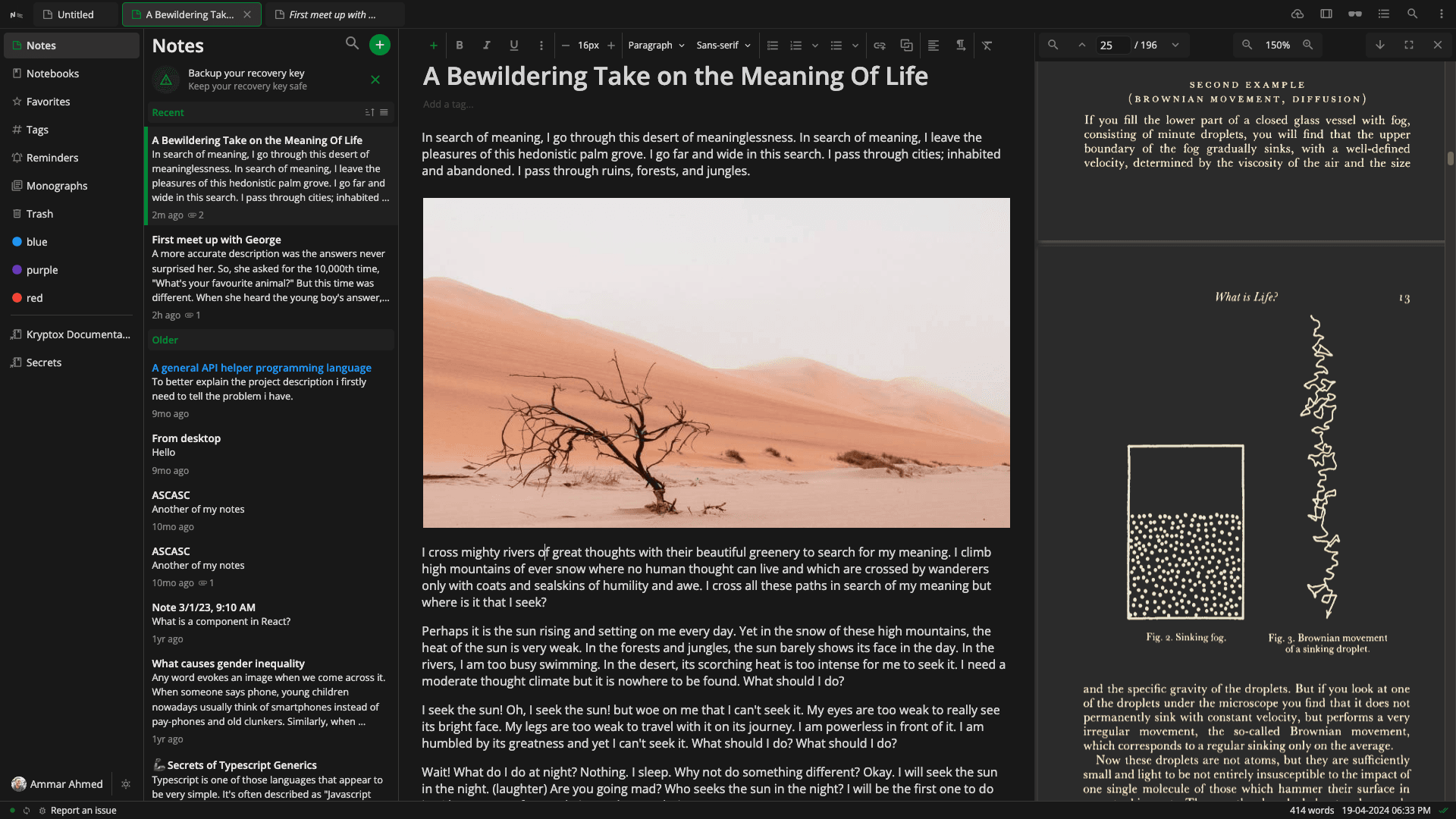
Notesnook is a secure and private note-taking app that emphasizes user data protection. It uses end-to-end encryption powered by XChaCha20-Poly1305 and Argon2, ensuring that no one but you can access your notes. Designed for simplicity and safety, it works across platforms including Windows, macOS, Linux, iOS, Android, and web browsers. Whether you’re creating a personal journal, storing professional insights, or organizing daily to-do lists, Notesnook supports rich formatting, markdown, and offline access. It provides a clutter-free interface for focused note-taking and helps you organize your content using notebooks, tags, and folders.
Pricing of Marg ERP-Pharmaceutical Industry Software
Pricing plans
Introduce pricing plans
Simple, transparent pricing that grows with you. Try any plan free for 30 days.
- Real time unlimited sync
- 20 notebooks
- Text-only exports
- Limited organization
- Manual backups
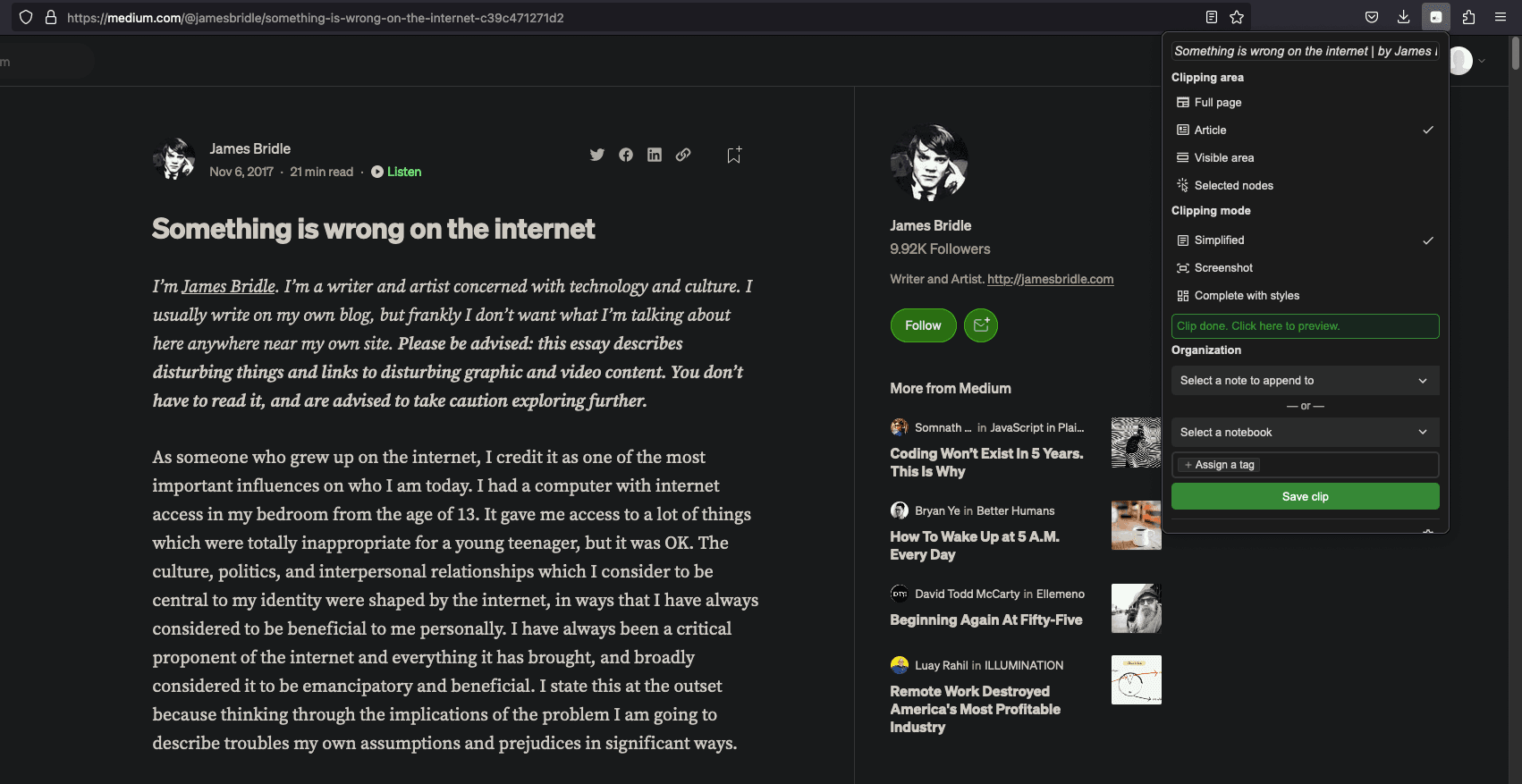
- Basic web clipping
- Includes features of Basic plan
- Unlimited storage
- Advanced web clipper
- Exports in PDF
- HTML & Markdown
- Recurring reminders
- Unlimited notebooks & tags
Education
USD 12.97 /Per Year
USD0.00
Perfect for your business requirements and platform usage.
BOOK A DEMO- Who can apply?
- Students
- Teachers
- Faculty members
- What you get:
- Everything in the Pro plan
Key Specification
| Other Categories: | |
|---|---|
| Deployment: | Cloud Hosted |
| Customer Support: | Email,Online (Ticket) |
| Customization: | No |
| Languages Support: | English |
Who uses Notesnook


Company Details
- Company Name: Notesnook
- Headquarter: Pakistan
Notesnook Description
Why Choose Notesnook?
Notesnook is a note taking software built for privacy-first users who want full control over their data without sacrificing functionality. Unlike many note apps that scan or store your data unencrypted, Notesnook uses a zero-knowledge architecture—ensuring even the developers can't see your notes. The app syncs seamlessly across all your devices and lets you work both online and offline. Its interface is clean, distraction-free, and easy to navigate. You can create richly formatted notes, link ideas using backlinks, and share them securely through Monographs. As an open-source platform, Notesnook ensures transparency and invites contributions from a global community, reinforcing both its trustworthiness and functionality.
Benefits of Notesnook
- Privacy-Focused: Keeps your notes 100% private with full encryption.
- Multi-Device Sync: Automatically syncs your content across all platforms.
- Offline Access: Write and edit notes without an internet connection.
- Rich Text Formatting: Supports markdown, checklists, images, and code blocks.
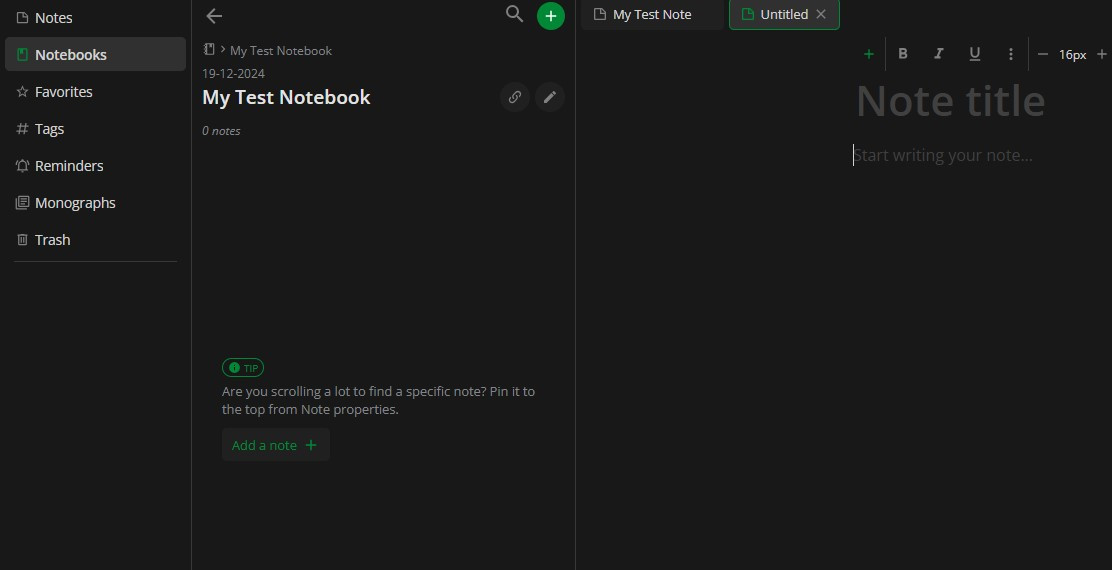
- Organized Workspace: Sort notes using notebooks, folders, and tags.
- Secure Note Sharing: Share encrypted notes with expiration and password protection.
- Regular Backups: Automated backups keep your notes safe from data loss.
- Customizable Appearance: Choose themes and font styles that suit your workflow.
- Open-Source Code: Transparent and community-driven for trust and flexibility.
How to Use Notesnook
Getting started with Notesnook is simple and quick. First, install the app on your preferred platform—Windows, macOS, Linux, iOS, Android, or access it through the web. After creating an account, you can begin by setting up notebooks to categorize your notes. Use the editor to type or paste content, format text, add checklists, and insert media. Use tags and folders to enhance organization. For extra security, store sensitive notes in the Vault. If you need to share a note, generate a secure Monograph link with optional expiration or password. You can also customize the app with your choice of themes and font settings to personalize your experience.
Features of Notesnook
- End-to-End Encryption: Keeps every note completely private and secure.
- Cross-Platform Availability: Access your notes on any device, anytime.
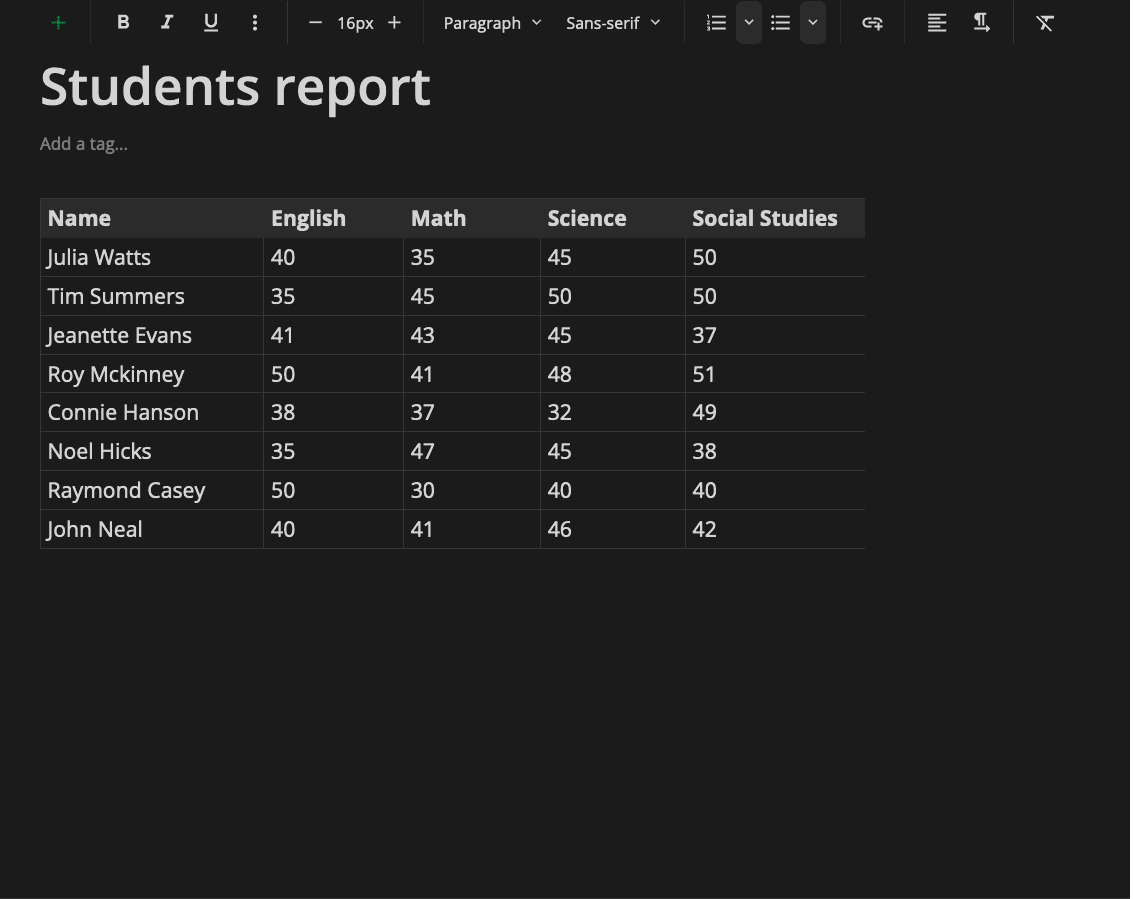
- Rich Editor: Write with markdown, lists, tables, and embedded media.
- Vault Protection: Extra-secure section for your most sensitive notes.
- Note Sharing with Monograph: Share encrypted notes securely via the web.
- Offline Mode: Use the app without needing an internet connection.
- Organizational Tools: Structure notes with notebooks, tags, and folders.
- Backlinks Support: Connect related ideas using note-to-note linking.
- Daily Backups: Keep your content safe with automatic backups.
- User Customization: Dark/light themes and font adjustments for comfort.
What Makes Notesnook Different?
Notesnook stands out for its uncompromising focus on security and privacy. It offers true end-to-end encryption using advanced encryption standards and ensures no data is ever stored in readable form—even by its creators. The app is fully open-source, allowing anyone to inspect the code or contribute improvements, ensuring transparency and continuous innovation. Unlike traditional note apps that require third-party sync services, Notesnook includes encrypted cloud syncing without sharing your data. Additional features like the Vault for secure notes and Monographs for sharing encrypted notes make it more powerful than typical alternatives. Its clean interface and strong privacy protections set it apart in the crowded note-taking market.
Who Can Benefit from Notesnook?
Notesnook is ideal for anyone who values both privacy and productivity. Students can take organized class notes and manage study material securely. Professionals and remote workers can store confidential documents and project plans without worrying about data leaks. Writers, bloggers, and creatives will appreciate its rich text support and distraction-free environment. Journalists and activists can rely on the app to protect sensitive information. Even casual users can use Notesnook for grocery lists, to-dos, or journaling with peace of mind. Its versatile features and strong privacy standards make it a valuable tool for anyone seeking a secure and dependable note-taking solution.
Is Notesnook Easy to Use?
Yes, Notesnook is designed with user-friendliness in mind. Its interface is clean, modern, and intuitive, making it easy for anyone to start using immediately. The layout is clutter-free, and all core functions like creating notes, organizing them, and customizing your workspace are just a few taps away. Rich text formatting tools are built into the editor, so users don’t need to learn markdown unless they want to. Organizing notes with folders, tags, and notebooks is simple and logical. Features like the Vault and Monograph are seamlessly integrated, so advanced functions are accessible without being overwhelming. It’s a smooth experience from start to finish.
What Support Does Notesnook Offer?
Notesnook provides helpful resources to guide users through every step of their journey. Its online Help Center includes detailed documentation, FAQs, and user guides for using the app’s features effectively. A dedicated blog and community forum offer tips, updates, and space to ask questions or suggest new features. Since Notesnook is open-source, users can also follow development progress or contribute directly through its public code repositories. While it may not have traditional 24/7 customer support, the active community, transparent development roadmap, and thorough self-help tools provide reliable assistance for most needs.
Key Features & Specifications
- Recurring Tasks
- To-do List
- Calendar Notification
- File Sharing
- Real-time Collaboration
- Task Tracking
- Templates
- Meetings
- Version Control
- Share Link
Notesnook Video
Alternative
More Alternative
Google Workspace

The better way to work

Meetgeek
Maximize the value of your meetings & customer calls & hiring interviews

Fathom AI Notetaker
Never take notes again #1 rated AI Notetaker
Keka HR Payroll Platform Screenshots
User Reviews
WRITE A REVIEWKeka HR Payroll Platform Key Clients
Frequently asked questions
Everything you need to know about discovering, comparing, and choosing the right AI software for your business.
Notesnook has 3 plans,
- Basic USD 0.00
- Pro USD 1.00 /Month
- Education USD 12.97 Per Year
Notesnook is the AI Note Taking Software used for the below functionalities.
Top 5 Notesnook features
- Recurring Tasks
- To-do List
- Calendar Notification
- File Sharing
- Real-time Collaboration
Notesnook provides Email,Online (Ticket) support.
Notesnook is allowed 0 Days Free Trial.
Notesnook provides Help Guides,Blogs for the software training.
Need Help Selecting
the Right AI Solution?
Speak with our team for tailored recommendations and insights to accelerate your AI adoption.
