About 8% of businesses with fewer than 10 employees have between 250,001 and 10 million total monthly visitors.
But to reach this, websites should constantly monitor their websites to keep them healthy for the users.
In this guide, we’ve dished out some of the most common web development mistakes that hurt results and how you can avoid them to get more conversions. You will get direct and practical advice that suits informational and eCommerce websites to grow and increase their visibility.
1. Poor Site Structure and Confusing Navigation
Many websites lose visitors because users can’t find what they need quickly. People expect pages to load in seconds and want simple paths to products or details. A clear structure helps guide visitors to the right actions easily.
A trusted website development agency creates solid architecture from the start. However, website owners can also manage this.
A clear structure helps search engines find pages. It also helps users get information easily, without guessing.
All in all, your website needs a clean flow with short paths. So avoid long chains of subpages. Your users will not click through too many layers. A clean structure builds trust and reduces bounce rates.
How to Fix Structure Problems
Start with a clear layout that fits your business model. Create main categories that align with your audience's searches. Then, add useful subpages beneath each category.
For eCommerce sites, group products by use, not by internal company categories.
For informational websites, organise content by topics that match user interests. Don’t use your internal naming system.
2. Slow Loading Speed
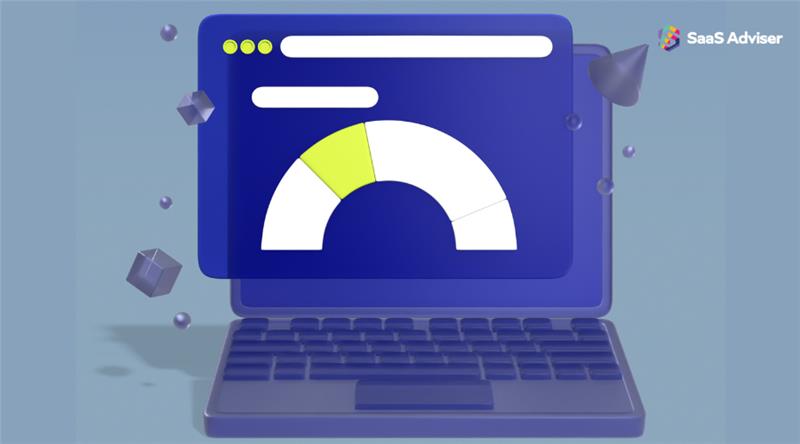
Slow loading speed is one of the worst web development mistakes a website can have.
53% of visits leave a website if the mobile version takes longer than 3 seconds to load. Nothing kills engagement faster than slow pages and that's a fact now.
On the flip side, search engines lower rankings for slow pages too. You lose organic traffic and conversions at the same time.
The main problem here usually are large images. Unused scripts create drag and poor hosting creates delays.
Also, outdated CMS plugins load too many files. Many owners ignore website speed for months. This can hurt results without warning.
How to Improve Site Speed
Compress every image before uploading, even manually. One of the top ones is the Resizing.app. It can help you when reducing, resizing, or optimizing images.
Next, remove unused plugins and scripts. Choose strong hosting that fits your traffic level. Cache pages so they load faster for returning users.
Websites should optimize product images and remove scripts from older promotional campaigns.
So hopefully, compressing all featured images and limiting animation scripts will help.
3. Weak Mobile Optimization
Over half of visitors use mobile devices, so every business needs to be mobile-ready.
Above all, many sites still load poorly on phones, and things break on smaller screens. Your site loses trust if users pinch, zoom, or struggle with buttons.
Buttons that sit too close together create frustration. Text that shrinks too much becomes unreadable. Images break layouts. Dropdown menus hide items.
eCommerce checkout forms can create many problems. When layout issues come up, abandoned carts increase quickly.
How to Improve Mobile UX
Use a responsive framework that adapts content smoothly. Or test pages on different phone sizes. Increase button spacing.
Also, you can use larger font sizes and keep checkout forms short and direct. Simply put important content at the top. This way, mobile visitors can find it quickly and that would be considered as efficient UX.
4. Weak Content Strategy and Poor Copy
63% of businesses don't have a documented content strategy in place.
So websites that rank on search engines well, have strong, clear, and valuable copy placed. And it answers user questions with direct answers.
Thin pages fail to answer questions and lack enough data to rank well. And duplicate copy across product pages hurts search performance as well.
There is a real problem here as site owners often ignore content updates for months. This results in outdated facts, broken claims, or what's even worse, being deindexed from search engines.
Build Strong Content That Works
Research what your audience needs. Write clear, short sentences and use simple language that every visitor can understand.
If you're running an online shop, firstly, create unique descriptions for each product. You can next work on helpful guides that solve real problems.
Pro Tip: Keep your content fresh and updated. Set a schedule to review and update pages each quarter.
5. Poor Technical SEO Setup
A website needs technical alignment to rank well. Many owners focus on design and skip the technical foundation. Among the top technical SEO elements to keep are:
-
Meta title and description
-
Correct indexing settings
-
Optimal/advanced schema
-
Properly implemented redirections.
Sometimes, developers forget to remove noindex tags after launch. This, in turn, leads to the page not being indexed and the page is not ranking for any type of keywords.
Another major issue across almost all types of websites is missing alt tags. They may seem like a small or insignificant detail, but they have a direct impact on page performance, accessibility, and organic rankings. Properly optimized alt text helps search engines understand images, improves user experience, and supports SEO—especially for businesses offering Software Development Outsourcing, where visibility and credibility matter.
First of all, use Screaming Frog or another website crawler tool to find broken pages. Then, optimize meta title tags and meta descriptions, fix duplicate URLs with clean redirects, schema markup to product pages or service pages.
6. Weak Security Setup
Today, hackers can scan websites in minutes and target weak points. A simple attack can block customers, leak customer data, or crash your website. However, many online company owners fail to implement security measures on time.
In the contrary, outdated plugins create openings for hackers. Weak passwords allow intruders in, and missing SSL certificates damage trust. Furthermore, stores that collect customer data require extra protection.
Bots can overwhelm checkout systems, and phishing scripts can attack user accounts.
How to Strengthen Security
Update plugins every month, use strong passwords, and install SSL certificates.
You can also:
-
Add two-factor login for admin accounts (this helps a lot)
-
Use firewalls that filter traffic
-
Back up your website on a schedule (backing up once a day should be enough)
-
Add plugins and tools that use fraud prevention approach during checkout.

7. Poor Conversion Path and Poor UX
A website can look improved but still fail to convert.
Question: Why?
Many owners build sites with visual focus but forget about the conversion outline.
In this case, hero sections include CTA buttons that hide behind large images. Product or service pages show limited details, contact/checkout forms add too many steps, etc.
To avoid this, write direct CTA text, and use short, simple messaging that sets clear expectations. Plus, you can add visible buttons above the fold and show product benefits early on each page. Limit form fields to what you need and add trust signals near CTAs.
Web Development Mistakes: Key Takeaways
Today, Search engines reward healthy websites with valuable information.
You help your website, you should follow your brand and:
-
Build clear structure, fast speed, and solid mobile layouts to keep users engaged.
-
Create strong content and a clean technical setup to improve visibility.
-
Enhance security and update plugins to protect customer data.
-
Streamline user paths and regularly monitor webpages to increase conversions.
A better website brings stronger leads and higher revenue. So constantly check the website for issues so your site remains fast, safe, and easy to use.