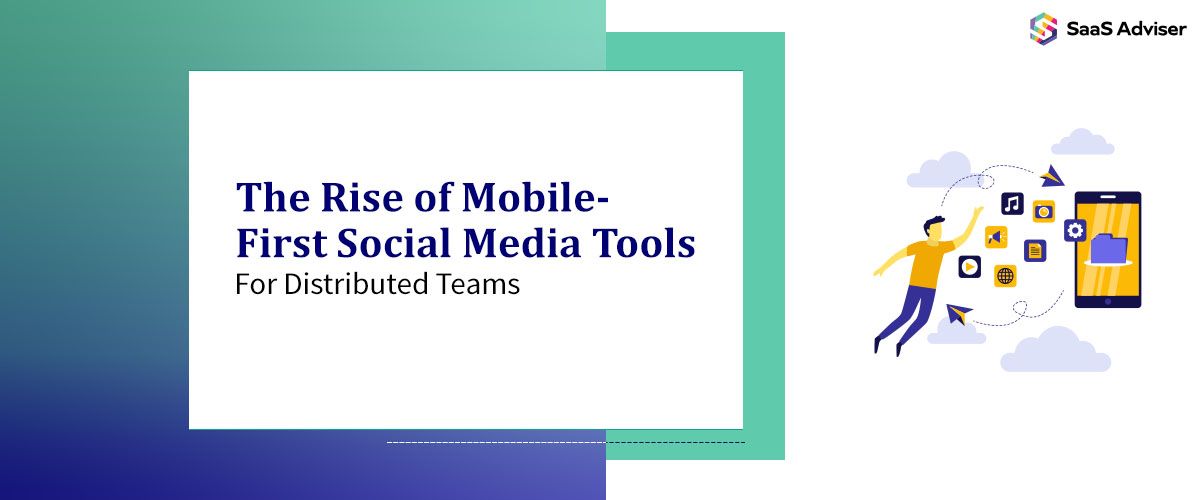
The modern workforce no longer operates from a single location. Teams now span cities, time zones, and continents, with many employees working entirely from mobile devices rather than traditional desktops.
This shift creates a significant challenge for social media management. Tools designed for office-based marketers sitting at desks fail to meet the needs of distributed teams who manage brand presence from coffee shops, client sites, or factory floors. According to the Bureau of Labor Statistics, over 27% of employed persons worked remotely at least part of the time in 2024, highlighting how widespread flexible work arrangements have become.
This article explores why mobile-first social media tools have become essential for distributed teams, what features define a truly mobile-first platform, and how to evaluate options for your organization.
Why Desktop-Centric Tools Fall Short for Distributed Teams
Traditional social media management platforms were built with a specific user in mind: a marketing professional working from an office computer. This assumption creates friction for teams operating outside that model.
1. The Office-Based Design Problem
Most legacy social media platforms treat mobile apps as afterthoughts. They cram desktop interfaces into smaller screens, hiding critical features behind multiple taps or omitting them entirely from mobile versions.
This forces distributed team members to wait until they reach a computer to complete essential tasks. For teams spread across locations, that delay can mean missed opportunities for timely engagement or content approval bottlenecks that slow entire campaigns.
2. Collaboration Delays That Cost Time
Desktop-first tools often require synchronous communication. Team members need to be online simultaneously, logged into the same platform, to coordinate effectively.
Distributed teams rarely have that luxury. When a social media manager in Singapore needs approval from a director in Toronto, an eight-hour time difference makes real-time collaboration impractical. Tools that depend on immediate responses create frustrating delays.
3. Limited Access on the Move
Field teams, sales representatives, and frontline employees frequently need to capture and share content from locations without computer access. A retail manager photographing a store display or a technician documenting a successful installation cannot wait to transfer files to a desktop.
Desktop-centric platforms exclude these valuable content contributors from the social media workflow entirely.
What Defines a Truly Mobile-First Platform
Mobile-first design means more than shrinking a desktop interface. It requires rethinking workflows from the ground up with smartphone users as the primary audience.
1. Small Screen Optimization
Genuine mobile-first platforms prioritize the most common actions and make them accessible within one or two taps. Navigation stays simple, buttons remain large enough for reliable touch input, and visual elements scale appropriately for various screen sizes.
The interface should feel native to mobile users rather than cramped or cluttered. Content previews display accurately, showing how posts will appear on each social network before publishing.
2. Offline Functionality and Smart Sync
Reliable internet access is not guaranteed for distributed workers. A social media management tool for frontline workers must function effectively even when connectivity drops.
This means allowing users to draft content, review scheduled posts, and prepare approvals while offline. When connection returns, the platform syncs changes automatically without requiring manual intervention or risking duplicate posts.
3. Streamlined Workflows for Field Use
Mobile-first platforms reduce the steps required to complete common tasks. Capturing a photo and scheduling it as a post should take seconds, not minutes of navigating complex menus.
Quick actions, templates, and intelligent defaults help team members contribute content efficiently during brief windows of availability between other responsibilities.
Benefits for Distributed and Frontline Teams
Adopting mobile-first social media tools delivers measurable advantages for organizations with geographically dispersed workforces.
1. Faster Response to Audience Engagement
Social media moves quickly. Comments, mentions, and direct messages require timely responses to maintain audience relationships and protect brand reputation.
Mobile-first tools enable team members to monitor and respond to engagement from anywhere. A community manager commuting on public transit can address a customer concern immediately rather than letting it escalate for hours until reaching a computer.
2. Maintaining Brand Consistency
Distributed teams face heightened risks of inconsistent messaging. Without centralized oversight, individual team members may post content that diverges from brand guidelines or conflicts with other ongoing campaigns.
Mobile-first platforms with robust approval workflows, content libraries, and brand asset management help maintain consistency regardless of where team members work. Templates and pre-approved content blocks ensure that even quick posts adhere to established standards.
3. Strengthening Team Coordination
Visibility into team activity becomes more important as workers spread across locations. Mobile-first tools provide shared calendars, activity feeds, and notification systems that keep everyone aligned.
Team members can see what colleagues have scheduled, avoid content conflicts, and coordinate campaigns without scheduling video calls across time zones.
How to Choose the Right Mobile-First Tool
Selecting the appropriate platform requires evaluating several factors beyond mobile interface quality.
1. Essential Features to Prioritize
Look for platforms offering complete functionality on mobile devices, not just basic posting capabilities. Key features include content scheduling, analytics access, approval workflows, and team collaboration tools.
Asset libraries that sync across devices allow team members to access approved images, videos, and copy blocks from any location. Bulk scheduling capabilities save time for teams managing multiple accounts or high posting volumes.
2. Integration and Compatibility Needs
The ideal platform connects with existing business systems. Consider integrations with project management tools, CRM platforms, and communication apps your team already uses.
Cross-platform compatibility matters for teams with mixed device environments. Verify that the tool performs equally well on iOS and Android, and check whether a web version exists for situations where desktop access is preferred.
3. Security Considerations
Distributed access increases security complexity. Evaluate platforms based on their authentication options, permission controls, and data protection measures.
Role-based access ensures team members can only perform actions appropriate to their responsibilities. Two-factor authentication adds protection for accounts accessed from various locations and networks.
Conclusion
Mobile-first social media tools have evolved from convenient alternatives into essential infrastructure for distributed teams. As organizations continue embracing flexible work arrangements, platforms designed around mobile workflows deliver clear advantages in speed, coordination, and content quality.
When evaluating options, prioritize genuine mobile-first design over retrofitted desktop tools. Look for offline functionality, streamlined workflows, and robust security features that support your team's specific working patterns.
The right platform empowers every team member to contribute effectively to social media efforts, regardless of their location or primary device.

.jpg "What is the Difference Between Basic and Advanced Inventory Management Software for U.S. Businesses?")