Even in the digital economy of today, where money flows in smartphone apps and direct deposits, paystubs are still an important bit of documentation. They’re not just a verification of income — they are the underpinning of financial transparency. Workers depend on them for taxes, loans or renting an apartment. Employers want them so they stay in good graces and keep their records clean.
But there’s one issue: when you do it the old-fashioned way via a professional pay stub maker online, it’s both time-intensive and expensive, and prone to errors. That’s the space where online pay stub generators operate. With a handful of details and a few clicks, you can generate accurate, professional paystubs in minutes—no accounting degree required!
This guide will help you to understand how to create professional paystubs online, the importance of it, and the mistakes to avoid. In time, you’ll change your view of what a payroll document can be.
What Exactly is a Paystub?
Let’s start simple. A pay stub — sometimes called a paycheck stub — is the document that breaks down an employee’s earnings for that pay period. It usually shows:
-
Adjusted gross income (what you made, before deductions)
-
What you paid in taxes (federal, state, and sometimes local)
-
Other deductions (medical, retirement contributions, garnishments)
-
Net pay (what you actually receive in your bank account)
In the case of employers, paystubs are a means to comply with labour laws. Staff members require proof of income and a financial record when planning budgets.
The good news? It doesn’t take fancy spreadsheets or expensive payroll software to build one. The hard work is done for you with online paystub generators.
Why Create Paystubs Online?
If you’ve ever attempted doing payroll on your own, you know there’s a point when it goes from challenging to time-sucking to annoying. With tax withholdings and overtime, and different rules for deductions, such as government deductions, doing the math can be complicated. It's one reason why small business owners, freelancers, and even household employers — like families who pay nannies or caregivers — are looking to online paystub generators. Here’s what makes them so helpful:
Time-Saving
Manually crunching a payroll can take hours, particularly if you are dealing with multiple employees or work that is not regularly scheduled. And with online paystub generators, you just enter the basics — hours worked, pay rate, deductions — and the system crunches the numbers in seconds. Today, an activity that used to consume a whole afternoon is quicker than brewing a pot of coffee.
Accuracy
Payroll errors are not just embarrassing — they can be costly. Failure to pay taxes you owe or forgetting to take a deduction from employees’ wages can result in fines or unhappy employees. They use the current tax rates and internal calculators to eliminate human error almost entirely. You can breathe easy knowing that the numbers add up the right way the first time.
Professional Look
Let’s face it: a messy spreadsheet is not confidence-inspiring. Online paystub generators offer good-looking templates that resemble the paystubs issued by Fortune 500 companies. Employees receive professional documentation, and you come off as a reputable, well-organized employer — whether you’re launching a start-up or hiring a babysitter.
Accessibility
Your desk, after all, is no place for payroll. Online paystub creators can be used on your laptop, tablet, and even smartphone. That makes it easy to create, review, and share paystubs from anywhere, whether you’re in the office, on the road, or lounging at home. These are game changers for freelancers, who are always on the run when flexibility in data capturing is of essence.
Cost-Effective
A payroll service or an accountant can deplete your budget, especially as a small business or solo entrepreneur. You will generally pay a few dollars per stub at such paystub generators, or you can choose a low-cost subscription package. You’ll get professional results without incurring the ongoing cost of outsourcing your payroll.
Bottom line: Online paystubs are quick, accurate, low-cost, and professional however non-flexible to the policy. If you’re looking to take payroll tasks off your plate and give yourself extra time, using a paystub generator isn’t just easy, it’s a must.
Step-by-Step: How to Create a Professional Paystub Online
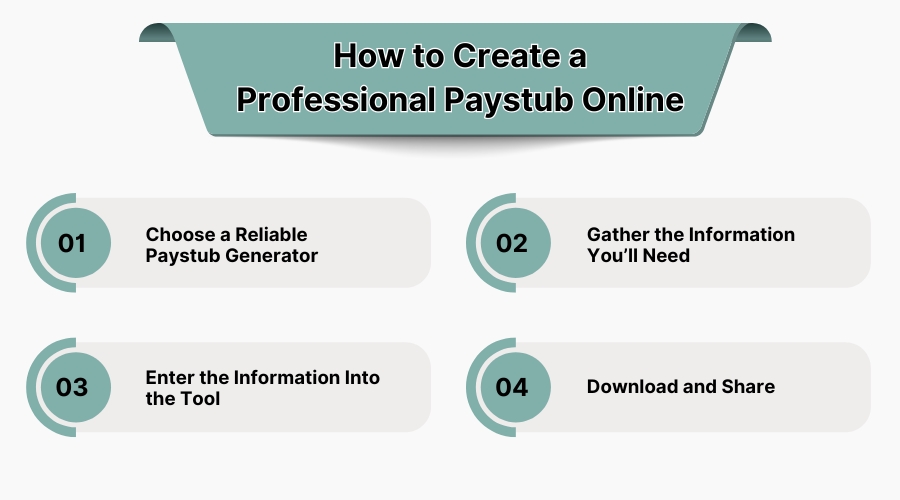
Creating a paystub online is honestly faster than ordering a latte at Starbucks—no waiting in line, no misspelled names, and definitely no confusion about what size you wanted. The process is straightforward, but there are a few things you’ll want to do carefully to make sure your stub is professional and accurate. Let’s break it down:
1. Choose a Reliable Paystub Generator
This is your starting point. There are dozens of paystub generators online, but not all of them are created equal. A good one will:
-
Use secure encryption to protect sensitive information like Social Security numbers and salary details.
-
Offer customizable templates so you can add your company logo or match the style you want.
-
Stay compliant with tax rules in your state, so you don’t have to worry about incorrect withholdings later.
Think of it like picking a mechanic—you don’t just want the cheapest option; you want the one that’s trustworthy and reliable.
2. Gather the Information You’ll Need
Before you jump in, collect all the necessary details so you’re not scrambling halfway through. Here’s your quick checklist:
-
Employer name and address
-
Employee name and address
-
Pay period dates (weekly, biweekly, or monthly)
-
Gross wages or salary
-
Hours worked (if hourly)
-
Deductions (insurance, retirement contributions, garnishments)
-
Tax withholding details (federal, state, and local if applicable)
Think of this as packing before a trip. Having everything ready upfront saves time and avoids backtracking.
3. Enter the Information Into the Tool
Now comes the easy part. Most online generators are designed to be super user-friendly. Fields are clearly labeled—you just type in the numbers and names where they belong. Many even offer drop-down menus for things like pay frequency or deduction types. In less than five minutes, the system calculates gross pay, deductions, and net pay for you.
4. Review for Accuracy
This is where attention to detail matters. Double-check everything:
-
Are the names spelled correctly?
-
Do the pay dates match the actual period worked?
-
Do the deductions look right?
A small typo—like the wrong pay period—can confuse employees or cause problems when they use the stub for taxes, loans, or rentals. A minute of proofreading here saves hours of headaches later.
5. Download and Share
Once you’re satisfied, just hit download. Most generators produce a clean, professional PDF that you can email directly to the employee or print for records. Some tools even let you store paystubs in the cloud for easy access later.
Common Mistakes to Avoid When Generating Paystubs Online
Technology can help, but errors can still be made. Here are pitfalls to keep an eye on:
-
Wrong Tax Info – Using an old tax rate, or forgetting local taxes, is bound to get you in trouble down the road.
-
Misspelled Names – You might think it doesn’t happen, but it does. Always proofread.
-
Failure to Deduct—Anything left out, such as insurance or 401(k) contributions, will render stubs inaccurate.
-
Incorrect Pay Period Time—Employees depend on specific time periods, while mthr_pay_cost_ent delivers the last check end date and number of periods. Other than the last pay end date and number of periods, the paycheck start date seems to hide the tables under the cornfield when the date boundary is concerned.
-
No Saving Copies – Always have a digital or printed documentation available for compliance and audits.
Who Benefits from Online Paystubs?
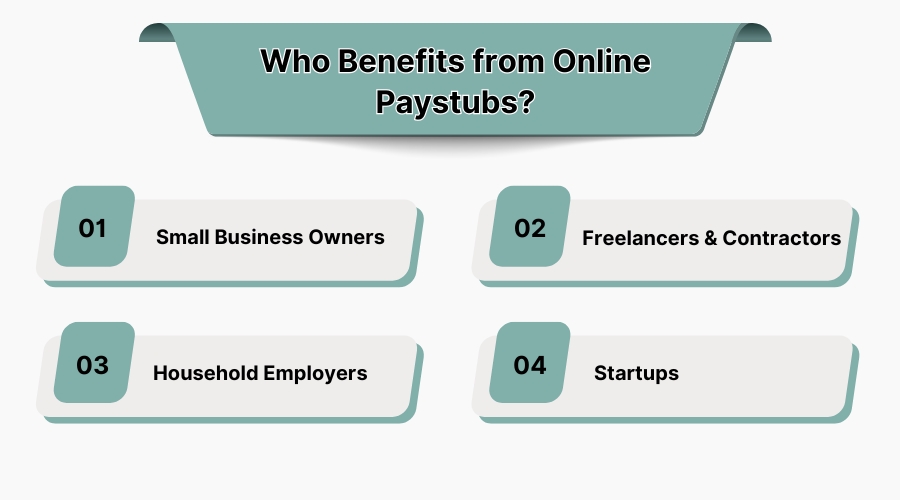
1. Small Business Owners
If you don’t have a dedicated HR team, online paystubs help you keep payroll professional without outsourcing.
2. Freelancers & Contractors
Self-employed individuals can create paystubs to prove income when applying for mortgages, car loans, or renting apartments.
3. Household Employers
Families who employ babysitters, caregivers, or cleaners can provide proper documentation without getting tangled in accounting software.
4. Startups
Young businesses save time and money by using these tools instead of hiring full-service payroll companies.
The Legal Side: Are Online Paystubs Legit?
Yes, they’re absolutely legitimate—provided the information entered is accurate and truthful. Online paystub generators don’t “invent” records. They simply format and calculate the information you provide.
Employers are legally responsible for ensuring accuracy. Using online tools doesn’t remove accountability, but it does make compliance easier by reducing calculation errors.
Best Practices for Professional Paystubs
-
Use Consistent Templates – Stick to one format for all employees.
-
Keep Records Organized – Save both digital and physical copies for at least 3–5 years.
-
Update Regularly – Tax laws change, so update information when needed.
-
Communicate with Employees – Make sure they understand deductions and encourage them to review stubs.
Beyond Payroll: Why Paystubs Matter in Real Life
A lot of people underestimate the importance of paystubs until they need them. Here’s where they come in handy:
-
Loan Applications – Banks want proof of income. Paystubs provide that.
-
Rental Agreements – Landlords often ask for recent stubs before approving tenants.
-
Tax Filing – Paystubs make reconciling W-2s and tax returns much easier.
-
Budgeting – Employees can track take-home pay and deductions.
Simply put, a clean paystub is a financial safety net.
Choosing the Right Online Paystub Tool
When picking a generator, consider these factors:
-
Ease of Use – Can you create a stub in under 5 minutes?
-
State Compliance – Does it handle your state’s tax rules?
-
Security – Are your details encrypted?
-
Customer Support – Is help available if you get stuck?
-
Affordability – Are pricing plans reasonable for your needs?
Do a quick test run with free demos that many platforms offer before committing.
Final Thoughts: Simplifying Payroll
Payroll shouldn’t feel like climbing Mount Everest. With online paystub generators, what once took hours can now be done in minutes. Whether you’re a small business owner managing a handful of employees, a freelancer proving income, or a startup founder juggling multiple roles, professional paystubs are at your fingertips.
By embracing digital tools, you save time, cut costs, and present a more professional front. In an era where convenience and accuracy matter, online paystubs just make sense.