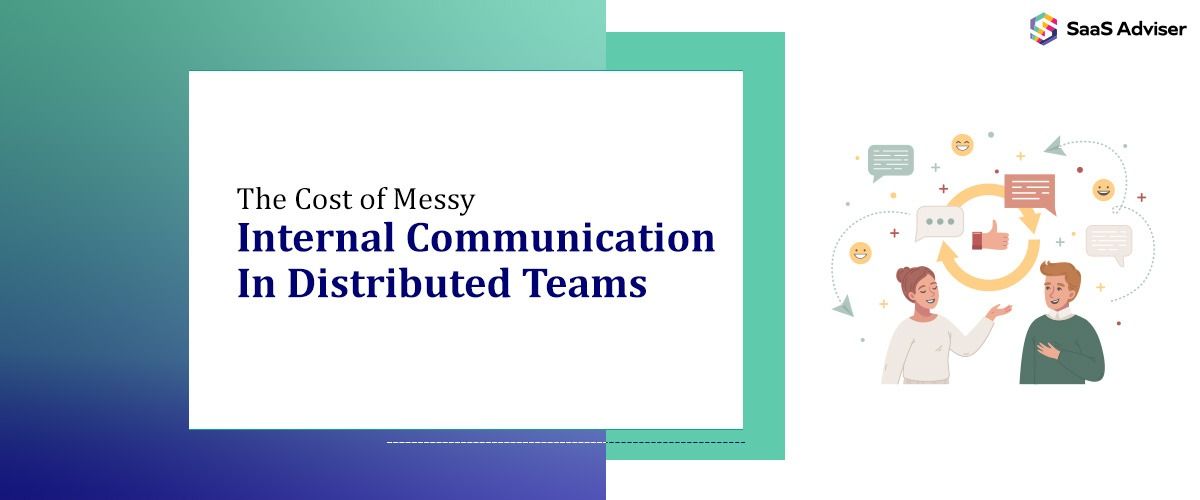
Have you ever checked one app for a message, another for a file, and then called someone just to figure out what your team decided?
That’s what messy internal communication looks like.
When your distributed team works in different locations and schedules, you need internal communication to stay clear and easy to follow.
You need a work chat app that gives your team one clear place for internal communication and feels easy to use every day to make your team communication easier to manage and keep everyone in sync.
Why Messy Communication Adds Extra Work
Messy communication turns simple tasks into bigger ones.
Instead of moving work forward, you spend time putting the pieces together.
That slows down your daily work. You make slower decisions because you can’t see the full context in one place. You miss a follow-up because the message, file, and next step are in different tools.
That also makes ownership less clear because your team can’t always see who said what, what changed, or what needs to happen next.

Pro-tip
Before asking a question that might have been answered already, encourage your team to use the Global Search feature in your work chat app.
Why Does This Happen In The First Place
This usually happens because your team doesn’t have a work chat app that feels easy to use every day.
You may not have a dedicated team chat app for internal communication, or you may already have one, but it feels clunky on mobile, is hard to use, or feels disconnected from the way your team actually works.
When that happens, your team falls back on whatever feels easiest, like texting, using a personal messaging app, sending an email, or making a quick call.
That choice may feel practical in the moment, but it creates a bigger problem over time. You end up using multiple tools for internal communication. That’s when things start falling through the cracks.
Why Do You Feel This More In A Distributed Team
For a distributed team, team communication has to do more of the work.
Your team may work across stores, offices, job sites, shifts, or time zones. Some people may spend most of the day at a desk, while others rely on a phone. Some may check email often, while others mostly respond in chat.
When your internal communication happens in different places, it makes it even harder for everyone to see the same message, file, or next step.
That creates constant friction.
It’s hard to stay aligned when people don’t know where the source of truth is.
What Organised Internal Communication Looks Like
Organised internal communication starts with a work chat app that gives your team one clear workspace for daily team communication.
Instead of switching between personal apps, calls, email, and side chats, your tteam shouldbe able to send updates, share files, ask questions, and follow up in one shared workspace.
That gives you a more centralised way to manage internal communication and keeps daily work easier to follow.
When your team communicates in one place, you make it easier to keep everyone in the loop, track decisions, and see what needs attention next.
It also makes accountability easier. When you keep conversations close to the work, your team can turn messages into tasks, follow up in the same place, and keep work from falling through the cracks.
At the same time, you get better visibility across the team and more control over who can see and do what.
What To Look For In A Team Chat App
Your team chat app should make internal communication easier, not give your team one more work tool to ignore.
Start with usability. If the app feels confusing or hard to use on mobile, your team will keep going back to personal messaging apps, texts, and calls. If the app feels intuitive and easy to use, your team is much more likely to use it for daily work communication.
You should also look for control and security. When work communication happens across personal messaging apps and disconnected tools, it becomes harder to manage who can access business data, where files are shared, and how conversations are tracked.
Look for a team chat app that gives you control over where team communication happens and who can access it.
You need a dedicated work chat app like Zenzap that feels intuitive and easy to use so your team can start using it without training, turn messages into tasks, and keep messages and all your business data in one secure workspace.
Common Reasons Why Internal Communication Gets Messy
Internal communication often becomes chaotic in distributed teams due to several common factors, primarily related to the tools and processes in place. Understanding these reasons can help you address the root causes and streamline your team’s can communicate better in distributed team environments. By doing so, you can improve clarity, reduce misunderstandings, and foster a more collaborative remote work culture.
1. Multiple Disconnected Tools
When teams rely on various apps, email, personal messaging, file-sharing platforms, and task management tools, messages and files become scattered. This fragmentation makes it difficult to find the latest updates or track conversations, leading to missed information and duplicated efforts.
2. Lack of a Centralised Communication Platform
Without a dedicated team collaboration and communication platform, team members often revert to familiar but less effective methods like texting or quick calls. This siloed approach hampers transparency and makes it hard to maintain a single source of truth.
3. Poor Usability of Existing Tools
If the current communication tools are confusing, slow, or hard to use on mobile devices, team members are less likely to adopt them consistently. Frustration with the tools pushes employees to fallback on personal apps or less organized methods.
4. Inconsistent Communication Practices
When there are no clear guidelines on how and where to communicate, team members might send messages in different channels or miss important updates altogether. This inconsistency breeds confusion and disorganization.
5. Inadequate Control and Security
Using multiple unintegrated tools often means less control over who can see or access sensitive information. This not only risks data breaches but also complicates management and compliance efforts.
6. Lack of Visibility and Follow-Up
Without a unified platform that tracks conversations, files, and tasks in one place, accountability suffers. Team members may forget to follow up or lose track of critical decisions, slowing down progress.
How Messy Communication Slows Down Distributed Teams
Distributed teams face unique challenges when it comes to internal communication. When messages, files, and updates are spread across multiple platforms, it creates significant inefficiencies that hinder productivity. Here’s how scattered communication specifically slows down your team:
1. Increased Time Spent Searching for Information
When team members use different apps, email, personal messaging, file sharing tools, finding the latest version of a document or the context of a previous conversation becomes time-consuming. This constant hunting for information delays decision-making and task completion.
2. Duplication and Overlap of Efforts
Without a centralized communication hub, team members might unknowingly duplicate work or ask the same questions repeatedly. This redundancy wastes valuable time and resources that could be better spent on productive tasks.
3. Lack of Context and Clarity
When communication is fragmented, it’s difficult to see the full picture. Important updates may be missed or misunderstood, leading to errors, rework, or misaligned goals. This confusion hampers the team’s ability to move forward efficiently.
4. Slower Decision-Making Processes
In dispersed teams, quick decisions often rely on immediate access to relevant information. When communication is scattered, delays occur as team members wait for updates or clarification, causing bottlenecks in workflows.
5. Reduced Accountability and Oversight
With conversations happening across multiple channels, it’s harder to track responsibility or follow up on tasks. This lack of visibility can cause important actions to fall through the cracks, further slowing down progress.
6. Increased Friction and Frustration
Constant switching between tools and platforms leads to frustration and cognitive overload. Team members spend more time managing their communication tools than focusing on their actual work, reducing overall efficiency.
How The Right Team Chat App Helps
The right team chat app helps you bring your work communication back into one place.
Instead of having internal communication in different places, the right team chat app gives your team one shared space for work conversations. That makes it easier for you and your team to follow conversations, access business data, and keep everyone in sync without extra back-and-forth.
The right team chat app gives you the visibility and admin control your business needs to manage internal communication more clearly.
With a work chat app like Zenzap, your distributed team stays in sync without switching between different apps and tools.
Do You Know?
Factor The App Fatigue Factor: The mean digital worker these days goes between various apps and websites almost 1200 times each day. This toggling tax imposes thousands in lost efficiency at the expense of the companies each year. By uniting your team communication in a single workspace that is easy to use, up to 20% of your team's wasted time is reclaimed.
Conclusion
Messy internal communication in distributed teams slows work down. When team communication is scattered across different places, your team has to switch between tools and spend extra time figuring out what happened and what needs to happen next. You need a secure team chat app that feels easy to use to bring internal communication back into one place, keep everyone in the loop, and make daily work easier to manage.
Messy communication leads to confusion, delays, misalignment, and reduced productivity across remote teams.
It increases rework, slows decision-making, and creates bottlenecks that waste time and resources.
Clear communication ensures everyone stays aligned, informed, and focused despite working from different locations.
They can use collaboration tools, set clear guidelines, and maintain regular updates to keep teams connected and efficient.

.jpg "Best POS Management Solutions for Restaurants")